Picking an AI video tool used to mean choosing between a handful of clunky text-to-video demos. That changed quickly.
By mid-2026, free tools like Google Veo, Runway, and Adobe Firefly can generate usable video clips in a single afternoon. AI video editors can also turn a script or long recording into a polished video without using a traditional timeline.
This guide covers the 20 best AI video tools available today. They’re grouped by what they do best, including text-to-video generation, AI editing, avatar creation, and short-form video repurposing.
Each tool includes its supported platforms, what the free plan actually offers, and the type of creator it’s best suited for.
Before exploring the list, it helps to understand the three main categories of AI video tools.
Generative tools like Google Veo and Runway create videos from text prompts or images.
Editing tools like Descript and Filmora improve existing footage. Meanwhile, Synthesia and OpusClip create videos from scripts or repurpose existing recordings.
Understanding these categories makes it much easier to choose the right AI video tool for your workflow.
Best AI video generator for film-making
Google Veo (Web)
Veo is Google’s flagship video model, and in 2026 it is easier to reach for free than most people realize. Google opened up daily free access through Google Flow and Google AI Studio, giving standard account holders a set number of credits per day without a subscription or a credit card on file.
Free clips top out at 720p, run up to 8 seconds, and carry a visible watermark, while paid AI Pro and Ultra plans unlock 1080p, longer duration, and watermark-free exports. What sets Veo apart is motion realism. Camera pans, water, hair, and cloth behave in ways that hold up even in close, static shots, and native audio generation means dialogue and ambient sound can be produced in the same pass as the video.
Veo works best for cinematic b-roll, moody establishing shots, and short narrative beats where visual quality matters more than editing control. It is less suited to precise brand work, since text and logos are still unreliable, and creators typically clean those up afterward in a separate editor.
Key features:
- Native audio generation, including dialogue, ambient sound, and sound effects, in the same pass as the video
- Access through Google Flow, Google AI Studio, and the Gemini app, each with different daily limits
- Strong physical realism for water, fabric, hair, and reflective surfaces
- Image-to-video support for animating a still photo or concept frame
Pricing sits on a spectrum. The free path through AI Studio and Flow resets credits daily, while Google AI Pro and Ultra subscriptions, bundled with broader Gemini access, unlock 1080p output, longer clips, and watermark removal. For creators who only need the occasional cinematic shot, cycling through the free daily allowance is often enough without ever upgrading.
Best for: filmmakers and creators who want the most convincing free motion quality available today.
Best AI video generator for extreme creative control
Runway (Web, iOS)
Runway has spent years building tools around its generative models rather than just the models themselves, and that shows in Gen-4. Motion Brush lets a creator paint exactly which part of a frame should move and in which direction. Camera Controls simulate pans, dollies, and zooms with a level of precision that prompt text alone cannot achieve.
The free plan grants a one-time allowance of about 125 credits, which covers a handful of short test clips rather than ongoing production. Paid plans scale from an entry tier through an Unlimited option built for studios generating video daily. Clips can run up to several seconds at high resolution, and Runway supports text-to-video, image-to-video, and video-to-video transformation in the same workspace, along with green-screen removal and lip-sync tools.
Where Runway earns its reputation is character and scene consistency across a single generation, plus the ability to chain clips into a longer sequence inside its own editor. It rewards creators willing to learn its controls rather than just typing a prompt and hoping for the best.
Key features:
- Motion Brush for directing movement in a specific area of the frame
- Camera Controls for simulated pans, dolly moves, and zooms
- Native audio generation alongside video in newer model versions
- Green-screen removal, inpainting, and lip-sync tools built into the same workspace
- API access for developers building Runway into a larger pipeline
Paid plans move from a mid-tier option built for regular solo use up through a Pro tier aimed at professionals, and an Unlimited plan for studios generating video every day. Credits do not roll over between billing cycles, so heavy users tend to plan their generations around the monthly reset rather than letting allowance go unused.
Best for: creators and small studios who want frame-level control over camera movement, motion, and composition.
Best AI video generator for commercially-safe outputs
Adobe Firefly (Web, iOS, Android)
Firefly’s biggest differentiator has nothing to do with visual flash. It is trained on Adobe Stock, openly licensed material, and public domain content, which is why Adobe markets it as commercially safe and backs many enterprise plans with indemnification. For agencies and in-house marketing teams that need to avoid copyright risk, that distinction matters more than a slightly sharper render.
The free plan includes a small monthly allowance of video generations, enough to test text-to-video and image-to-video workflows before committing to a paid tier. Every clip ships with Content Credentials, a metadata tag that discloses AI involvement, which is increasingly required by platforms and clients alike.
Firefly also sits inside Creative Cloud, so a generated clip can move straight into Premiere Pro for grading, extension, or precision edits using natural-language instructions like removing an object from a frame. Structure Reference lets a creator guide composition with a rough sketch or low-fidelity video, which keeps output aligned with a storyboard instead of leaving it to chance.
Key features:
- Commercially safe training data with indemnification on qualifying enterprise plans
- Content Credentials metadata attached automatically to every export
- Structure Reference for guiding composition from a sketch or reference clip
- Access to partner models, including Google’s Veo, inside the same unified workspace
- Direct handoff into Premiere Pro, Photoshop, and Adobe Express
Firefly’s paid plans are priced per credit bundle, with a Standard tier suited to freelancers and a Pro tier built for agencies producing higher volumes. Because the free plan is deliberately limited, most professional teams treat Firefly’s free tier as a proof of concept before licensing a paid plan for ongoing production.
Best for: brands, agencies, and enterprise teams that need generated video they can use commercially without copyright uncertainty.
Other AI video generators to watch
The generative video field moves fast, and a few tools outside the four above are worth watching closely.
LTX Studio (Web), built by Lightricks, functions less like a single generator and more like a production pipeline. It turns a script into a full storyboard, extracts recurring characters and objects as reusable “Elements” for consistency across shots, and offers Fast, Pro, and cinematic-quality render modes. The free plan includes a one-time credit allowance that covers early storyboarding and scene tests, and it appeals most to filmmakers and agencies planning multi-shot projects rather than single clips.
Kling AI has built a following for multi-shot storytelling and native audio, with a free daily allowance that resets regularly. Pika remains a fast, playful option for short stylized clips and effects. Hailuo (MiniMax) offers one of the more generous free tiers for creators outside North America, with several free generations available per day, and its newer versions push toward native 4K output. Vidu and Seedance round out the field with competitive motion quality and their own daily free allowances, and both are increasingly bundled into aggregator platforms that let a creator test several models from one dashboard before picking a favorite.
None of these secondary tools have unseated the four leaders above yet, but the gap closes with almost every model update, and a workflow built around a single generator in early 2026 may look outdated by the end of the year. It is worth bookmarking two or three of these alternatives and testing them against a familiar prompt every few months.
Comparing generation quality across the top four tools
Choosing between Google Veo, Runway, Adobe Firefly, and LTX Studio usually comes down to one deciding factor rather than a long checklist. Veo wins on realism and audio for cinematic shots. Runway wins on hands-on control for creators who want to direct camera movement precisely. Firefly wins on legal safety for commercial and brand work. LTX Studio wins on structure for anyone planning a multi-scene project rather than a single clip.
A useful way to think about it: if the deliverable is one striking hero shot, start with Veo or Runway. If the deliverable needs to survive a legal or brand review, start with Firefly. If the deliverable is an entire short film or ad campaign with multiple scenes, start with LTX Studio’s storyboard workflow and generate the individual shots with whichever model fits each scene best.
Best AI video editor for editing video by editing the script
Descript (Web, Windows, Mac)
Descript flips traditional editing on its head. Instead of scrubbing a timeline, a creator edits a transcript, and cutting a sentence in the text cuts the matching video and audio automatically. Filler words, long pauses, and stumbles can be removed with a single click using the Studio Sound and Filler Word Removal tools.
The free plan includes limited transcription minutes and watermarked exports, while paid tiers unlock longer projects, the Overdub voice-cloning feature, and multitrack editing for interviews or podcasts converted into video. Descript also supports green-screen removal, eye contact correction for webcam footage, and AI-generated B-roll suggestions based on the words being spoken.
It is the strongest option for anyone producing talking-head content: podcasts turned into video, course lessons, or long-form YouTube commentary where the script is the backbone of the edit.
Key features:
- Transcript-based editing that cuts video by deleting text
- Studio Sound for cleaning up background noise and room echo
- Overdub voice cloning for fixing flubbed lines without a re-record
- Eye contact correction and automatic B-roll suggestions tied to the script
- Multitrack support for interview and panel-style recordings
Descript’s free plan covers a limited number of transcription hours a month, which is enough for a weekly podcast episode but tight for a daily upload schedule. Paid plans raise those limits, add Overdub, and remove the watermark, with pricing scaled for individual creators through small production teams.
Best for: podcasters, educators, and YouTubers who want to edit video the same way they would edit a document.
Best AI video editor for polishing your video with AI tools
Wondershare Filmora (Windows, Mac, iOS, Android)
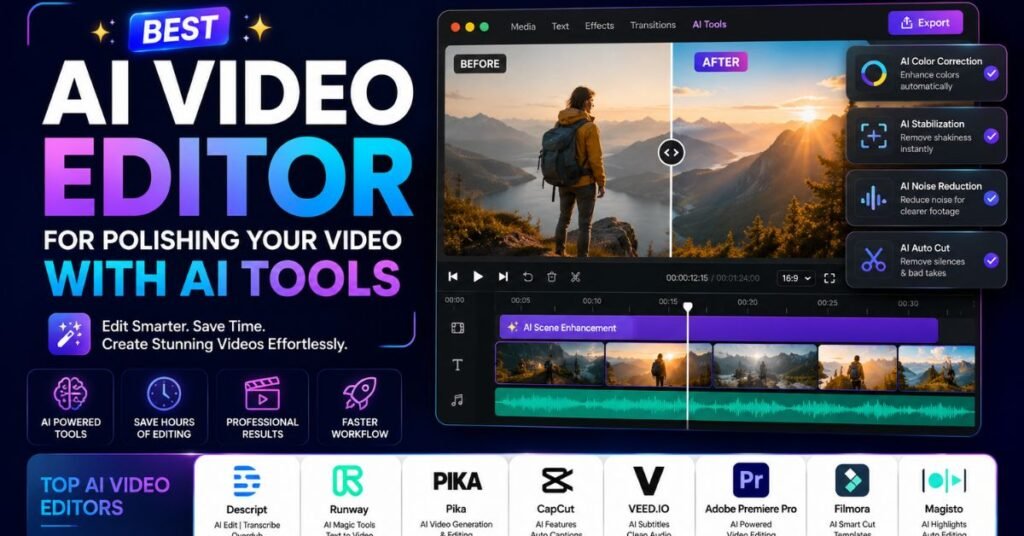
Filmora sits between a full professional suite like Premiere Pro and a lightweight mobile editor, and its AI layer is built to smooth out footage a creator has already filmed rather than generate new scenes. AI Copilot suggests edits based on the footage itself, Smart Cutout removes backgrounds without a green screen, and auto color match keeps clips shot in different lighting looking consistent.
The free version exports with a watermark and limited effects, while paid plans unlock the full effects library, motion tracking, and 4K export. Filmora also includes AI-generated background music, voice-to-text captioning in multiple languages, and a text-based video generator for creators who want a starting cut from a script.
Because it runs on desktop and mobile with a genuinely simple interface, Filmora tends to appeal to hobbyist and semi-professional creators who want polish without a steep learning curve.
Key features:
- AI Copilot for suggesting edits and pacing based on existing footage
- Smart Cutout for background removal without a physical green screen
- Auto color matching across clips shot in different lighting conditions
- Multilingual auto captioning and a text-based video generator for rough drafts
- A large built-in library of royalty-free music, effects, and templates
The free version is usable for casual projects but exports with a watermark and a capped effects set. The paid plan, priced as an annual or lifetime license rather than a pure subscription, unlocks 4K export, motion tracking, and the full effects and template library.
Best for: creators who film their own footage and want AI tools to speed up color, audio, and cutout work.
Best AI video editor for faster content production
VEED (Web, iOS)
VEED is a browser-based, timeline editor with AI layered throughout instead of bolted on. Auto-subtitles, a fast background remover, an AI avatar feature, and a large stock and template library all live inside one workspace, which keeps a creator from switching between five different apps to finish a single video.
Its AI Playground gives users access to several third-party video models, including Kling, Sora, Veo, and Seedance, from inside the same editor used for cutting and captioning. That model flexibility is a genuine advantage for creators who want to generate a clip and finish the edit without exporting to a separate tool.
The free plan is watermarked with limited export length, and paid tiers scale from an individual creator plan up to team plans with brand kits and collaboration tools. VEED’s own AI avatars are functional but noticeably less expressive than avatar-first platforms like Synthesia or HeyGen, so it is a stronger pick for editing speed than for presenter-led video.
Key features:
- Automatic subtitle generation with support for dozens of languages
- One-click background removal without a green screen
- AI Playground access to multiple third-party generative video models in one place
- Screen recording built directly into the editor
- Brand kit and team collaboration tools on higher plans
VEED’s real advantage is speed rather than depth. A creator can record, caption, trim, resize for multiple platforms, and export in one sitting, which matters more for daily-posting schedules than frame-perfect polish.
Best for: social media creators and marketers who need to caption, cut, and publish quickly without a steep learning curve.
Best AI video editor for streamlining your branded video production workflow
Capsule (Web, prefers Google Chrome)
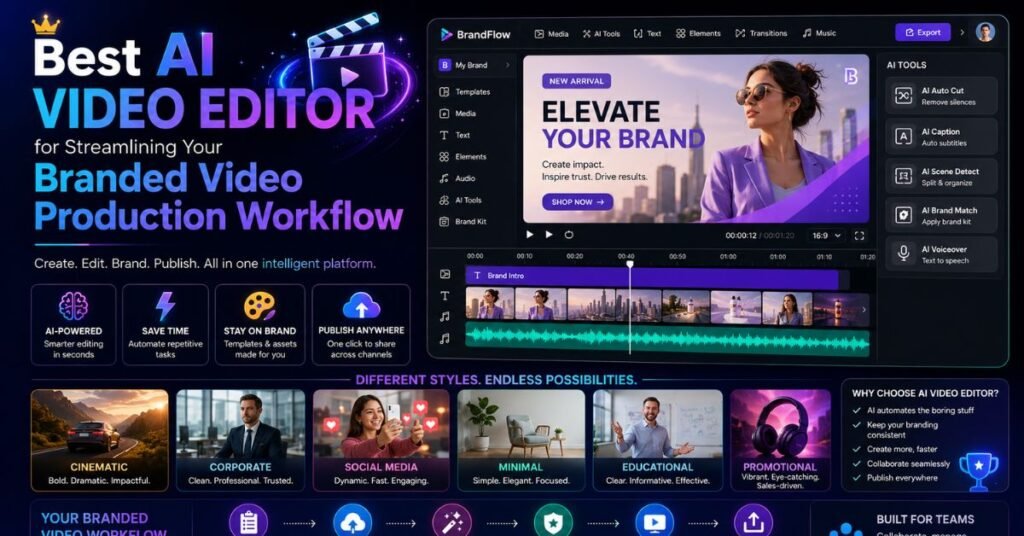
Capsule is built around brand consistency at scale, which is exactly the problem larger marketing teams run into once several people are producing video under the same company name. Brand kits store approved fonts, colors, logos, and templates so every export stays on-brand regardless of who created it.
The platform leans on AI for auto-resizing a single video into multiple aspect ratios, generating captions, and suggesting music that matches the pacing of a cut. Approval workflows let a team lead review and comment on a draft before it goes out, which is a feature most solo-creator tools skip entirely.
Because Capsule is optimized for Chrome, performance can be inconsistent on other browsers, and the platform is clearly aimed at teams rather than individual creators experimenting on their own.
Key features:
- Centralized brand kits covering fonts, colors, logos, and approved templates
- Automatic resizing of one video into multiple aspect ratios for different platforms
- Team approval workflows with in-context comments on drafts
- AI-assisted music and caption suggestions matched to a video’s pacing
Pricing is structured around team seats rather than individual credits, which reflects its positioning as a workflow tool for marketing departments rather than a general-purpose creator app.
Best for: marketing teams that need consistent, on-brand video output across multiple creators.
Best AI video editor for getting a rough cut in minutes
Eddie AI (Web, Windows, Mac)
Eddie AI’s pitch is speed to a usable first draft. Upload raw footage, and it automatically identifies the strongest takes, removes dead air, and assembles a rough cut with a suggested pacing, cutting the first-pass editing time from hours down to minutes.
It is not trying to be a full production suite. Instead, Eddie hands a creator a solid starting point that still needs a pass in a traditional editor for fine polish, music, and graphics. That makes it a strong companion tool rather than a replacement for Filmora, Premiere, or Descript.
Free access covers a limited number of monthly rough cuts, with paid tiers unlocking more processing volume and faster turnaround for creators or teams working with a high footage volume, such as event videographers or weekly vloggers.
Key features:
- Automatic identification of the strongest takes across raw footage
- Dead air and filler removal applied before a creator even opens the timeline
- Suggested pacing and sequencing based on the content of the footage
- Desktop and web versions for fitting into an existing editing workflow
Because Eddie AI hands off to another editor for final polish, it works best paired with a tool like Filmora or Premiere Pro rather than as a standalone finishing app.
Best for: creators sitting on hours of raw footage who need a fast starting cut before manual polish.
Best AI video editor for extracting and posting viral clips from long-form video
OpusClip (Web, iOS)
OpusClip takes a long recording, a podcast, webinar, or stream, and automatically finds the moments most likely to work as standalone short-form clips. Its scoring system ranks each potential clip by predicted engagement, then auto-generates captions, reframes the footage into vertical format, and adds b-roll or emphasis animations.
The free plan allows a limited number of monthly upload minutes with watermarked exports, and paid tiers scale from a starter plan through higher-volume options built for agencies managing multiple creator accounts. OpusClip’s clip-scoring model is trained specifically to spot moments with strong hooks, which is the feature creators mention most often when comparing it to manual clipping.
It fits naturally into a repurposing workflow: record one long piece of content, then let OpusClip generate a week’s worth of short-form posts from it.
Key features:
- Engagement scoring that ranks clips by predicted performance before export
- Automatic vertical reframing for TikTok, Reels, and Shorts
- Auto-generated captions with customizable styling
- B-roll and emphasis animation suggestions layered onto each clip
Pricing runs on a credit model, with a starter tier suited to individual creators and higher tiers built for agencies managing several client accounts at once. Because the free plan caps monthly upload minutes, high-volume podcasters typically move to a paid tier within the first month or two.
Best for: podcasters and streamers who want to turn long recordings into a steady stream of short clips without manual editing.
Best AI video maker for social media videos from a prompt
invideo AI (Web, iOS, Android)
invideo AI takes a single prompt or script and assembles a complete video: matching stock footage, a generated voiceover, background music, and captions, all in one pass. It also integrates several leading generative video models, including Veo 3.1 and Sora, so a user can pull AI-generated clips into the same project as licensed stock footage.
The free plan includes daily credits with watermarked, limited-resolution output, while paid plans starting around the price of a streaming subscription unlock higher resolution, more credits, and commercial usage rights. invideo AI is particularly strong at YouTube Shorts, listicle-style videos, and ad-style promos where speed matters more than frame-by-frame control.
Because it automates so much of the process, output can feel templated compared to a hand-edited video, but for creators producing high volumes of social content, that trade-off is usually worth it.
Key features:
- Full prompt-to-video assembly, including voiceover, music, and captions
- Access to multiple third-party generative video models inside one editor
- A large licensed stock footage and media library for non-generated scenes
- Team collaboration and brand kit tools on business plans
The free plan resets daily credits with watermarked, lower-resolution output, while paid plans remove the watermark and raise both resolution and monthly video volume, priced for individual creators through small marketing teams.
Best for: marketers and creators who want a finished, publishable video from a single prompt with minimal manual editing.
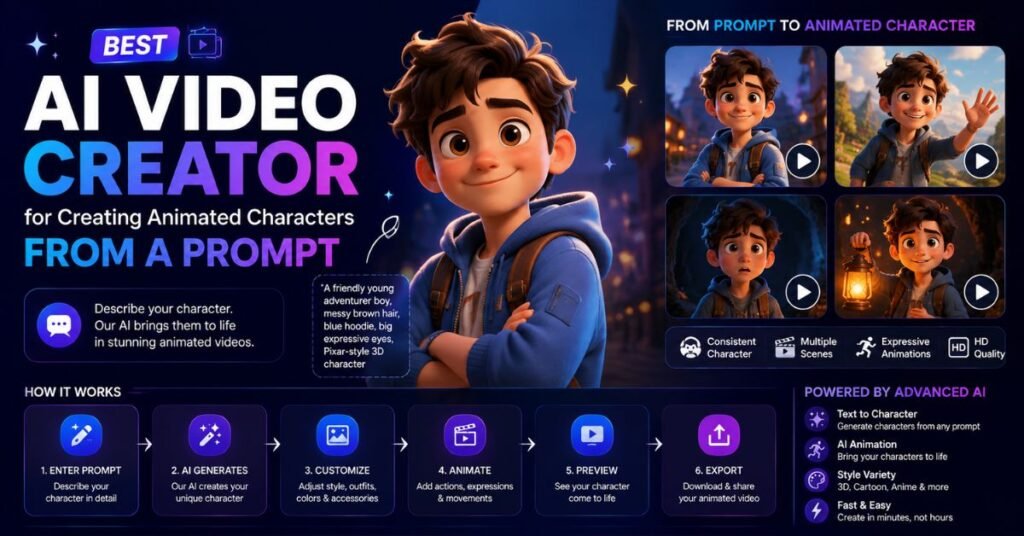
Best AI video creator for creating animated characters from a prompt
Vyond (Web)
Vyond has been in the explainer-video space for years, and its AI layer now lets a user generate a full animated scene, including characters, backgrounds, and camera movement, from a written prompt or script. Its animation style leans cartoon and corporate rather than photorealistic, which makes it a natural fit for training content, internal comms, and product explainers.
A free trial is available, though ongoing use requires a paid plan starting near the entry tier for small teams. Vyond’s character library includes diverse, customizable avatars with lip-synced dialogue, and its AI Text-to-Video feature can generate a rough draft scene that a creator then refines manually.
Where avatar platforms like Synthesia aim for realism, Vyond deliberately stays in animated territory, which sidesteps the uncanny-valley problem entirely and tends to test well for corporate training audiences.
Key features:
- AI Text-to-Video for generating a rough animated draft from a script
- A large customizable character library with lip-synced dialogue
- Scene, prop, and background libraries for building custom environments
- Team collaboration tools for reviewing and approving training content
Vyond does not offer an ongoing free plan, only a time-limited trial, and paid pricing starts near the entry tier used by small L&D and marketing teams, scaling up for larger organizations that need more seats and export volume.
Best for: L&D teams and marketers who want animated explainer videos rather than live-action or photorealistic presenters.
Best AI video creator for creating digital avatars
Synthesia (Web)
Synthesia remains the default enterprise choice for AI presenter video, with a library of 230-plus avatars and support for 140-plus languages. A user types or pastes a script, picks an avatar and voice, and Synthesia generates a lip-synced video without filming, hiring talent, or booking a studio.
The free plan is limited to a small number of minutes per month, generally enough to test the workflow rather than produce ongoing content, while paid plans scale from an individual creator tier through enterprise licensing used across large training and localization teams. Custom avatars built from a real person’s likeness are available on higher plans, which is popular for founders and executives who want a consistent on-camera presence without repeated filming sessions.
Synthesia’s core strength is scale: a single script can become dozens of localized training videos in different languages without re-filming anything, which is exactly why it serves a large share of Fortune 100 training programs.
Key features:
- A library of 230-plus stock avatars plus custom avatars built from a real person
- Support for 140-plus languages with automatic translation and dubbing
- Screen recording and slide import for turning existing decks into avatar video
- Brand kits and team roles for enterprise-scale content production
The free plan covers a small number of minutes per month, enough for a single short video, while paid plans scale from an individual creator tier through enterprise agreements that include custom avatars and dedicated support.
Best for: corporate training, onboarding, and internal communications teams producing video at scale across languages.
Best AI video maker for interactive digital avatars
LiveAvatar by HeyGen (Web)
LiveAvatar pushes past scripted, one-way avatar video into real-time conversation. Instead of generating a fixed clip, it streams a live, responsive avatar that can hold a conversation, answer questions, and react in the moment, which opens up use cases like virtual sales reps, live customer support, and interactive kiosks.
The free tier includes a modest monthly credit allowance with a short per-session time cap and single-user access, enough to demo the technology before scaling to a paid plan. Because the avatar responds live rather than following a fixed script, latency and voice naturalness matter more here than in traditional avatar tools, and HeyGen has focused heavily on shrinking response delay.
It sits alongside HeyGen’s broader avatar and translation suite, which also includes standard scripted avatar video, voice cloning, and multilingual dubbing for existing footage.
Key features:
- Real-time, responsive conversation rather than a pre-scripted video
- Customizable avatar appearance and voice matched to a brand
- Integration with HeyGen’s wider avatar, dubbing, and voice-cloning tools
- Session-based access suited to embedding on a website or kiosk
The free tier includes ten credits a month with a two-minute session cap and single-user access, which is enough to demo the concept internally before deciding whether a paid, higher-concurrency plan makes sense for the intended use case.
Best for: businesses that want a live, conversational AI presenter rather than a pre-recorded avatar clip.
Best AI video creator for AI-powered templates
revid.ai (Web)
revid.ai is built around ready-made templates for the formats that tend to perform on TikTok, Reels, and Shorts: reaction-style videos, text-story formats, AI voiceover explainers, and split-screen commentary layouts. A user picks a template, drops in a script or topic, and the platform fills in visuals, captions, and voice automatically.
Free access includes a limited number of monthly video generations with watermarking, and paid plans remove the watermark while unlocking more templates and higher export volume. Its narrow focus on trending short-form formats makes it faster to use than a general-purpose editor for creators specifically chasing social media growth rather than polished brand video.
Key features:
- A rotating template library tied to current short-form video trends
- AI voiceover generation matched to each template’s pacing
- Auto captioning styled to match the chosen template
- Fast turnaround built for high-frequency posting schedules
Because templates update regularly, creators who post daily tend to get the most value, since it removes the guesswork of what format is currently performing well on a given platform.
Best for: short-form creators who want trend-ready video formats without building a template from scratch.
Best AI video creator for transforming any content into polished video
Pictory (Web)
Pictory’s core skill is turning existing written or spoken content into video. Paste in a blog post, upload a webinar recording, or drop in a podcast transcript, and Pictory extracts the key points, matches them to relevant stock footage, adds a voiceover and captions, and outputs a publishable video in minutes.
The free trial is capped at a limited number of minutes, and paid plans scale by monthly video length and export quality. Pictory also includes a highlight-reel feature for long recordings, similar in spirit to OpusClip but oriented more toward blog-to-video repurposing than short-form virality.
Key features:
- Blog-to-video conversion that extracts key points and matches them to stock footage
- Webinar and recording highlight extraction for repurposing longer sessions
- Automatic voiceover and caption generation in multiple languages
- A large licensed stock and music library included in every plan
Pictory works especially well for content teams that already have a steady output of written material and want a low-effort way to extend that content into video without a separate production process.
Best for: content teams that already produce blog posts, webinars, or podcasts and want a fast way to repurpose them into video.
Quick comparison: 20 AI video tools at a glance
| Tool | Category | Platforms | Free plan limit |
|---|---|---|---|
| Google Veo | Cinematic generation | Web | Daily credits, 720p, watermark |
| Runway | Creative control | Web, iOS | ~125 one-time credits |
| Adobe Firefly | Commercially safe | Web, iOS, Android | Limited monthly generations |
| LTX Studio | Storyboard pipeline | Web | One-time credit allowance |
| Descript | Script-based editing | Web, Windows, Mac | Limited transcription minutes |
| Filmora | AI-assisted polish | Windows, Mac, iOS, Android | Watermarked exports |
| VEED | Fast editing | Web, iOS | Watermarked, limited length |
| Capsule | Branded workflows | Web (Chrome) | Team trial |
| Eddie AI | Rough cuts | Web, Windows, Mac | Limited monthly cuts |
| OpusClip | Viral clip extraction | Web, iOS | Limited monthly minutes |
| invideo AI | Prompt-to-video | Web, iOS, Android | Daily credits |
| Vyond | Animated characters | Web | Free trial only |
| Synthesia | Digital avatars | Web | Limited monthly minutes |
| LiveAvatar by HeyGen | Interactive avatars | Web | 10 credits/month, 2-min sessions |
| revid.ai | Template-based | Web | Limited monthly videos |
| Pictory | Content repurposing | Web | Limited trial minutes |
What’s the best AI video maker?
There is no single winner, because “best” depends entirely on the starting point. For pure generative quality with the most generous free access, Google Veo currently leads. For hands-on creative control over motion and camera work, Runway is the strongest pick, and for brand-safe commercial output, Adobe Firefly is the clear choice.
If the starting material is already filmed, script-based editors like Descript and rough-cut tools like Eddie AI save the most time. If the goal is a presenter without a camera, Synthesia and LiveAvatar by HeyGen cover scripted and real-time conversation respectively. For repurposing existing content into short clips, OpusClip and Pictory both do the job well, just from different starting formats.
The most practical approach for most creators is to combine two tools: one for generation or avatars, and one for editing, captioning, and repurposing. Very few platforms do both equally well, and the free tiers above make it cheap to test that combination before committing to a paid plan.
Conclusion
The gap between free and paid AI video tools is closing faster than most creators expect. A year ago, a usable AI-generated clip meant a paid subscription almost by default. Today, a creator can combine Google Veo for generation, Descript for editing, and OpusClip for repurposing, and produce a full week of content without paying for any of it.
The right combination still depends on the type of video being made. Match the tool to the task, generation, editing, avatars, or repurposing, rather than searching for one platform that does everything, and the free tiers above are more than enough to find out which workflow actually fits.
Frequently asked questions
Is there a free AI video generator from text?
Yes. Google Veo, Runway, and invideo AI all offer free text-to-video generation, though clip length, resolution, and monthly volume are limited on the free tiers.
Can I generate a free AI video from an image?
Yes. Runway, Adobe Firefly, and LTX Studio all support image-to-video on their free plans, turning a static photo or illustration into a short animated clip.
Is there a free AI video generator without a watermark?
Very few. Most free tiers add a watermark by default, and removing it usually requires a paid plan, though some tools offer occasional watermark-free promotions.
What’s the best free AI video generator for YouTube?
invideo AI and Pictory work well for YouTube because they handle scripting, voiceover, and captions in one pass, while OpusClip is strongest for turning long YouTube videos into Shorts.
Are there good free AI video generator apps for mobile?
Yes. Runway, Adobe Firefly, VEED, Filmora, and invideo AI all offer mobile apps with free-tier access on iOS or Android.
What free AI video generator tools work from a script?
Descript, invideo AI, and LTX Studio all accept a written script and turn it into a structured video draft or storyboard.
Can I use a free AI video generator online without downloading anything?
Yes. Google Veo, Runway, Adobe Firefly, Descript, VEED, and most other tools on this list run entirely in a web browser.
Is there a free AI video generator with no sign-up required?
Almost none require zero sign-up, since credits and usage limits need to be tracked per account, though most sign-up processes take under a minute and don’t require a credit card.
Do free AI-generated videos come with commercial usage rights?
Rarely. Most free tiers are for personal or testing use only. Adobe Firefly is the notable exception, offering commercially safe output even on lower plans, though full commercial rights on other platforms generally require a paid subscription.