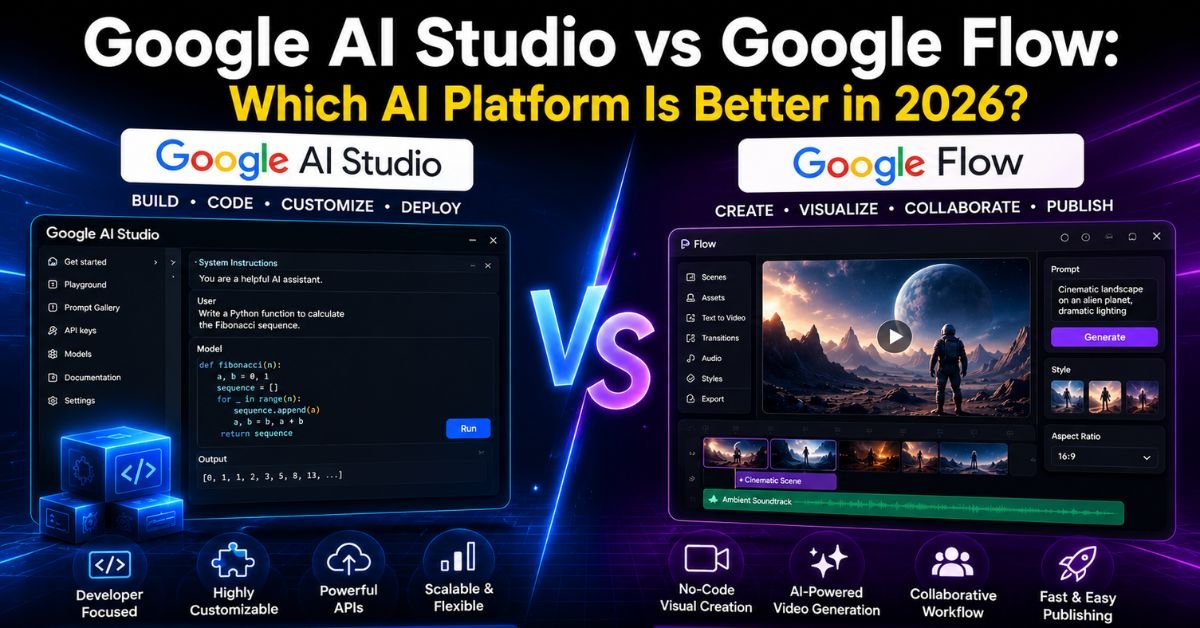
Google now offers two very different creative engines under one roof, and the names confuse almost everyone. One is a developer sandbox for building with Gemini. The other is a cinematic video and image studio built around Veo, Imagen, and Gemini Omni. If you’ve typed “Google AI Studio vs Google Flow” into search, you’re trying to figure out which one actually fits your project — coding an app or making a short film. Here’s the honest, no-fluff breakdown.
Overview at a Glance
| Factor | Google AI Studio | Google Flow |
|---|---|---|
| Core purpose | Prompt, test, and build apps with Gemini | Generate cinematic video, images, and creative assets |
| Powered by | Gemini 3.5 Flash and other Gemini models | Veo, Imagen, Gemini Omni |
| Output type | Code, chat responses, structured data, prototypes | Video clips, images, edited scenes |
| Best for | Developers, founders, technical creators | Filmmakers, marketers, social content creators |
| Cost | Free interface, pay-per-token API beyond free tier | Free daily credits; full access via Google AI Pro/Ultra |
| Skill level needed | Low to moderate (natural language coding) | Low (prompt-based, no editing experience required) |
What Is Google Flow
Google Flow is Google’s dedicated AI filmmaking and creative studio, originally introduced as an AI video tool built specifically for Veo. It has since grown into a full creative canvas that blends text, image, and video inputs into one workflow. Inside Flow, you can describe a scene in plain language and get a cinematic clip with realistic lighting, camera movement, and physics.
Flow isn’t just a single-clip generator anymore. It includes Scene Builder for multi-shot consistency, character and location profiles so faces and settings stay consistent across scenes, scene extension to stretch a clip toward a minute, object insertion and removal, and native audio generation through Veo’s updated models. An AI agent built on Gemini also sits inside Flow to help iterate on ideas and suggest creative directions as you work.
What Is Google AI Studio
Google AI Studio is the free, browser-based entry point for building with Gemini models. It’s where developers test prompts, adjust model parameters like temperature and safety settings, generate API keys, and increasingly, “vibe code” full applications just by describing them.
Recent updates have turned AI Studio into more than a prompt playground. You can now build full-stack web apps and native Android apps with Kotlin, deploy directly to Cloud Run, connect to Firebase and Workspace APIs, and export entire projects into Google Antigravity for deeper development. It’s positioned as the fastest path from an idea to a working, shippable product.
Core Architectural Difference
The simplest way to separate these ai tools is by output type. AI Studio is built around language, logic, and code — it interprets prompts and returns functional software or structured text. Flow is built around visual storytelling — it interprets prompts and returns moving images, sound, and scenes.
Both rely on Gemini as an intelligence layer, but Flow pairs that intelligence with Veo for video and Imagen for stills, while AI Studio pairs it with the full Gemini API stack for reasoning, function calling, and code generation. One is a development environment; the other is a production studio.
Execution Model Comparison
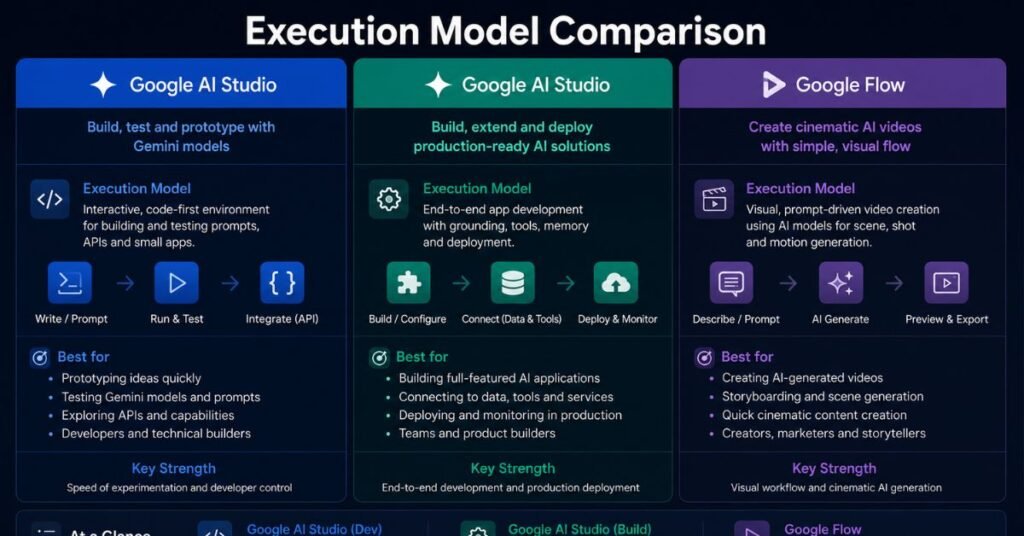
Google AI Studio
- Works through a chat-style or “Build mode” interface
- Lets you adjust run settings: system instructions, safety thresholds, structured output, function calling, and grounding
- Supports exporting code to GitHub or downloading as a ZIP
- Integrates with Cloud Run for one-click deployment
- API key is generated automatically and used server-side for production safety
Google Flow
- Works through a creative canvas where you blend prompts, reference images, and video clips
- Uses a credit system: free users get a limited daily allotment, paid tiers unlock far higher monthly limits
- Supports building and sharing custom creative tools inside the platform itself
- Includes conversational editing, so you can ask for changes in natural language rather than manually adjusting timelines
Target Users
| User Type | Better Fit |
|---|---|
| App developers and founders | Google AI Studio |
| Filmmakers and video creators | Google Flow |
| Marketing and social media teams | Google Flow |
| Students learning to code with AI | Google AI Studio |
| Hobbyist storytellers and artists | Google Flow |
| Startups prototyping a product | Google AI Studio |
Use Case Comparison
Typical Google AI Studio Use Cases
- Prototyping a chatbot or customer support assistant
- Testing how a Gemini model responds before integrating it into production code
- Building a mobile-ready Android app from a plain-language description
- Generating structured data outputs for an internal tool
- Rapid testing of safety settings and system instructions before scaling an app
Typical Google Flow Use Cases
- Producing a short film, music video, or concept trailer
- Creating consistent characters across multiple scenes for a story
- Generating marketing video assets without a production crew
- Extending or remixing an existing clip with new camera angles
- Building reusable visual effects tools for a creative team
Governance and Risk
Both platforms carry real considerations before you scale usage.
On AI Studio, anything run on the free tier may be used to help improve Google’s models, so sensitive or proprietary code shouldn’t be tested there without moving to a billed, enterprise-grade environment like Vertex AI for stricter data handling guarantees.
On Flow, generated outputs can be inaccurate or occasionally inappropriate, and commercial use rights depend on your subscription tier and regional availability. Teams planning to publish or monetize Flow-generated video should confirm licensing terms tied to their specific plan before release.
When to Use Which
Choose Google AI Studio when your goal is functional: an app, a backend prototype, an API integration, or anything that needs to run as software. Choose Google Flow when your goal is visual: a video, a campaign asset, a story told through moving images rather than code.
Many teams in 2026 actually use both — AI Studio to build the product or interface, and Flow to generate the marketing or onboarding video that promotes it.
Strategic Relationship
These aren’t competitors; they’re complementary halves of Google’s generative AI ecosystem. AI Studio sits on the developer side, turning prompts into shipped software. Flow sits on the creative side, turning prompts into shipped video and imagery. Picking “the better one” depends entirely on whether you’re building a product or producing content — not on which tool is objectively stronger.
Is Google AI Studio Good at Writing Lyrics for Songs?
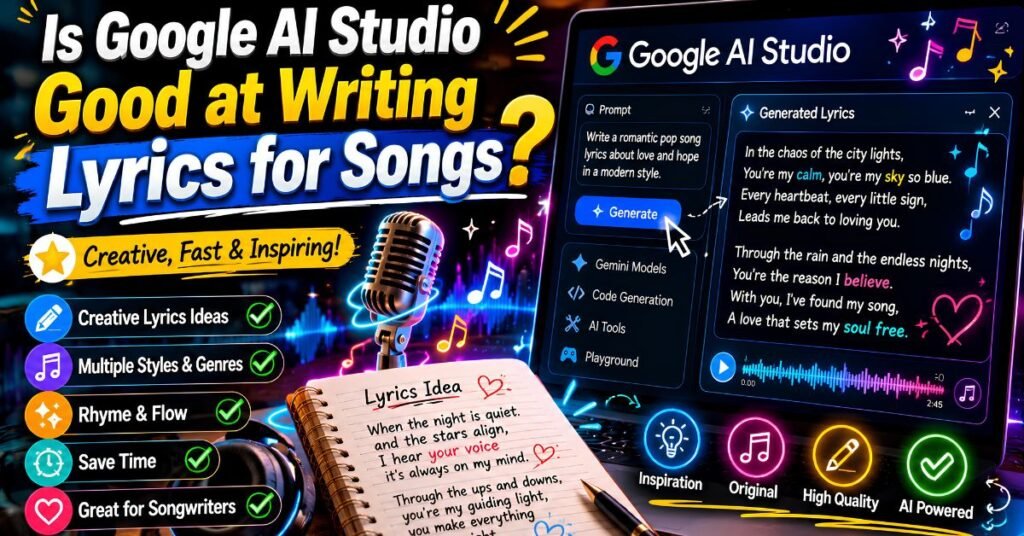
Google AI Studio can generate lyrical text reasonably well since it’s powered by Gemini’s language capabilities, and you can fine-tune tone, rhyme structure, and theme through system instructions. However, it’s a text and prototyping tool, not a dedicated songwriting platform, so output quality depends heavily on how detailed your prompt is and how much you iterate through the chat interface.
Where Are Google AI Studio’s Safety Settings?
Safety settings live in the Run Settings panel inside a prompt session, where you can adjust content filtering thresholds across categories like harassment, hate speech, and explicit content. These settings let developers calibrate how strict or permissive a model’s responses are before deploying an app into production.
Frequently Asked Questions
Is Google AI Studio free to use?
Yes, the interface itself is completely free, and the Gemini Developer API includes a generous free tier before usage-based billing applies.
Does Google Flow require a paid subscription?
Free users get a limited daily credit allowance, but full features and higher monthly limits require a Google AI Pro or Ultra subscription.
Can Google AI Studio build mobile apps?
Yes, it now supports native Android app development using Kotlin through natural language prompting.
Can I use Google Flow for commercial video projects?
Commercial usage rights vary by subscription tier and region, so it’s worth confirming licensing terms tied to your specific plan before publishing.
Which tool is better for beginners with no technical background?
Google Flow is generally easier for non-technical users since it’s fully prompt-and-visual based, while AI Studio still benefits from some familiarity with how apps and APIs work.
Can AI Studio and Flow be used together?
Yes — many creators use AI Studio to build the app or platform and Flow to produce the supporting video or visual content for it.
Conclusion
Google AI Studio and Google Flow solve two completely different problems with the same underlying Gemini intelligence. If you’re trying to ship code, prototype an app, or build something functional, AI Studio is the clear choice. If you’re trying to tell a visual story, produce video content, or generate cinematic assets without a production team, Flow wins. The smartest move in 2026 isn’t picking a side it’s understanding which job each tool was actually built to do.