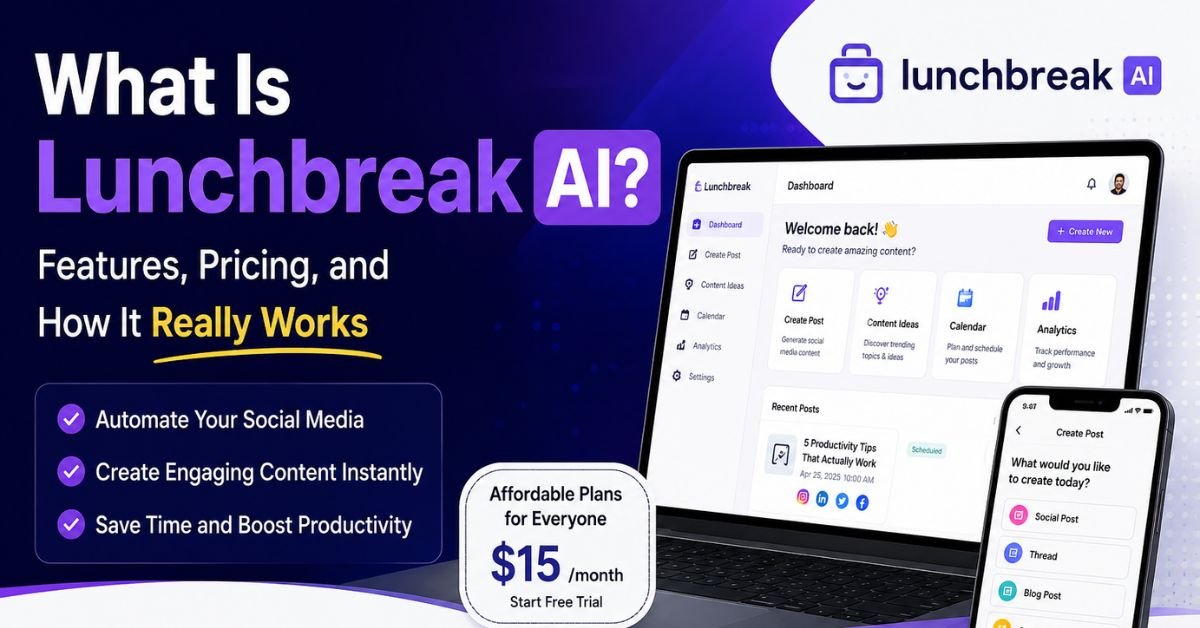
If you’ve spent any time on TikTok or in a college group chat lately, you’ve probably run into Lunchbreak AI. The tool works as a “humanizer,” rewriting AI-generated text to sound more natural and reduce AI-detection scores on tools such as Turnitin, GPTZero, and Originality.ai.
This guide explains what the tool actually does, how it works, what it costs, and — just as importantly — what independent testing and its own use case say about whether it’s worth using. We’re not going to oversell it. If you’re deciding whether to sign up, cancel, or avoid it altogether, you deserve the full picture, not just the marketing pitch.
What Is Lunchbreak AI?
Lunchbreak AI is a web-based writing tool built around two core functions: an AI humanizer and an AI detector. You paste in a block of text — typically something drafted with ChatGPT, Claude, Gemini, or another AI model — and the tool rewrites it in a way designed to lower its “AI score” across popular detection platforms.
The company behind it positions the product primarily toward students working under time pressure, plus freelance writers and marketers who want to soften the “obviously AI” tone that language models sometimes produce. On its own site, the company reports several hundred thousand registered users.
One important detail is that Lunchbreak AI’s homepage prominently features testimonials from students who describe using the tool to rewrite and resubmit assignments after Turnitin flagged their work.That’s a meaningful detail, and we’ll come back to it in its own section below, because it affects how we’d recommend you think about this tool.
How Lunchbreak AI Works
The basic workflow is simple by design:
- Paste your text. You copy AI-generated (or even human-written) content into the input box.
- Run the check or rewrite. The tool scans the text and either flags likely AI-generated passages (detector mode) or rewrites the text sentence-by-sentence (humanizer mode).
- Review the output. The rewritten version uses simpler sentence structures, more varied phrasing, and fewer of the stiff, overly formal patterns associated with raw AI output — things like uniform sentence length, heavy use of transition words, and generic hedging language.
- Re-check across detectors. Many users run the rewritten text back through detectors like Turnitin, GPTZero, Copyleaks, or Originality.ai to see whether the AI score dropped.
Most AI humanizer tools use a secondary language model alongside rule-based sentence restructuring to rewrite text and disrupt the statistical patterns that AI detectors look for. This process targets signals such as low “perplexity” and “burstiness,” two metrics that many AI-detection tools rely on.
You May Also Like
How to Use GPTHuman to Make AI Content Sound Human: A Practical Guide
Does the Rewriting Actually Change Meaning?
Generally, no — the goal is to preserve meaning while changing phrasing, word choice, and sentence rhythm. That said, automated rewriting often introduces small factual changes, awkward phrasing, or subtle shifts in emphasis, and Lunchbreak AI is no exception. If you use a tool like this for work that someone will evaluate, carefully proofread the output. Automated rewriting can help refine text, but it cannot replace reviewing your work for accuracy and clarity.
Key Features
| Feature | What It Does | Notes |
|---|---|---|
| AI Humanizer | Rewrites AI-generated text to reduce AI-detection scores | Core feature; output quality varies by content length and topic |
| AI Detector | Scans text and returns a human vs. AI label | Provides a binary label rather than a detailed probability breakdown |
| Multi-Detector Compatibility | Claims compatibility with Turnitin, GPTZero, Originality.ai, Copyleaks, Writer, and Sapling | Compatibility claims are not verified by the detector companies themselves |
| Browser-Based Access | No downloads — everything runs through the website | Works on desktop and mobile browsers |
| Free Trial / Free Checks | Lets new users test the detector for free before subscribing | Full humanizer access typically requires signup |
Lunchbreak AI Pricing — Is It Free?
Lunchbreak AI operates on a freemium subscription model. The AI detector check is generally free to use, which is how most people first try the platform. Full access to the humanizer — including higher word limits and unlimited rewrites — sits behind a paid subscription with monthly and annual billing options.
Because pricing tiers and promotions change fairly often for tools like this, the exact dollar amounts you’ll see on the pricing page can shift month to month. Instead of focusing on prices that may change, review these key details before you subscribe:
| What to Check | Why It Matters |
|---|---|
| Word limit per document | Some plans cap how much text you can rewrite in one pass |
| Monthly vs. annual pricing | Annual plans are usually discounted but require upfront payment |
| Number of rewrites included | Cheaper tiers may limit how many times you can re-run the same text |
| Refund policy | Look for this before subscribing, not after |
| Auto-renewal terms | Subscription tools typically auto-renew unless you cancel manually |
If a page or ad claims the tool is “100% free forever,” treat that with some skepticism — the free tier is almost always the detector, not full humanizer access.
How to Access Lunchbreak AI (Signup and Login)
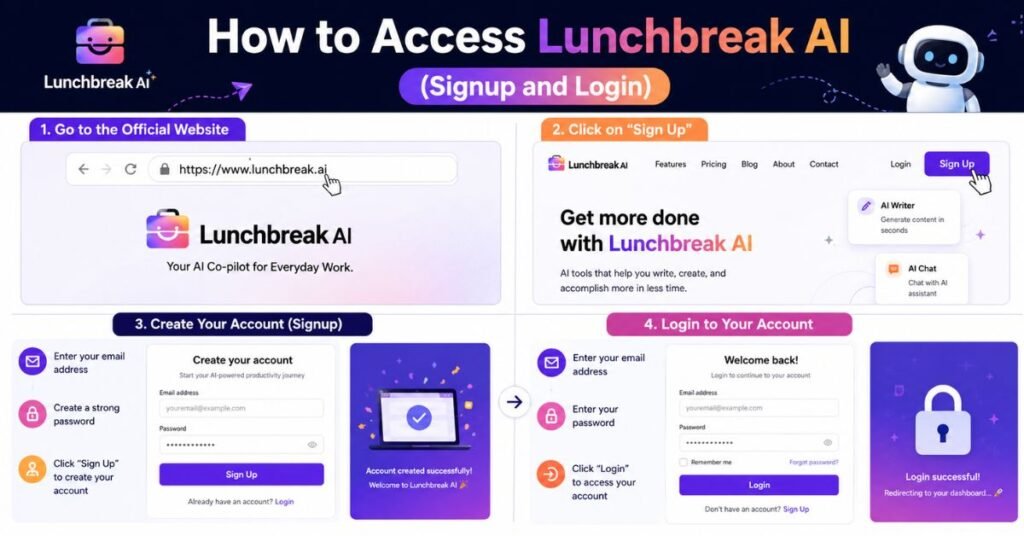
Getting into your account is straightforward:
- Go to the official Lunchbreak AI website (avoid third-party mirror sites, which are common for tools in this space and can be used for phishing).
- Click the sign-up or “Get Started” button and create an account with an email address or a supported single sign-on option.
- Verify your email if prompted.
- Log back in anytime through the same site using your credentials.
A quick safety note: because “AI humanizer” and “AI detector” tools have become a crowded, fast-moving niche, there are copycat and lookalike sites using similar names. Always double-check the URL before entering payment details.
How to Cancel a Lunchbreak AI Subscription
Like most subscription software, cancellation is typically handled from within your account settings rather than by emailing support, though support can usually help if you run into issues. The general steps look like this:
- Log into your account.
- Navigate to account or billing settings.
- Select “Manage Subscription” or “Cancel Plan.”
- Confirm cancellation before your next billing date to avoid being charged again.
If you subscribed through a third-party payment processor (common for many SaaS tools), you may need to cancel through that processor’s dashboard as well, not just the tool’s own settings page.
Lunchbreak AI vs. Other AI Humanizer Tools
| Tool | Primary Angle | Free Tier | Detector Included |
|---|---|---|---|
| Lunchbreak AI | Rewriting for detector evasion | Free detector checks | Yes |
| Generic humanizer tools (category-wide) | Similar rewriting approach; positioning varies by brand | Varies | Varies |
| Standalone AI detectors (category-wide) | Detection only, no rewriting | Often free or limited free tier | N/A |
The honest takeaway across this category: most AI humanizer tools use fairly similar underlying techniques (sentence restructuring, synonym substitution, rhythm variation). Differences tend to show up in interface polish, pricing, and word limits more than in dramatically different core technology.
Does Lunchbreak AI Actually Work?
This is the question that matters most, and it deserves a straight answer: results are inconsistent.
Independent third-party testing has found mixed outcomes. At least one detailed review that ran Lunchbreak AI’s humanizer against multiple detectors found it frequently failed to bring AI scores down to the levels the marketing promised, despite advertised “guaranteed bypass” language. The same review found the built-in AI detector performed reliably as a classifier, even though it only returns a simple human/AI label rather than a detailed score.
A few reasons results vary so much:
- Detectors update constantly. GPTZero, Turnitin, and Originality.ai regularly update their detection models to identify text produced by popular humanizer tools. Because these tools continue to evolve alongside detection systems, text that seems “undetectable” today may still trigger AI detection in the future.
- Content length and topic affect scoring. Short or highly technical text tends to be harder to humanize convincingly than longer, more conversational writing.
- Detectors themselves aren’t perfectly accurate. Independent research has repeatedly shown that AI detectors produce both false positives (flagging human-written text as AI) and false negatives, which means no humanizer tool can honestly promise a guaranteed outcome against a system that isn’t fully reliable in the first place.
Treat any tool that advertises a “100% guaranteed to bypass Turnitin” claim with skepticism, including Lunchbreak AI.
That’s a strong claim to make about a moving target.
An Important Note on Academic Integrity
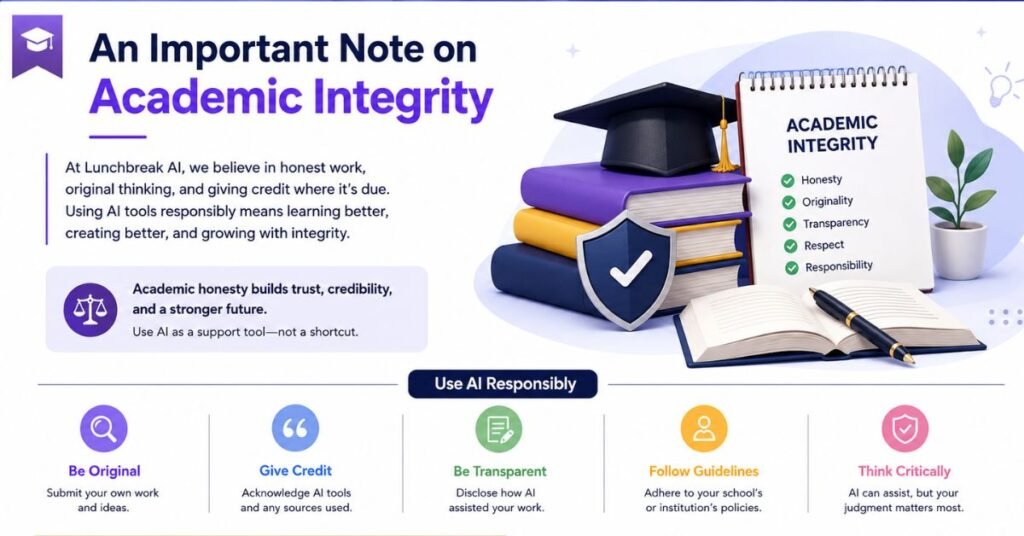
We need to address this directly: Lunchbreak AI’s marketing focuses heavily on helping students rewrite coursework after AI-detection tools flag it. Its homepage prominently features testimonials from students who say they used the tool to rewrite assignments and resubmit them as their own original work after receiving AI-generated content flags.
That’s worth pausing on. Most universities and colleges treat submitting AI-generated work as your own after specifically trying to disguise it as human-written — as a violation of academic integrity policy, regardless of whether a detector happens to catch it. Failing to trigger an AI detector doesn’t change whether your work violates your school’s honor code. It only determines whether someone identifies the violation.
If you’re a student considering this kind of tool, it’s worth checking your institution’s specific AI-use policy first. Many schools now explicitly address AI-assisted writing, and policies vary a lot — some permit AI as a drafting aid with disclosure, others prohibit it outright for graded work. Using a humanizer tool to actively evade detection sits in a very different category from using AI as a permitted brainstorming or editing aid.
For non-academic use cases — like a freelance writer worried about false-positive AI flags on genuinely original work, or a marketer polishing AI-assisted first drafts for tone — the ethical calculus is different, since there’s no misrepresentation of authorship to a grading institution involved.
You May Also Like
JustDone AI Review 2026: Features, Pricing, Pros & Cons
Who Should (and Shouldn’t) Consider a Tool Like This
Might make sense for:
- Writers whose original, human-written work has been incorrectly flagged by an AI detector and who want a tool to help vary sentence structure and tone.
- Marketers or content teams smoothing out AI-assisted first drafts for style consistency, where authorship isn’t being misrepresented.
Probably isn’t worth the risk for:
- Students planning to submit AI-generated work as entirely their own for graded assignments, given the academic integrity and reliability concerns above.
- Anyone relying on a “guaranteed bypass” claim for something with real consequences attached — detector inconsistency cuts both ways.
Conclusion
Lunchbreak AI is a real, functioning AI-humanizing and AI-detecting tool with a large user base, a straightforward interface, and a freemium pricing model. Where it gets more complicated is in the gap between its marketing claims and what independent testing has actually found — results bypassing detectors are inconsistent, not guaranteed, and the tool’s own promotional material centers heavily on academic use cases that carry real integrity risk beyond just “will a detector catch this.”
Frequently Asked Questions
Is Lunchbreak AI free?
The AI detector is generally free to use. Full humanizer access with higher word limits typically requires a paid subscription.
What is the Lunchbreak AI humanizer?
The tool’s core feature rewrites AI-generated text to improve its natural flow and reduce the likelihood that AI-detection software will flag it.
Is there a Lunchbreak AI app?
Lunchbreak AI is primarily a browser-based web platform rather than a dedicated mobile app; it works through mobile browsers as well as desktop.
How do I log into Lunchbreak AI?
Create an account on the official site with an email address, then log in with those same credentials on future visits.
How do I cancel a Lunchbreak AI subscription?
Cancel from your account’s billing or subscription settings before your next renewal date to avoid being charged again.
Does the Lunchbreak AI detector give a percentage score?
No — based on available reviews, it typically returns a simple human-or-AI label rather than a detailed probability breakdown.
Is Lunchbreak AI guaranteed to bypass Turnitin?
No tool can honestly guarantee this. Independent testing has found inconsistent results, and detection systems are updated regularly specifically to catch humanizer output.
Is using an AI humanizer against school rules?
It depends on your institution’s specific policy, but many schools treat disguising AI-generated work as your own as an academic integrity violation, regardless of whether a detector catches it.