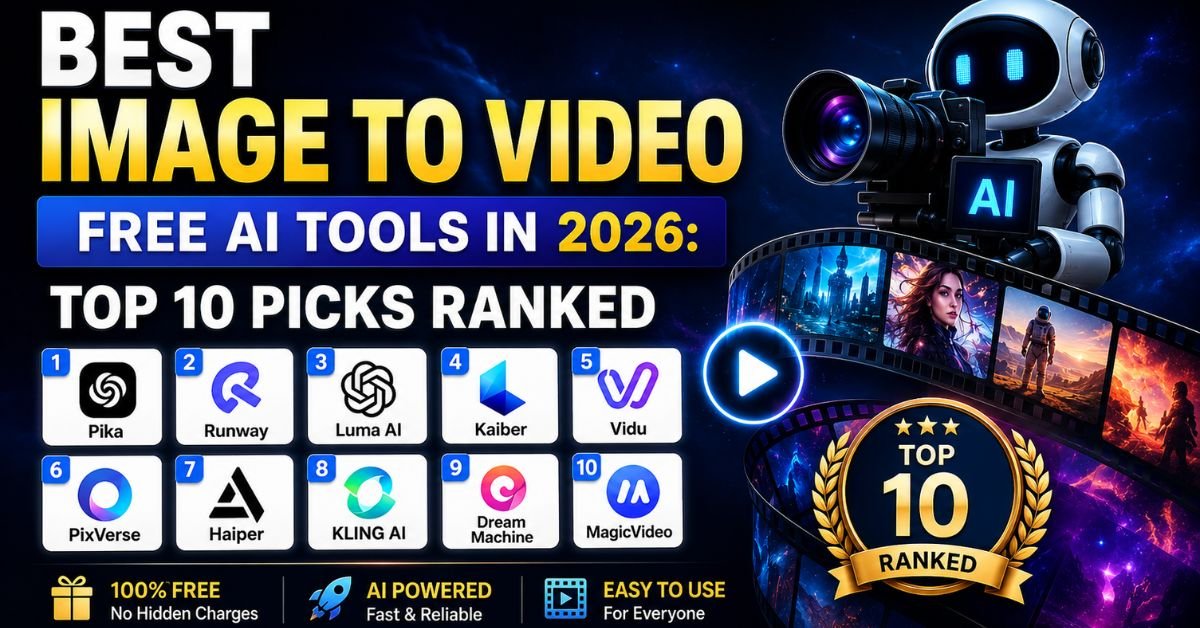
If you have searched for a free AI image to video tool recently, you already know the pain. Every list promises “unlimited free AI video generation,” and every tool hits you with a paywall after two clips. The AI video landscape shifted significantly in 2026, with some tools genuinely opening up free access while others became more restrictive than ever.
This guide cuts through the noise. Every tool listed here was researched using current pricing pages, independent third-party tests, and creator community feedback as of June 2026. We split the tools into two honest categories — truly free and freemium — so you know exactly what you are getting before you invest any time.
The Problem With “Free” AI Video Generators
Why Most “Free” Tools Are Not Actually Free
The word “free” is the most overused and abused term in the AI video space. Here is what it usually hides:
- One-time signup credits that vanish after your first few videos and never refresh
- Watermarked exports that make the video unusable for any public or commercial purpose
- Resolution caps so low (360p–540p) that the output looks worse than a 2012 smartphone
- Credit systems that are deliberately confusing — you only find out how fast they drain mid-project
- “Free trial” dressed up as a “free plan” — there is a difference, and most tools blur it intentionally
Reddit communities are full of creators who describe this experience. One common refrain: the tool gave impressive results for the first two generations, then the paywall appeared. That is not a free tool that is a product demo.
What “Actually Free” Means in This Guide
For a tool to qualify as “truly free” in this article, it must meet at least one of these criteria:
- Refreshing daily or monthly credits — not a one-time allowance
- No credit card required to access baseline functionality
- No signup required at all (truly open access)
- Open-source and self-hostable at zero ongoing cost
Freemium tools are included separately because their free tiers are genuinely useful — but you need to go in with clear expectations.
How We Evaluated These Tools
Each tool was assessed across five dimensions:
| Evaluation Criteria | What We Looked For |
| Free Tier Depth | Daily/monthly credit volume, whether credits refresh |
| Output Quality | Motion coherence, temporal consistency, resolution |
| Watermark Policy | Does the free tier add a watermark? |
| Commercial Rights | Can free-tier videos be used commercially? |
| Ease of Use | How quickly can a beginner produce a usable clip? |
Part 1: Truly Free Tools (No Credit Card Required)
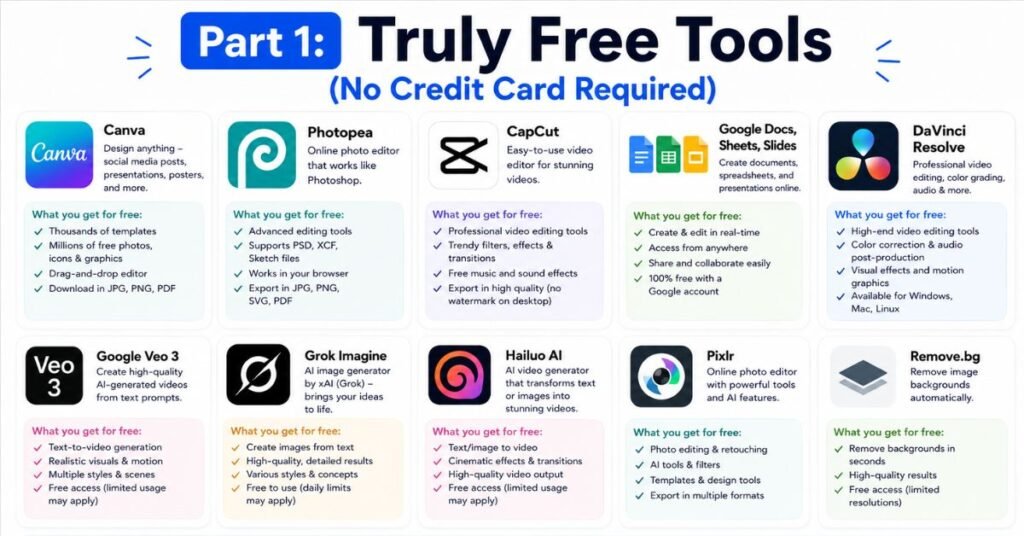
1. Meta AI — Best for Unlimited Free Volume
Free Tier: Unlimited | Watermark: No | Sign-Up: Meta/Facebook Account
Meta AI stands alone in 2026 as the only mainstream image-to-video tool offering genuinely unlimited generation with no credit caps. If you have a Meta or Facebook account, you are in. There is no credit counter ticking down, no monthly quota, and no credit card field during sign-up.
The trade-off is output quality. Meta AI’s video generation is noticeably softer and less photorealistic than premium models like Kling or Veo. Motion can look slightly artificial on complex scenes. But for social media content — short clips for Instagram Reels, Facebook Stories, or quick creative experiments — the output is more than adequate, and the zero-cost access makes it uniquely valuable for high-volume creators.
Best for: Beginners, budget creators, and anyone who needs volume over premium quality.
Limitation: Output quality falls behind paid-tier tools; less useful for professional work.
2. Google Veo 3.1 (via Google Vids + Google Flow) Best Quality-to-Free Ratio
Free Tier: 10 clips/month (Vids) + 50 credits/day (Flow) | Watermark: Yes on free tier | Commercial: Yes
In April 2026, Google made one of the biggest announcements in the AI video space: Veo 3.1 became free for all Google account holders. Anyone with a Gmail address now gets access through two separate products — Google Vids and Google Flow — with different limits and strengths.
Google Vids gives every personal Google account 10 free Veo 3.1 video clips per month, directly inside its browser-based editor. No trial period, no expiration. Each clip can be up to 8 seconds long, generated from either a text prompt or a static image you upload.
Google Flow, Google DeepMind’s dedicated AI filmmaking tool, adds another 50 daily AI credits (up to 180 in some countries) that reset every 24 hours. Strategically combining both products gives you a meaningful daily generation capacity without spending anything.
What makes Veo 3.1 stand out among free tools is output quality. Cinematic camera movements, natural lighting physics, and coherent scene motion are all handled better than most competitors at any price. The image-to-video pipeline is particularly strong — upload a reference image and Veo animates it with scene-appropriate movement.
Important limitations to know: Free and Pro-tier clips carry a visible “Made with Veo” watermark. Only the $249.99/month Google AI Ultra plan removes it. Resolution is capped at 720p on the free tier. Google explicitly states limits are “subject to change at any time,” so current terms may not hold indefinitely.
Best for: Creators who want premium-quality output without paying, and are fine with a watermark on personal or experimental content.
3. Grok Imagine (xAI) — Best for Video With Native Audio
Free Tier: ~10–12 videos/day | Watermark: No | Sign-Up: X/Twitter Account Required
Grok Imagine is xAI’s image-to-video model, available through the X platform. Its standout feature is something rare among free tools: it generates video with synchronized audio — sound effects, ambient noise, and basic dialogue — included by default. Most free image-to-video tools produce silent clips.
The daily allowance resets at midnight, giving you a repeatable free generation quota that is genuinely useful for social content creators already active on X. Generation speed is also among the fastest free options available, with clips often ready in under 20 seconds.
Best for: X/Twitter creators building short-form content with audio.
Limitation: Requires an X account. Daily caps are firm.
4. Vheer — Best for No-Signup Access
Free Tier: No stated limits | Watermark: Minimal | Sign-Up: Not Required
Vheer has the lowest barrier to entry of any tool on this list. There is no account creation, no email address required, and no credit card. You visit the site, upload an image, and generate. That level of friction-free access is genuinely rare in 2026.
Output quality is modest compared to models like Kling or Veo, but for casual experimentation, quick prototypes, or creators who simply do not want to hand over their personal information to another platform, Vheer is a legitimate option.
Best for: Quick experiments and privacy-conscious creators who refuse to sign up for yet another platform.
Limitation: Quality is not at the level of major models; advanced controls are limited.
5. Hailuo AI (MiniMax) — Most Generous Signup Allowance
Free Tier: ~1,000 credits at signup, then 3–5 daily generations | Watermark: Yes | Commercial: Paid only
Hailuo AI, developed by MiniMax, has one of the most generous signup bonuses of any image-to-video tool — approximately 1,000 free credits when you first create an account, which translates to roughly 20–30 short clips. After the signup bonus is exhausted, free users get a smaller daily credit refresh.
Beyond the generous initial access, Hailuo’s output quality is legitimately impressive. Independent benchmarks placed it above Veo 3 on speed in 2026 testing, and its motion handling — cinematic pans, fluid transitions, and micro-expression accuracy — punches above what the free tier would suggest. Generation often completes in under a minute, making it ideal for creators who iterate quickly.
Best for: Fast-turnaround UGC-style content and social media ads where generation speed matters as much as quality.
Limitation: Free-tier exports are watermarked; commercial use requires a paid plan starting at $14.99/month.
6. WAN 2.7 (Open Source) — Best for Technically Confident Users
Free Tier: Unlimited (self-hosted) | Watermark: None | Commercial: Check model license
For creators with a decent GPU (at least 24GB VRAM recommended) or access to cloud compute, WAN 2.7 from Alibaba’s Qwen team is a top-ranked open-source image-to-video model in 2026. It runs locally, meaning zero ongoing cost, no credit limits, and no watermarks.
The model has received significant updates in 2026, with sharper detail rendering and smoother motion than earlier versions. The trade-off is the technical setup — you will need to know your way around ComfyUI or similar interfaces, and most consumer laptops lack the GPU memory to run it efficiently.
Best for: Indie filmmakers, technical creators, and developers who want unlimited generation with full control.
Limitation: Requires GPU hardware or cloud compute. Not beginner-friendly.
Part 2: Freemium Tools (Limited But Useful Free Tiers)
These tools carry meaningful restrictions on their free plans, but offer enough access to genuinely evaluate the platform — and in some cases, produce usable content before hitting the paywall.
7. Kling AI 3.0 — Quality Leader With Daily Credits
Free Tier: 66 credits/day (no rollover) | Watermark: Yes | Commercial: Paid only | Resolution: 720p
Kling AI, developed by Kuaishou Technology, is consistently ranked as the top image-to-video tool for motion realism in 2026. By early 2026, the platform had crossed 60 million users and 600 million generated videos, which represents an enormous amount of real-world training feedback baked into the model.
The free tier gives every registered user 66 credits per day, which resets after 24 hours but does not roll over — unused credits disappear at midnight. At current VIDEO 3.0 rates, 66 credits covers approximately 2–3 five-second standard clips or 1 higher-quality generation per day.
What makes Kling worth considering even within these limits is its best-in-class identity preservation. When you feed it a face or a product, it stays recognizable across the animation. That consistency is the reason creators and agencies cite Kling as their benchmark when evaluating other tools.
Key limitations of the free plan:
- Output capped at 720p (some sources report as low as 360p–540p on older model versions)
- Visible Kling watermark on every export
- No commercial use permitted
- Single-task queue — you must wait for each generation before starting another
- Peak-hour queue times can exceed 30 minutes
Paid plans start at $6.99/month (Standard) for 660 monthly credits, watermark removal, and commercial use rights. For social media creators posting regularly, the Standard tier is the practical entry point.
Best for: Anyone who needs the highest-quality image-to-video motion fidelity and can work within a daily credit limit for personal projects.
8. Google Veo 3 (Full Model via Google AI Studio) Cinematic Standard
Free Tier: Rate-limited, not credit-limited | Watermark: Varies | Commercial: Check terms per plan
Beyond the Google Vids and Flow access described above, Google AI Studio provides developer and creator access to Veo 3 (the full model, not the 3.1 Lite variant) through a rate-limited free tier. Instead of a monthly credit bucket that empties, you can keep generating as long as you stay within the per-minute throttle. For creators making 3–5 clips per day, this is often more practical than a fixed credit allowance.
Veo 3’s signature advantage is built-in audio generation — synchronized sound effects, ambient noise, and dialogue generated natively alongside the video. No other free tool matches this feature. The output quality in independent tests regularly described as cinematic: accurate physics, natural lighting, and coherent scene motion in complex environments.
Best for: Creators who prioritize output quality and want audio generated alongside video.
9. Pika 2.5 — Best for Stylized and Atmospheric Effects
Free Tier: ~150 credits at signup, then daily refresh | Watermark: Yes (some tiers) | Commercial: Paid only
Pika Labs has carved out a specific niche among image-to-video tools: atmospheric and stylized effects rather than pure photorealism. Its branded effects library — transformations that include crush, melt, inflate, explode, and similar stylized animations — is unique in the market and gives creators distinctive visual output that stands apart from the realistic-motion focus of tools like Kling or Veo.
The free tier provides roughly 150 credits at signup with a daily credit refresh. Maximum clip duration on the free plan is approximately 3–4 seconds, the shortest of any major tool in this comparison. That limits how much narrative you can build in a single generation.
Best for: Social media creators who want distinctive, stylized animations and are willing to work with shorter clips.
Limitation: Shortest free-tier clip duration in this comparison; photorealism is not the model’s focus.
10. Runway Gen-4 Turbo — Professional’s Choice (Minimal Free Access)
Free Tier: 125 one-time credits (non-refreshing) | Watermark: Yes | Commercial: Paid only
Runway occupies a unique position: it is consistently rated one of the best AI video tools in 2026 for professional creative work, yet its free tier is effectively a product demo rather than a working plan. The 125 one-time credits give you approximately 2–3 short test clips before the free access is gone permanently. Credits do not refresh.
What justifies including Runway on this list is what those credits reveal. The Gen-4 model’s camera control is unmatched — pan, tilt, and zoom execute with precision that no other tool replicates. The multi-motion brush lets you animate specific regions of an image independently. For filmmakers and VFX professionals evaluating options, those 125 credits are enough to see whether the platform’s quality justifies the paid tier.
Paid plans start at $15/month for 625 monthly credits, with commercial use rights included.
Best for: Professional filmmakers and VFX artists who want to evaluate cinematic control before committing to a paid subscription.
Platform Comparison at a Glance
| Tool | Free Credit Type | Daily Volume | Watermark | Commercial (Free) | Best For |
| Meta AI | Unlimited | Unlimited | No | Personal use | High-volume, casual creation |
| Google Veo 3.1 (Vids) | Monthly quota | 10 clips/month | Yes | Yes | Quality + free access combo |
| Google Flow | Daily refresh | 50 credits/day | Yes | Yes | Daily generation workflow |
| Grok Imagine | Daily reset | ~10–12 videos | No | Personal | Audio-included free video |
| Vheer | No stated limit | Open | Minimal | Personal | Zero-signup access |
| Hailuo AI | Signup bonus + daily | 3–5 clips/day | Yes | No | Fast output, generous signup |
| WAN 2.7 (OSS) | Unlimited (self-hosted) | Hardware-limited | None | Check license | Technical users with GPU |
| Kling AI 3.0 | Daily (66 credits) | 2–3 clips/day | Yes | No | Best motion realism |
| Pika 2.5 | Signup + daily refresh | Variable | Yes | No | Stylized effects |
| Runway Gen-4 | One-time (125) | ~2–3 total | Yes | No | Professional evaluation |
Which Tool Should You Use?
The right answer depends entirely on what you are making and how often. Here is a practical decision guide:
If you need unlimited volume and are fine with modest quality: Start with Meta AI. No limits, no friction, no cost. Use it to prototype ideas before investing credits elsewhere.
If you want the best quality from a free plan: Combine Google Vids (10 clips/month) with Google Flow (50 daily credits). Together they give you the highest quality output available without payment, even with watermarks.
If you want audio in your free videos: Grok Imagine is your only free option with native audio generation built in.
Kling AI’s 66 daily credits are worth using, even with the watermark, if you want the best motion realism and can work within daily limits. Use them for personal projects and quick testing before signing up for a paid plan.
If you want no watermark and no commercial restrictions: Either move to open-source tools like WAN 2.7 (if you have the hardware) or budget for a paid plan. The honest truth is that watermark-free, commercially licensed free generation simply does not exist at scale in 2026’s major platforms.
If you are building a professional workflow and want to evaluate the best tools: Use Kling’s daily credits and Runway’s 125 one-time credits to assess quality before subscribing to either.
Pro Tips: Maximizing Free AI Image-to-Video Tools
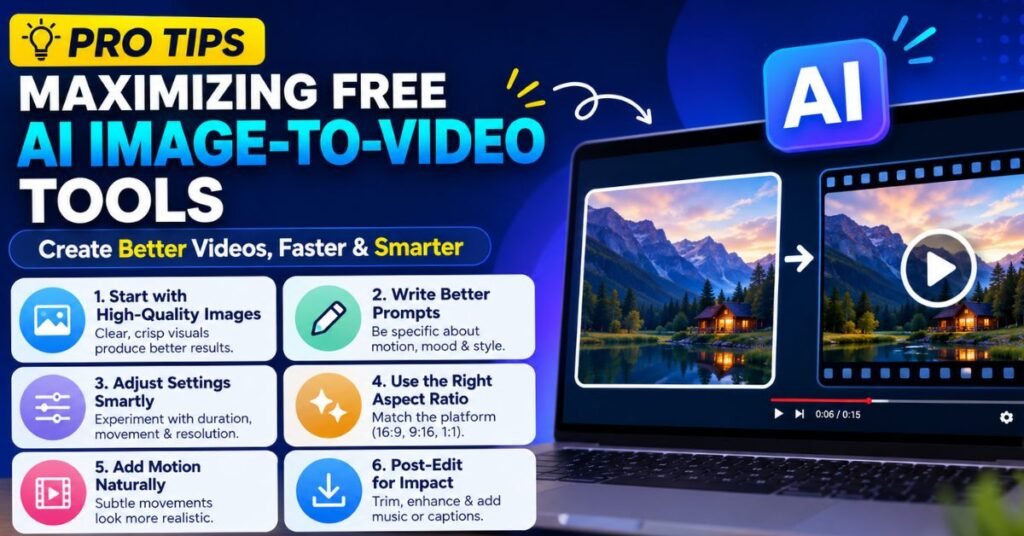
Tool Rotation Strategy
Do not rely on a single platform. Each tool’s free tier is separate, meaning you can generate a meaningful number of clips daily by rotating across platforms strategically. A practical daily routine for creators:
- Morning: Use Google Flow’s 50 daily credits for high-quality clips
- Midday: Use Kling’s 66 daily credits for motion-critical content
- Evening: Use Meta AI for additional volume or casual experiments
- Weekly: Use Hailuo for fast iterations when you need speed over cinematic quality
Combining Tools for Best Results
The best image-to-video workflows in 2026 treat platforms as complementary rather than competitive. Generate a high-quality base frame with an image generation tool like Midjourney, then feed that image into Veo 3.1 for cinematic animation. Use Pika for stylized effects on the same clip. Edit everything in CapCut or Premiere.
Getting Consistent Characters Across Clips
Identity consistency across multiple generated clips is one of the hardest problems in AI video. Practical approaches that work:
- Use the same source image as the reference frame for every clip featuring that character
- Kling AI handles identity preservation better than most tools — faces and products stay recognizable across generations
- Veo 3.1 supports reference image input for character consistency across different scenes
- Keep detailed notes on your prompts — small wording changes can drift character appearance significantly
Prompt Engineering for Better Results
Most free tools produce noticeably better output when you write specific, cinematographic prompts rather than vague descriptions. Instead of “a woman walking,” write “medium shot, cinematic lighting, a woman in her 30s in a green coat walks slowly through a rain-wet cobblestone street, shallow depth of field, golden hour tones.” Specificity is the difference between output you can use and output you discard.
Set your motion intensity conservatively. Many 2026 models have a motion slider — higher values increase the risk of the “melting” effect where subjects warp or distort. A setting of 3 or 4 out of 10 typically produces more natural, believable movement.
When Free Is Not Enough: Worth-Paying Options
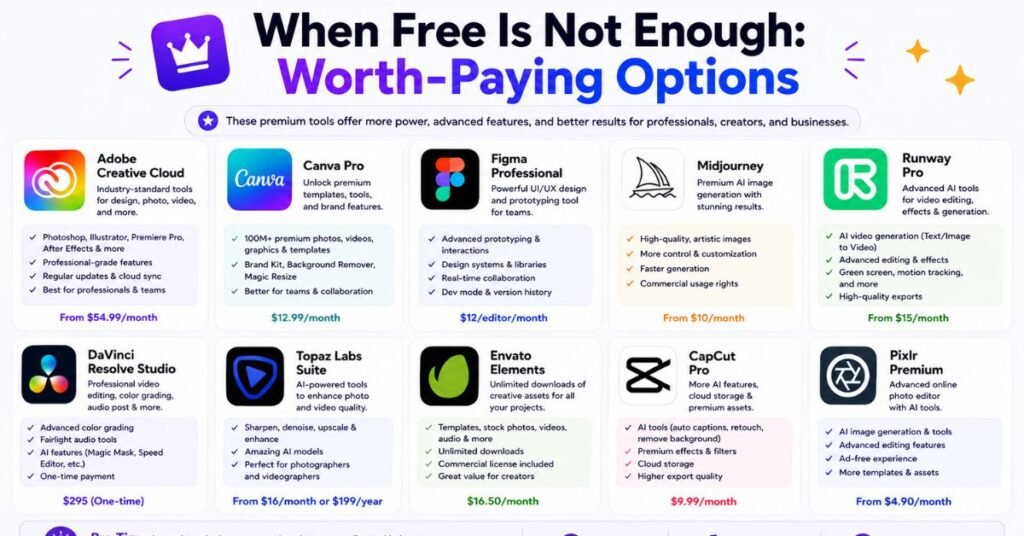
There are specific scenarios where a free tier genuinely cannot meet your needs, and knowing when to upgrade saves time and frustration:
- Client work or commercial deliverables — Free tiers on Kling, Hailuo, Pika, and Runway explicitly prohibit commercial use. The moment you are making content someone is paying for, you need a paid plan.
- Watermark-free social media exports — A visible watermark undermines brand credibility on professional social channels. Kling’s Standard plan at $6.99/month or Pika’s paid tier are the most affordable entry points to clean exports.
- High-volume production — If you need 50+ clips per week, daily credit limits become a bottleneck regardless of how many platforms you rotate across.
- 4K resolution — No free tier currently delivers 4K output. You need paid plans on Kling (Premier and above), Veo (Ultra tier), or cloud compute access for open-source models.
Frequently Asked Questions?
Are any AI video generators actually free unlimited?
Meta AI is currently the closest option to genuinely unlimited free image-to-video generation in 2026. It requires only a Meta/Facebook account and imposes no stated credit cap. Open-source tools like WAN 2.7 are also unlimited if you have the hardware to run them locally.
Can I use free AI videos for commercial purposes?
Generally, no. Most major platforms — including Kling, Hailuo, Pika, and Runway — explicitly restrict commercial use to paid plans. Google Veo 3.1 via Google Vids does permit commercial use on the free tier, subject to their terms of service, which is a meaningful exception. Always check the terms of service before using free-tier content commercially.
How long can free AI videos be?
Free-tier clip length varies significantly across tools. Pika caps free generations at around 3–4 seconds. Kling’s free tier generates 5-second clips. Google Veo 3.1 generates up to 8-second clips, which you can chain together for longer sequences. Hailuo typically produces 5-second clips on the free tier. For anything longer than 10 seconds, you will need a paid subscription or an open-source solution.
Do free AI video credits expire?
Yes, on most platforms. Kling’s 66 daily credits expire after 24 hours and do not roll over unused credits disappear at midnight. Google Flow’s daily credits similarly reset and do not accumulate. Hailuo’s signup bonus of approximately 1,000 credits does not expire, but once spent, you move to a smaller daily refresh. Runway’s 125 one-time credits do not refresh at all.
Which free AI image-to-video tool has no watermark?
Meta AI and Grok Imagine both provide watermark-free exports on their free tiers. Vheer also operates with minimal watermarking. Most other major platforms — including Kling, Google Veo, Hailuo, Pika, and Runway — add a visible watermark to free-tier exports. Removing watermarks typically requires a paid subscription.
What is the best free AI image-to-video tool for iPhone users?
Meta AI is the most accessible for mobile users since it integrates with existing Meta/Instagram apps. Google Vids works in mobile browsers. For a dedicated mobile experience, tools like Pika and Kling have mobile-optimized interfaces, though their free tiers still apply the same limits as desktop.
Which free tool produces the most realistic motion?
In independent 2026 testing, Kling AI 3.0 and Google Veo 3.1 consistently produce the most realistic motion among tools with accessible free tiers. Kling leads specifically on human anatomy and identity preservation. Veo 3.1 leads on environmental physics — lighting, fluid dynamics, and scene coherence.
Conclusion
The free AI image-to-video landscape in 2026 is better than it has ever been — but it still demands that you go in with honest expectations. Truly unlimited free generation exists (Meta AI, open-source WAN 2.7), but comes with quality trade-offs. The highest-quality free access (Google Veo 3.1, Kling AI) comes with watermarks, commercial restrictions, and daily limits.
The most practical approach for most creators is a layered strategy: use Google Vids and Google Flow for quality shots, Meta AI for volume, and Kling’s daily credits for anything where motion realism is critical. Reserve paid subscriptions for work that needs watermark-free, commercially licensed output.
AI video quality is improving faster than pricing, and free tiers are expanding. The tools you can access today for free were paid-only features 18 months ago. That trajectory continues — but for now, knowing exactly what each free tier delivers, and what it withholds, is the difference between a tool that serves your workflow and one that wastes your time.