June 2026 was not a quiet month for Google’s AI stack. Between a major I/O keynote spillover, a redesigned Gemini app, a new open model you can run on a laptop, and a wave of pricing changes. Gemini moved further away from being “a chatbot” and closer to being the connective layer across Google’s entire product line — Search, Android, Chrome, Workspace, and the Gemini app itself.
This article walks through what actually shipped in June 2026, why it matters more than a routine update cycle, and how founders, freelancers, and small teams can put it to work without wasting a week testing features that don’t apply to them.
What Happened in Google Gemini in June 2026?
The short version: Google spent June turning May’s I/O announcements into shipped, usable products, while adding a few genuinely new pieces.
- Gemini Spark — the 24/7 personal AI agent unveiled at I/O — expanded to macOS and picked up new connected apps, including Google Tasks, Google Keep, Canva, Dropbox, Instacart, OpenTable, and Zillow Rentals, plus support for custom Model Context Protocol (MCP) connections.
- Gemini in Chrome rolled out “auto browse” to Android, letting the assistant complete multi-step browsing tasks — booking appointments, checking stock, planning errands — directly from a phone.
- Gemma 4 12B, Google’s newest open model, launched for local use. It runs on a laptop with 16 GB of memory and combines vision and native voice processing in one system.
- Gemini 3.5 Flash became the generally available, default model behind
gemini-flash-latestin the API, alongside a new Computer Use tool that lets the model operate a desktop-style interface. - Nano Banana 2 (Gemini 3.1 Flash Image) and Nano Banana Pro (Gemini 3 Pro Image) reached general availability as Google’s native image models.
- Gemini 3.5 Live Translate launched, supporting more than 70 languages with near-real-time speech-to-speech translation.
- A new Gemini-powered Google Home Speaker was announced, built around natural, multi-turn conversation rather than fixed voice commands.
- On pricing, Google AI Ultra was cut from $249.99/month to a $99.99 entry tier (with a $199.99 tier offering higher usage limits), while Google AI Plus ($7.99/month) and Google AI Pro ($19.99/month) held steady.
- On the enterprise side, the Gemini Deep Research Agent moved into preview on the Gemini Enterprise Agent Platform, and several image-preview models (Gemini 3.1 Flash Image Preview, Gemini 3 Pro Image Preview) were deprecated in favor of their GA replacements.
None of this is a single flashy launch. It’s a pattern — and the pattern is the actual story.
Why Does This Month Matter More Than a Normal Product Update?
Because June wasn’t about one better model. It was about distribution: Gemini capabilities landing inside Chrome, Android, Google Home, Workspace, and third-party apps like Canva and Dropbox, all at once.
Most AI assistants compete on a single surface — a chat window. Google is doing something different: placing the same reasoning and agent layer across the tools people already have open all day. A founder doesn’t have to “go use an AI tool.” The AI tool shows up inside Chrome while they browse, inside Docs while they write, inside their phone while they plan a trip, and inside their smart speaker while they cook dinner.
That’s a meaningfully different competitive bet than shipping a slightly smarter model every few months, and it’s the reason June 2026 is worth reading closely even if no single headline grabbed you.
What Are the Biggest June 2026 Gemini Updates Founders Should Care About?
Five threads matter more than the rest if you’re running a small team or a solo business.
1. Deep Think Shows Google Is Chasing Higher-Value Reasoning Work
Google offers Deep Think as Gemini’s extended-reasoning mode for multi-step scientific, mathematical, and complex coding problems. Google restricts access to Google AI Ultra subscribers, and in the US it enables some of its most advanced capabilities. The signal here isn’t the feature itself — it’s where Google is choosing to spend compute. Deep Think tells you Google is competing for the same high value “hard reasoning” market that OpenAI and Anthropic are chasing with their own top-tier reasoning models, not just for casual chat volume.
For most small businesses, Deep Think is overkill. It earns its price for research-heavy, math-heavy, or deeply technical debugging work not for writing marketing copy or answering customer emails.
2. Deep Research Is One of the Most Commercially Useful Gemini Features
Deep Research lets Gemini analyze large numbers of sources and produce structured reports, including competitor analyses, market overviews, and technical summaries. It completes tasks in minutes instead of hours.
Google is expanding these capabilities for enterprise users with the Gemini Deep Research Agent.
The Gemini Deep Research Agent is a managed agent currently available in preview on the Gemini Enterprise Agent Platform.
It plans, executes, and synthesizes multi-step research workflows by combining information from the public web and private data sources.
This is the feature with the clearest ROI for a small team: it directly replaces hours of manual competitor research, due diligence, or industry scanning.
3. Gemini Omni Pushes AI From Assistant to Production Partner
Gemini Omni, introduced at Google I/O, is rolling out to subscribers through Google Flow and YouTube Shorts. It marks Google’s move toward AI-native video and mixed-media generation.
Nano Banana 2 and Nano Banana Pro let creators turn text prompts into images and videos in one workflow.
For content-heavy small businesses social media, ecommerce, course creators this closes a gap that used to require three or four separate tools.
4. Gemini Live Matters Because Voice and Camera Lower Friction
Gemini’s live, voice-and-camera interaction mode — now paired with Gemini 3.5 Live Translate’s real-time speech translation across 70+ languages — turns Gemini into something you can talk to and point at things with, rather than only type to. The new Gemini-powered Home Speaker extends this into the home, supporting multi-turn, natural conversation instead of rigid commands.
The practical upside for founders: lower friction for tasks that don’t fit neatly into a keyboard workflow dictating notes on the move, translating a live call with an overseas supplier, or asking quick questions hands-free while working.
5. Google AI Ultra Reveals Where the Business Stack Is Being Monetized
The Ultra price cut from $249.99 to $99.99 signals Google’s push to attract more users to its premium AI tier.
Google aims to expand adoption of advanced features like Deep Think, Gemini Spark, Veo, and higher usage limits beyond large enterprise customers.
For everyday productivity, Google AI Pro at $19.99/month — which unlocks Gemini 3.1 Pro, Deep Research, and video generation — remains the more sensible starting point for most small teams. Ultra earns its keep specifically for heavy video production, sustained coding-agent use, or research-heavy work.
You May Also Like
AGI vs AI: What’s the Real Difference?
What Does Google Gemini Mean for Entrepreneurs, Startups, and Freelancers?
The practical shift is this: Gemini is no longer a separate tab you open to ask questions. It’s becoming ambient — inside the browser, inside the phone, inside the smart speaker, inside third-party apps you already use for project management or design.
That has two implications for a small operator:
- Less tool-switching. Auto browse in Chrome, Spark’s connections to Canva and Dropbox, and Workspace integration mean fewer round trips between apps to get a task done.
- More reliance on Google’s ecosystem. The tradeoff is that this convenience is tightly coupled to using Gmail, Docs, Calendar, Chrome, and Android. If your business already lives there, the friction reduction is real. If it doesn’t, you’re evaluating a platform switch, not just a feature.
Which Gemini Features Look Most Useful for a Small Business in Europe?
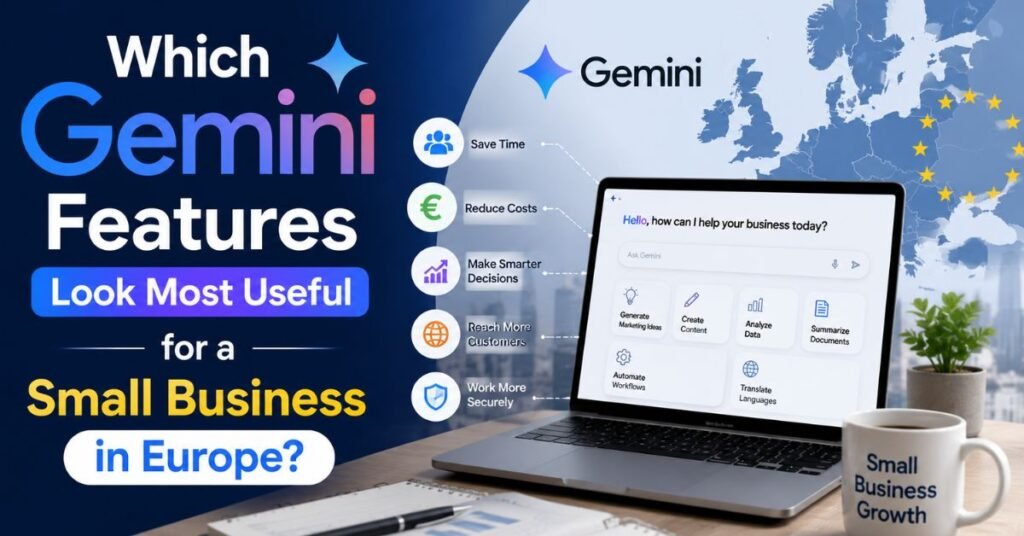
A few features are worth prioritizing over the rest:
| Feature | What It Solves | Access Tier |
|---|---|---|
| Deep Research | Market and competitor research in minutes instead of hours | Free (limited), full access on AI Pro |
| Gemini in Chrome / auto browse | Multi-step browsing tasks — bookings, price checks, research | Free / Pro |
| Gemini 3.5 Live Translate | Real-time speech translation across 70+ languages | Gemini app |
| Gemini Spark | Cross-app task automation (Docs, Tasks, Keep, Canva, Dropbox) | Rolling out; macOS beta on AI Ultra |
| Nano Banana 2 / Pro | Fast, on-brand image generation for marketing assets | Free tier (limited) / Pro |
| Gemma 4 12B | Private, on-device AI for sensitive or offline work | Free, open model |
Two caveats matter specifically for EU-based businesses. First, some Ultra-tier features (Deep Think, Project Mariner, Project Genie, Gemini Agent) have historically launched US-only before expanding, so check current availability before planning a workflow around them. Second, regulatory requirements have changed feature sets in the EU, so you should periodically re-check which features Google has actually enabled in your region instead of assuming they match US rollouts.
How Should Founders Use Google Gemini in June 2026 Without Wasting Time?
The mistake most people make with a new AI feature wave is testing everything shallowly instead of adopting a few things properly. A simple, disciplined workflow avoids that.
A Simple 7-Step Founder Workflow
- Pick one recurring task that already costs you real hours weekly — competitor research, meeting prep, or first-draft content.
- Run it through Deep Research once, and compare the output against how you’d normally do it. Judge on time saved and accuracy, not novelty.
- Connect Gemini to the two apps you use most (Gmail and Calendar, or Docs and Drive) rather than every integration available.
- Test Gemini in Chrome’s auto browse on one low-stakes repetitive task — checking prices, tracking a shipment, or filling a familiar form.
- Use Nano Banana 2/Pro for one real marketing asset and evaluate it against your current design workflow, not against a demo video.
- Decide your tier deliberately. Stay on Free or AI Plus until you can name the specific feature (Deep Research volume, Deep Think, video generation) that justifies AI Pro or Ultra.
- Review after two weeks. Keep what measurably saved time. Drop what added a new step without removing an old one.
What Mistakes Should Business Owners Avoid With Gemini Right Now?
- Don’t upgrade to Ultra before you have a Pro-tier bottleneck. Most small teams never hit AI Pro’s limits.
- Don’t treat Deep Research output as final. It’s a strong first draft for research, not a substitute for verifying sources on anything client-facing or high-stakes.
- Don’t connect every third-party app at once. Each connection is a permission decision; scope it to what you’ll actually use weekly.
- Don’t assume US feature availability applies to your country. Several flagship Ultra features are still regionally gated.
Is Google Gemini Now a Serious Rival in Business AI Workflows?
Yes, in the specific sense that matters for a small business: it’s no longer competing purely on model quality. It’s competing on how much of your actual workflow it can absorb — search, writing, research, image and video creation, browsing automation, and voice — inside tools you already have open. That’s a different, and arguably stronger, competitive position than “our model scores higher on a benchmark.”
Whether it’s the right rival for your business depends on how deeply you already live inside Google’s ecosystem versus a competitor’s.
What Are the Strongest Signals Hidden Inside the June 2026 Gemini Updates?
Reading between the announcements, three signals stand out:
- Google is betting on agentic, multi-step tasks over single-turn chat. Auto browse, Gemini Spark, and the Deep Research Agent all point toward “do this multi-step thing for me,” not “answer this one question.”
- On-device and open models (Gemma 4) are a hedge against cost and privacy concerns. Running a capable model locally on 16 GB of memory matters for cost-sensitive or privacy-sensitive workflows that can’t send everything to the cloud.
- Pricing is being restructured to widen the paying middle, not just capture enterprise budgets the Ultra price cut and the new Plus tier both suggest Google wants more individual and small team subscribers in paid tiers, not just free-tier volume.
What Should Entrepreneurs Do Next After These Google Gemini June 2026 Updates?
Pick one workflow, test it properly for two weeks using the steps above, and make a tier decision based on actual usage rather than feature excitement. The releases in June didn’t fundamentally change what Gemini is — they made the existing direction (an ambient, cross-app work system) more real and more usable. The founders who benefit are the ones who adopt deliberately, not the ones who chase every new feature name.
People Also Ask
What exactly does Google Gemini do?
Gemini is Google’s AI assistant and model family. It handles text, image, and voice conversations, generates images and video, browses and completes tasks in Chrome, and integrates with Gmail, Docs, Calendar, and Android.
Is Google Gemini free?
Yes. A free tier is available at gemini.google.com with daily usage limits, basic Gemini 3 Flash access, limited Deep Research reports, and 15 GB of Google One storage.
Why do I need Gemini if I have Google?
Google Search finds information; Gemini reasons over it, generates content, completes multi-step tasks, and connects across your Google apps rather than just returning links.
How do I turn off Google Gemini?
You can disable Gemini integrations in individual Google apps (like Gmail or Chrome) through each app’s settings, and manage or turn off Gemini Apps Activity from your Google Account settings.
What is Google Gemini in simple words?
It’s Google’s AI assistant that can chat, write, research, generate images and video, and take actions across apps you already use.
What is Google Gemini used for?
Common uses include research and summarization, writing assistance, image and video generation, coding help, voice conversations, and automating repetitive browser or app tasks.
What is Google Gemini on Android?
On Android, Gemini replaces the older Google Assistant in many devices, handling voice commands, app actions, and now — via Gemini in Chrome — automated multi-step browsing tasks.
What is the Google Gemini app?
It’s Google’s standalone AI assistant app for mobile and desktop, offering chat, voice (“Gemini Live”), image and video generation, and agent features like Gemini Spark.
Is Google Gemini safe to use?
Google applies standard account security and content safeguards, while its enterprise versions provide additional security dashboards and content guardrails. However, you should share sensitive data carefully and verify AI-generated outputs before using them for high-stakes decisions.
What is the difference between Google Gemini and Google Assistant?
Google Assistant was command-based and narrower in scope; Gemini is a generative AI model capable of open-ended conversation, reasoning, content creation, and multi-step task execution, and is gradually replacing Assistant across Google’s devices.