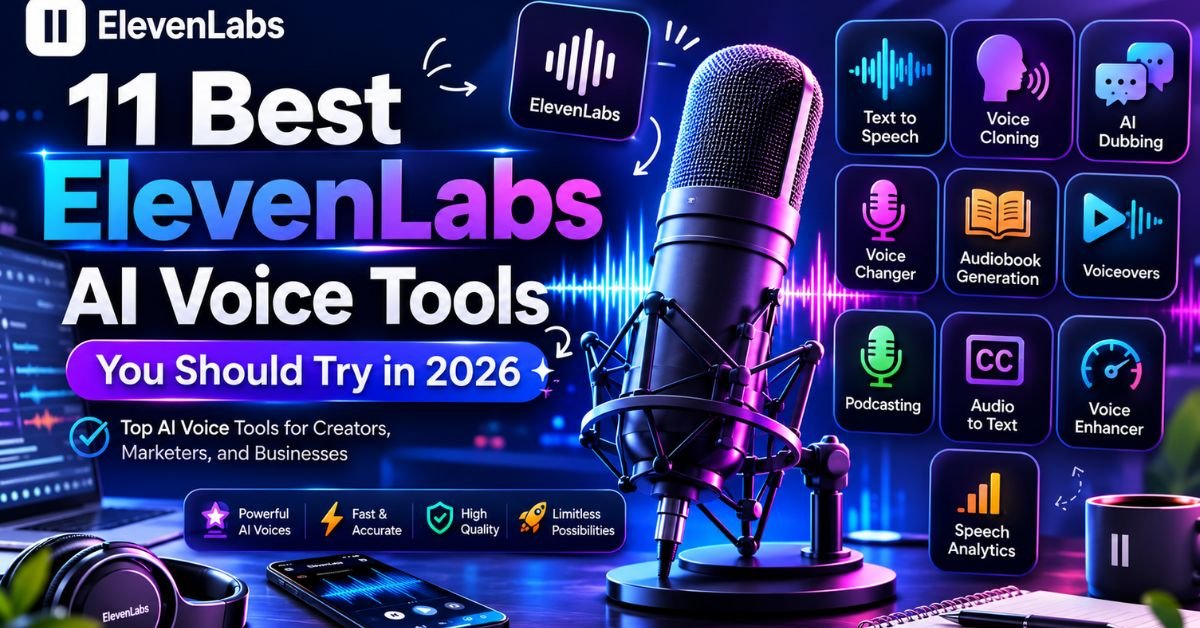
ElevenLabs stopped being “just a text-to-speech app” a while ago. By mid-2026, it has grown into a full audio platform: one login gives you narration, voice cloning, dubbing, sound design, music, transcription, and full conversational voice agents, all pulling from the same credit pool.
That range is exactly why the platform confuses new users. People arrive looking for a narrator voice and leave unsure whether they need Creator or Pro, whether Instant or Professional Voice Cloning fits their project, or whether the free plan can even be used commercially (it can’t).
This guide breaks down the 11 ElevenLabs tools worth trying in 2026, how the pricing actually works once you look past the headline numbers, and where the platform genuinely beats its competitors — plus where it doesn’t.
If you’re short on time, here’s the shape of it: solo creators typically land on Starter or Creator, teams running production workloads land on Pro or Scale, and anyone building a support bot or in-app assistant ends up spending most of their time in ElevenAgents rather than the text-to-speech screen they signed up for.
ElevenLabs AI Voice Tools List
Each tool below draws from the same account and the same monthly credit allowance, so you don’t need a separate subscription for each one. Here’s what each does and who it’s actually built for.
1. Text to Speech (Eleven v3, Multilingual v2, Flash v2.5)
This is still the tool most people sign up for. Type or paste text, pick a voice, and get back studio-quality audio in seconds. What separates it from older TTS engines is that it reads for meaning, not just pronunciation — pacing, emphasis, and tone shift based on punctuation and context rather than sounding flat line by line.
There isn’t one model here; there are three, tuned for different jobs:
- Eleven v3 — the most expressive option, with inline audio tags like
[whispers],[laughs], and[sighs]for dramatic reads, audiobooks, and character work. - Multilingual v2 — the steadiest option for long-form narration across roughly 29 languages, and the one most creators default to for finished content.
- Flash v2.5 — built for speed rather than performance nuance, with end-to-end latency low enough for live conversational use.
Best for: audiobooks, YouTube narration, e-learning, ads, and any project where a human voiceover artist would normally be booked.
2. Instant Voice Cloning (IVC)
Instant Voice Cloning builds a usable digital copy of a voice from a short sample — often as little as 30 seconds to a couple of minutes of clean audio. It won’t match a professional clone for accuracy, but it’s fast, and it’s more than good enough for prototypes, internal drafts, and casual content.
Best for: solo creators who want to narrate videos in their own voice without recording every script from scratch.
3. Professional Voice Cloning (PVC)
PVC trades speed for fidelity. It needs longer, cleaner training audio — usually 30 minutes or more — but the output is noticeably closer to the source voice, with more consistent tone across long scripts. This is the tier serious podcasters, audiobook narrators, and dubbing studios actually pay for, and it only unlocks on the Creator plan and above.
Best for: audiobook narrators, dubbing houses, and brands building a long-term “signature voice” for their content.
4. Voice Design
Instead of cloning an existing voice, Voice Design generates a brand-new one from a written description age range, accent, texture, energy. It’s useful when you need a character voice that doesn’t belong to anyone, which sidesteps the consent and likeness questions that come with cloning a real person.
Best for: game studios and animation teams building original characters.
5. Dubbing Studio
Dubbing Studio translates a video into another language while trying to preserve the original speaker’s tone, pacing, and — on supported plans — lip sync. What used to take a localization studio days now runs in an afternoon, though the output still benefits from a human pass before publishing, especially for idioms and jokes that don’t translate literally.
Best for: YouTubers and course creators expanding into new-language markets without hiring a full dubbing crew.
6. Speech-to-Speech (Voice Changer)
Speech-to-Speech lets you perform a line with your own timing, breathing, and emotion, then swaps your voice for a target voice while keeping that human performance intact. It tends to sound more natural than pure text input because the delivery came from an actual take, not a predicted one.
Best for: creators who want a character voice but prefer to act the line themselves rather than direct the AI through text.
7. Sound Effects
This is a text-to-audio model for everything that isn’t dialogue: footsteps, ambient room tone, whooshes, short musical stings. Describe the sound in plain language and it generates a usable clip in seconds, which is a real time-saver compared to digging through stock SFX libraries.
Best for: video editors, podcast producers, and indie game developers who need one-off effects without a sound library subscription.
8. Studio
Studio is the long-form editor that ties everything else together — think of it as a workspace for building podcasts, audiobooks, and multi-chapter projects rather than generating one clip at a time. You can assign different speakers to different lines, manage chapters, and export a finished, timeline-based project instead of stitching clips together manually.
Best for: podcast producers and audiobook publishers managing multi-episode or multi-chapter projects.
9. Music
ElevenLabs’ music generator produces original instrumental and vocal tracks from a text prompt, covering a fairly wide range of genres and moods. It’s aimed at background scoring rather than chart-ready singles, which is exactly the use case most video creators actually have.
Best for: background scores for videos, ads, and short-form content where licensing stock music isn’t worth the hassle.
10. Scribe (Speech-to-Text)
Scribe is ElevenLabs’ transcription engine, and the newer Scribe v2 Realtime variant handles live transcription with very low latency across a wide range of languages. It’s a natural pairing with the rest of the platform: transcribe an interview, edit the text, and regenerate clean narration from the corrected script.
Best for: podcasters and researchers who need fast, accurate transcripts alongside their audio work.
11. ElevenAgents (Conversational AI Voice Agents)
ElevenAgents bundles speech-to-text, a language model layer, and text-to-speech into one low-latency voice agent you can deploy over phone, chat, or web. Instead of wiring together three separate vendors, you configure one agent that listens, decides how to respond, and speaks back with minimal lag. This is where ElevenLabs has pushed hardest through 2026, and it’s now used for everything from customer support lines to in-app assistants.
Best for: businesses building automated phone support, IVR replacements, or in-product voice assistants.
How to Choose the Right Tool for Your Project
With 11 tools sharing one dashboard, it’s easy to open the wrong one and waste credits. A quick way to narrow it down:
- Need a voiceover for a single video? Text to Speech.
- Want it in your own voice, fast? Instant Voice Cloning.
- Building a recurring show or audiobook series? Professional Voice Cloning plus Studio.
- Need a voice for a character nobody owns the rights to? Voice Design.
- Taking existing content into a new language? Dubbing Studio.
- Want to perform the line yourself but sound like someone else? Speech-to-Speech.
- Missing background noise or a transition sound? Sound Effects.
- Need a score, not a voice? Music.
- Working from an interview or recorded call? Scribe.
- Automating a phone line or in-app assistant? ElevenAgents.
What ElevenLabs Does: Core Features Explained
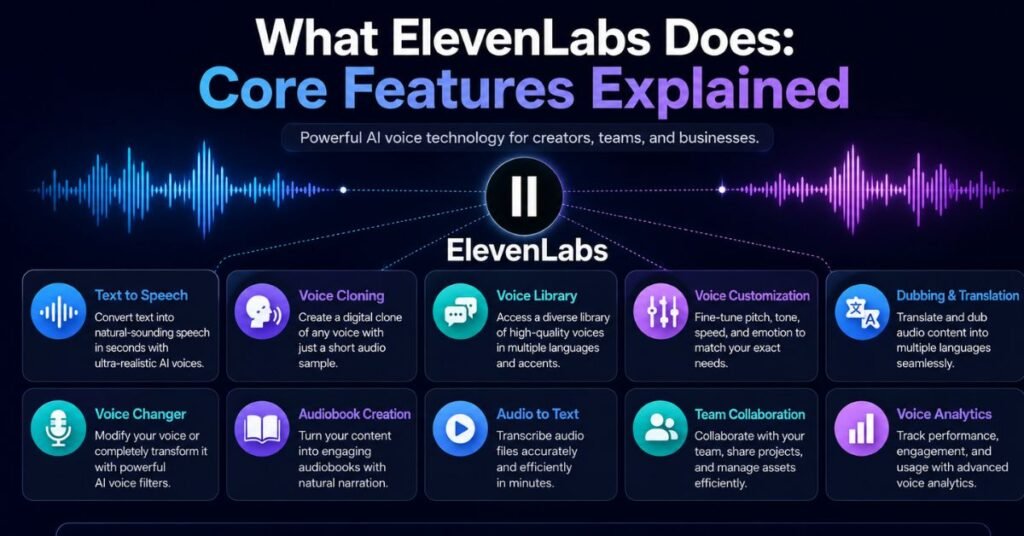
Zooming out from the individual tools, ElevenLabs’ feature set really comes down to four pillars. Here’s a closer look at each.
Text-to-Speech
At its core, ElevenLabs’ text-to-speech engine analyzes the meaning of a sentence before it generates audio, rather than converting words one at a time. That’s the difference you actually hear: natural pauses before a comma, a slight lift at the end of a question, stress on the word that carries the point. Output supports MP3, WAV/PCM, and µ-law formats, so audio slots into podcast workflows, video editors, or telephony systems without extra conversion steps.
Voice Cloning
Voice cloning sits at two speeds. Instant Voice Cloning gets you a working copy of a voice in minutes from a short sample — fine for drafts and personal projects. Professional Voice Cloning takes longer to train but produces a far more consistent, accurate result, which is why it’s gated to paid tiers above Starter. Both require the account holder to confirm they have permission to clone the voice in question, and ElevenLabs runs detection tooling to flag misuse.
AI Dubbing
Dubbing takes a source video, transcribes it, translates the script, and re-generates the dialogue in a target language while trying to preserve the original speaker’s emotional delivery. On supported plans it also adjusts for lip sync. It’s genuinely one of the fastest ways to localize video content today, though brand-sensitive projects should still budget time for a human editor to review idioms, jokes, and cultural references that don’t survive a literal translation.
Sound Effects and Audio Studio
Sound Effects covers short, non-dialogue audio — foley, ambience, transitions — generated from a text description. Studio is the production layer above it: a timeline-based editor for assembling narration, dialogue, sound effects, and music into a finished podcast episode or audiobook chapter, with multi-speaker support built in.
ElevenLabs Pricing 2026: Plans, Credits, and What You Actually Get
ElevenLabs prices everything through one shared credit pool that draws down across text-to-speech, dubbing, sound effects, music, and Studio projects. The plan price is only half the picture — the credit system and commercial rights rules matter just as much for budgeting.
How the Credit System Works
One credit roughly equals one character of generated text on the standard Multilingual v2 model. The Flash and Turbo models are more efficient, costing somewhere between 0.5 and 1 credit per character depending on the plan, which effectively stretches your monthly allowance further if latency-sensitive quality is acceptable for your use case. Conversational AI agents are billed differently, by session minutes rather than characters.
A few practical details worth knowing before you commit to a plan:
- Credits reset at the start of each billing cycle.
- Unused credits on paid plans roll over for up to two months, capped at roughly three times your monthly allotment.
- Downgrading or cancelling forfeits any unused rollover credits.
- The Free plan does not carry rollover.
Plan Breakdown
Pricing has shifted more than once since 2024, so always check the current numbers on ElevenLabs’ own pricing page before buying — but as of mid-2026, the lineup looks like this:
| Plan | Monthly Price | Credits/Month | Commercial Use | Best For |
|---|---|---|---|---|
| Free | $0 | 10,000 | No | Testing voice quality |
| Starter | $6 | 30,000 | Yes | First monetized projects |
| Creator | $22 | ~121,000 | Yes | Podcasters, narrators (unlocks Professional Voice Cloning) |
| Pro | $99 | ~600,000 | Yes | Small teams, regular production |
| Scale | $299 | ~1.8M (3 seats) | Yes | Agencies, higher-volume workflows |
| Business | $990 | ~6M (10 seats) | Yes | Large teams, contact-center scale use |
| Enterprise | Custom | Custom | Yes | Custom SLAs, HIPAA/BAA, SSO |
Annual billing knocks off roughly two months’ cost across every paid tier. Once your monthly usage regularly runs 30–50% over your plan’s included credits, moving up a tier is usually cheaper than paying overage rates on the plan you’re on.
The Commercial Rights Gotcha
This is the detail that catches the most first-time users: the Free plan does not include a commercial license. Any audio generated on Free must carry ElevenLabs attribution and can’t legally be used in monetized YouTube videos, client work, ads, or paid products. Commercial rights only kick in from the Starter plan upward, and Professional Voice Cloning specifically requires Creator or above. If you’re planning to publish anything monetized, budget for at least Starter before you start producing final assets.
Where ElevenLabs Excels and Where It Falls Short
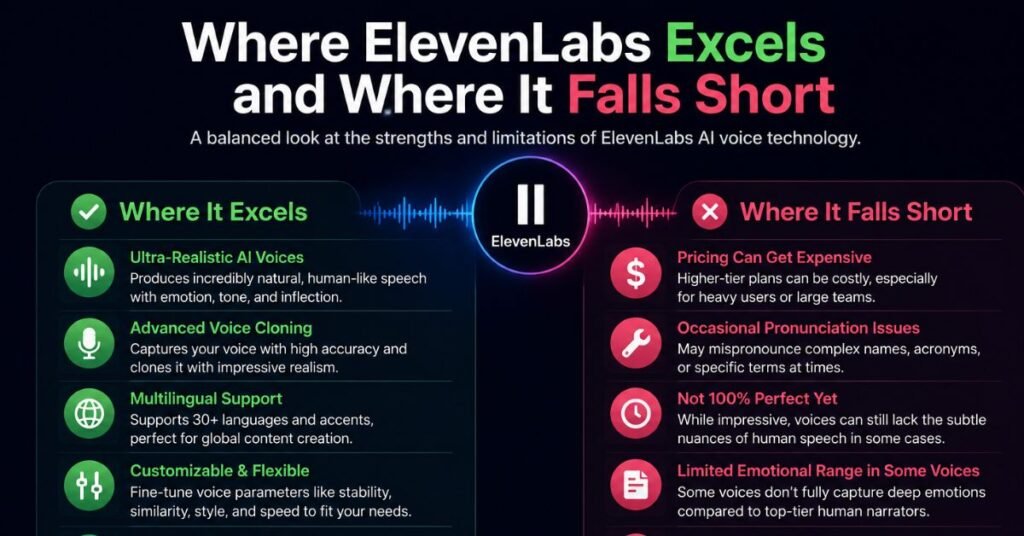
What ElevenLabs Does Better Than Most Competitors
- Voice naturalness. Independent listening comparisons and a large volume of user reviews consistently rank ElevenLabs at or near the top for emotional range and natural cadence, ahead of most rival TTS engines.
- Breadth under one roof. TTS, cloning, dubbing, sound effects, music, transcription, and voice agents all run on the same account and credit pool — most competitors cover one or two of these, not all seven.
- Voice library size. With well over 10,000 voices spanning accents, ages, and styles, finding a close match without cloning anything is realistic.
- Developer experience. The API is well documented, supports streaming, and multiple reviewers report a working integration within 15 minutes of starting.
- Latency for real-time use. Flash v2.5’s sub-second response time makes ElevenLabs one of the few TTS providers genuinely viable for live conversational agents, not just pre-recorded content.
Where It Falls Short
- Pricing complexity. Credits, per-model rates, plan-specific overage pricing, and separate API tiers make it genuinely hard to predict your bill in advance.
- No built-in video timeline. Dubbing and Studio handle audio well, but there’s no video editor — you’ll still need a separate tool for the visual side of a project.
- Cost at scale. High-volume production (audiobook publishers, large agencies) can get expensive fast compared to flat-rate or pure pay-as-you-go competitors.
- Dubbing still needs a human pass. Automatic translation handles the heavy lifting, but idioms, jokes, and cultural nuance often need editing before anything goes to a paying client.
- Failed generations still cost credits. Without a disciplined workflow, credits can disappear faster than expected.
How ElevenLabs Compares to Alternatives
No single platform wins on every axis. Here’s roughly how ElevenLabs stacks up against the tools people usually compare it to before signing up:
| Platform | Strongest At | Weakest At |
|---|---|---|
| ElevenLabs | Voice naturalness, breadth of tools, real-time latency | Pricing complexity, no video editor |
| Play.ht | Long-form content, podcast-focused features | Less emotional range than ElevenLabs |
| Amazon Polly | Cost at massive scale | Robotic delivery, limited emotion |
| Descript | Editing audio/video by typing text (“Overdubbing”) | Not a dedicated voice-generation engine |
| Azure AI Speech | Enterprise security, language coverage | Less expressive than ElevenLabs |
The practical takeaway: pick ElevenLabs when voice quality is the point of the project, and consider a cheaper alternative when you need enormous volume of plain, functional narration where emotional nuance doesn’t matter.
Is ElevenLabs Worth It?
For most people weighing this up, the honest answer is: it depends on what you’re replacing. If you’re comparing ElevenLabs to hiring a professional voiceover artist per project, it’s an easy win on cost and turnaround. If you’re comparing it to a bare-bones TTS API for simple, high-volume, low-emotion narration, a cheaper engine like Amazon Polly may do the job for less.
Where ElevenLabs earns its price is anywhere voice quality is the product itself: audiobooks, character voices, multilingual dubbing, and voice agents that need to sound like a person rather than a machine. Start on Free to judge the voice quality for your specific use case, move to Starter the moment you need to publish something commercial, and only jump to Creator once Professional Voice Cloning or higher character volume actually becomes a bottleneck. For most solo creators and small teams, Creator ($22/month) is the tier that makes the most sense — everything below it feels restrictive, and everything above it is built for teams, not individuals.
Conclusion
ElevenLabs in 2026 isn’t a single tool anymore it’s a toolkit, and the right entry point depends entirely on what you’re trying to make. Casual creators will get the most value from Text-to-Speech and Instant Voice Cloning on the Starter or Creator plan. Podcasters and audiobook publishers should look straight at Professional Voice Cloning and Studio. Developers building support bots or in-app assistants will spend most of their time in ElevenAgents and Flash v2.5. Whichever tool brought you here, run a real project through the Free plan first — voice quality is subjective, and the fastest way to know if ElevenLabs fits your workflow is to hear your own script read back to you.
Frequently Asked Questions
Is ElevenLabs free to use?
Yes, the Free plan gives 10,000 credits a month, but it’s for testing only — it has no commercial license and requires attribution.
What’s the cheapest plan with commercial rights?
The Starter plan at $6/month is the minimum tier that allows monetized or client-facing content.
Does ElevenLabs support voice cloning?
Yes, through Instant Voice Cloning (fast, lower fidelity) and Professional Voice Cloning (Creator plan and above, higher fidelity).
Can ElevenLabs dub videos into other languages automatically?
Yes, Dubbing Studio translates and re-voices video while preserving much of the original speaker’s tone, though a human review pass is recommended before publishing.
How does the ElevenLabs credit system work?
Credits are shared across every tool on your plan, and roughly one credit equals one character of generated text on the standard model.
Do unused credits roll over?
On paid plans, yes — for up to two months, capped at about three times your monthly allotment. Free plan credits do not roll over.
Is ElevenLabs better than competitors like Play.ht or Murf AI?
Most independent comparisons rate ElevenLabs highest on voice naturalness and emotional range, though competitors can be more cost-effective for high-volume, low-emotion narration.
Can I use ElevenLabs for real-time voice agents?
Yes, the Flash v2.5 model and ElevenAgents platform are built specifically for low-latency, real-time conversational use.
Does ElevenLabs offer an API, and how is it priced?
Yes, ElevenLabs maintains a developer API with its own subscription tiers, separate from the standard UI plans, and it’s accessible starting from the free tier.
Is ElevenLabs safe from a data-privacy standpoint?
ElevenLabs supports SOC 2, GDPR, and HIPAA-eligible workflows, with EU data residency and zero-retention modes available on higher tiers for stricter requirements.
What happens if I run out of credits mid-month?
On Creator and above, you can enable usage-based billing to pay per minute for overages; on Free and Starter, generation simply stops until your credits reset.
A Quick Word on Responsible Use🛡️🚨
Voice cloning technology raises real questions about consent and misuse, and ElevenLabs has built safeguards around this rather than leaving it unchecked. Cloning any voice that isn’t your own requires documented permission, and the platform runs an AI Speech Classifier designed to detect synthetic audio and flag misuse. If you’re building a product on top of voice cloning an app, a service, a client tool it’s worth reading ElevenLabs’ safety documentation directly rather than assuming your use case is automatically covered, particularly if you’re cloning voices of employees, public figures, or customers.