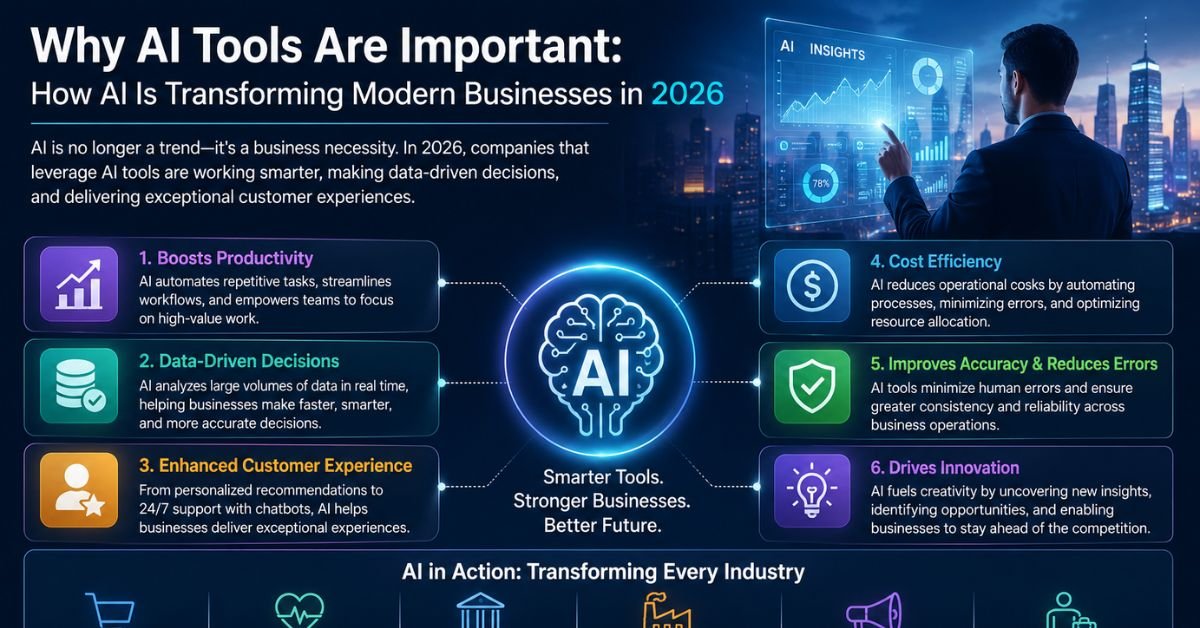
If you’ve been putting off adopting AI tools because it still feels optional, the numbers say otherwise. As of 2026, 91% of businesses report using AI in at least one capacity, up from 78% in 2024 and just 55% in 2023. That’s not a trend anymore — it’s baseline infrastructure, the same way email or cloud storage became non-negotiable a decade ago.
But adoption isn’t the same as advantage. Plenty of companies have bought AI subscriptions and never changed a single workflow. This article breaks down what AI-enabled tools actually are, why they matter with real data behind the claims (not hype). Which categories of tools are worth your time in 2026, and how to introduce them without wasting a budget cycle on these that never get used. Whether you run a five-person shop or a five-thousand-person enterprise.
It’s worth being upfront about why so much AI content online feels repetitive and shallow: Many writers create AI content to target keywords instead of answering real questions. We built this guide differently way. We sourced every statistic below from trusted research, including the Federal Reserve, McKinsey, Gallup, PwC, NVIDIA, Boston Consulting Group, and industry-specific surveys.
What Are AI-Enabled Tools? (A Working Definition)
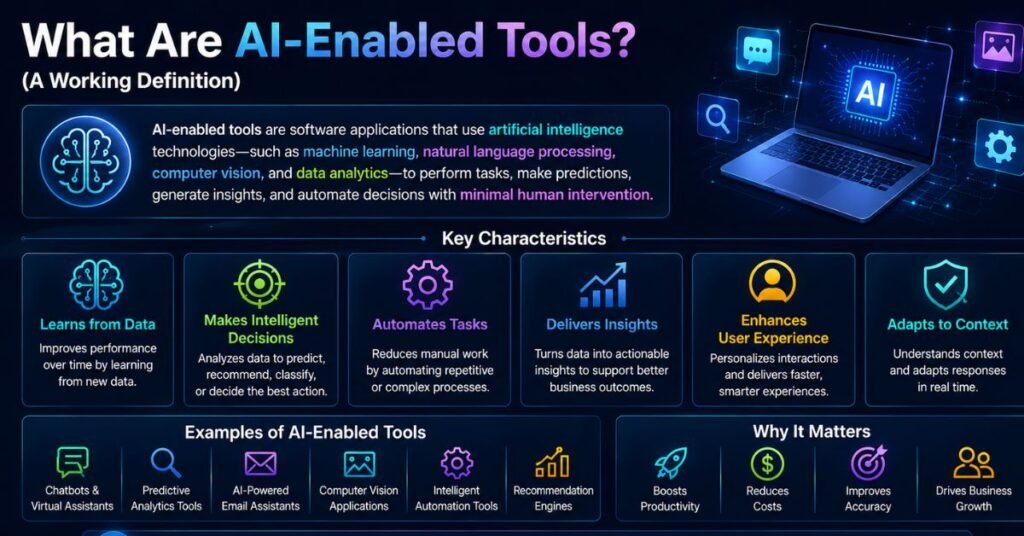
AI-enabled tools are software applications that use machine learning, natural language processing, or generative models to perform tasks that previously required direct human judgment — writing, analyzing data, scheduling, coding, designing, or answering customer questions.
The distinction that matters in 2026 isn’t “AI vs. no AI.” It’s embedded AI vs. standalone AI:
- Standalone AI tools are dedicated platforms you open specifically to use AI — think ChatGPT, Midjourney, or a dedicated AI writing app.
- Embedded AI tools are AI features baked directly into software you already use — Gmail’s smart replies, a CRM’s lead scoring, or Excel’s formula suggestions.
This distinction matters because most of the productivity gains businesses report today come from embedded AI, not from employees opening a separate chatbot tab. Research from SMB-focused surveys shows 74% of small and mid-sized businesses use AI indirectly through features already built into their existing software, rather than through standalone AI platforms. If your business software already has AI features you haven’t turned on, you’re likely leaving value on the table before you’ve even evaluated a new tool.
A third distinction worth understanding before you evaluate any tool is narrow AI vs. general-purpose AI:
- Narrow AI tools are built for one job and do it well — a scheduling assistant, a fraud-detection model, a background-removal tool. They’re predictable, easier to trust, and usually cheaper.
- General-purpose AI tools (like large language model assistants) can handle writing, analysis, coding, and brainstorming inside one interface. They’re more flexible but require more skill from the user to get consistently good output.
Why the Word “Important” Undersells It
Calling AI tools “important” in 2026 is a bit like calling spreadsheets “important” in 1995 — technically true, but it undersells how fast the baseline expectation shifted. Five years ago, using AI in a business context was a differentiator. Today, near-universal adoption means AI use is closer to table stakes, and the differentiator has moved to how well a business integrates it — depth of adoption, not presence of adoption, is what separates the businesses pulling ahead from the ones treading water.
Why AI Tools Are Important: 8 Data-Backed Reasons
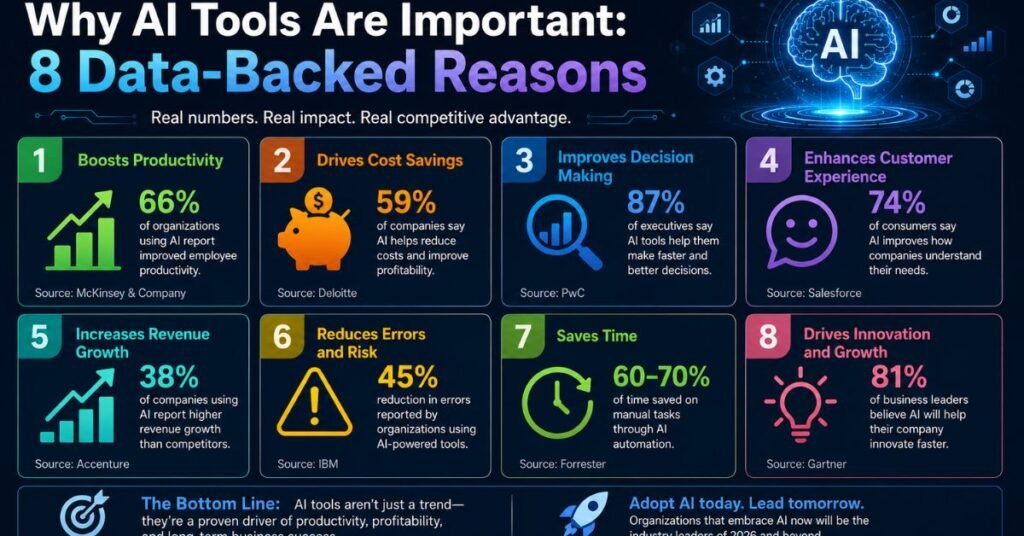
Below are the eight reasons AI tools matter right now, backed by verifiable, sourced figures rather than vague claims about “the future of work.”
1. They Save Measurable Hours Every Single Week
Time savings from AI are no longer anecdotal — they’re quantified. Federal Reserve research found that generative AI use translates into an average time savings of 5.4% of total work hours. For a standard 40-hour week, that works out to roughly 2.2 hours saved — close to a full workday reclaimed every month for the average user.
Power users see far more. Among frequent AI users, 27% report saving more than 9 hours per week, and some heavy users reclaim 20+ hours weekly by offloading research, first-draft writing, and administrative tasks to AI systems.
| User type | Reported weekly time savings |
| Average AI user | ~2.2 hours (5.4% of work hours) |
| Frequent user | 9+ hours |
| Power user (heavy automation) | 20+ hours |
The takeaway: casual, occasional use of AI tools barely moves the needle. The real time savings show up once AI is built into a daily workflow rather than used as an occasional novelty.
It’s also worth noting where these hours typically come from. In most roles, the largest time savings cluster around three activities: drafting written material (emails, reports, proposals), summarizing information (meeting notes, long documents, research), and first-pass data organization (sorting, tagging, cleaning). None of these require replacing human judgment — they require removing the blank-page problem, which is often the slowest part of any task. An employee who spends 20 minutes staring at an empty document before writing a client update isn’t slow because they lack skill; they’re slow because starting from zero is inherently the most time-consuming part of the process. AI tools are disproportionately good at solving exactly that bottleneck.
2. Productivity Gains Are Real, Documented, and Significant
Skeptics often ask whether AI productivity claims are backed by anything beyond marketing copy. Increasingly, the answer is yes.
- Employees in AI-adopting organizations are notably more likely to say AI has improved their productivity and efficiency — a majority report positive effects, and a meaningful share describe the improvement as significant.
- Roles that have been meaningfully augmented with AI tools show substantially higher productivity improvement than roles relying on traditional automation alone.
- Companies using generative AI report an average return of roughly 3.7x per dollar invested, with top-performing adopters reporting returns as high as 10x.
That said, honest reporting requires acknowledging the flip side: more than half of CEOs in a recent PwC survey admitted their organization has seen zero measurable ROI from AI despite active deployment. The gap isn’t usually the technology — it’s implementation. Tools bolted onto an unchanged process rarely deliver value; tools that reshape a workflow usually do.
This “productivity paradox” isn’t new — economists noted a similar pattern during the 1980s IT revolution, when computers were everywhere except in productivity statistics for years before the gains finally showed up. The lesson for 2026 is that measured ROI tends to lag adoption by a meaningful stretch, and businesses waiting for airtight proof before experimenting are likely to be several steps behind by the time that proof fully arrives. The businesses capturing the clearest gains right now share one habit: they picked a specific, measurable workflow, tracked a before-and-after number, and only scaled the tool once that number moved. Broad, unmeasured rollouts are where the “zero ROI” reports tend to come from.
3. AI-Enabled Tools Level the Playing Field Completely
Before generative AI became mainstream, competitive advantages in areas like design, copywriting, data analysis, and customer support software required either specialized headcount or expensive agencies. That barrier has largely collapsed.
Small and mid-sized businesses are now adopting AI at an accelerating pace precisely because low-code and no-code AI products remove the need for in-house technical expertise. A recent survey found 62% of SMB leaders believe their business won’t remain competitive within three years without AI. In parallel, SMB AI adoption has nearly doubled in two years — from 23% in 2024 to 42% today.
This matters most for solo founders, freelancers, and small teams. A one-person business can now produce marketing assets, analyze customer data, and draft legal-adjacent documents (with proper review) at a level that used to require a small department.
There’s a size-based split worth understanding here, too. Enterprise adoption of AI has crossed a clear tipping point — the majority of large organizations already run at least one AI workload in production, and companies with 5,000-plus employees adopt AI at roughly double the rate of firms with 50 to 499 employees. That gap sounds discouraging for smaller businesses, but it’s closing quickly: SMB AI adoption nearly doubled between 2024 and 2026, driven almost entirely by embedded, low-cost tools rather than expensive custom platforms. The “leveling” effect isn’t that small businesses now out-resource large ones — it’s that the resource gap needed to access competent AI tooling has shrunk to nearly nothing.
4. GEO Is Now Just as Important as SEO — And AI Tools Power Both
Generative Engine Optimization (GEO) optimizing content so it gets cited or summarized by AI systems like ChatGPT, Gemini, and AI Overviews in Google Search has become a parallel discipline to traditional SEO in 2026. Search behavior itself is shifting: a growing share of information queries are resolved directly inside an AI answer, without a click to a website at all.
This shift changes what “ranking” means. Where SEO historically optimized for a blue link in a list of ten, GEO optimizes for being the specific fact, quote, or explanation an AI model chooses to surface. The tools that help with one increasingly help with the other:
- AI writing and research tools help structure content around the direct-answer, snippet-friendly format that both Google’s featured snippets and AI answer engines favor.
- AI-powered analytics tools track not just organic clicks but also citation frequency inside AI-generated answers.
- Structured data and schema tools (many now AI-assisted) help both traditional crawlers and AI models parse page content accurately.
Businesses that treat GEO as a separate, optional add-on to SEO are already behind. The two are converging into a single discipline: being the clearest, most accurate, most well-structured source on a given topic — for humans and machines alike.
A few practical GEO habits worth adopting regardless of which tools you use:
- Answer the question directly in the first sentence of a section, then elaborate. AI answer engines tend to extract the most direct, self-contained statement, not the most elegant one.
- Use real numbers with named sources rather than vague claims — “studies show” gets ignored by both readers and AI summarizers; “according to [named source], X%” gets cited.
- Structure content with genuine headings, not just bolded text pretending to be a heading. Both search crawlers and AI models weight actual heading tags more heavily when identifying the topic of a section.
- Keep one clear claim per sentence. Dense, multi-clause sentences are harder for extraction systems to pull a clean quote or fact from, which lowers your odds of being the cited source.
None of these require an AI tool to implement — but AI-assisted content and SEO platforms increasingly build these checks directly into their editors, which is part of why GEO and SEO tooling are converging into the same product category.
5. AI-Enabled Tools Eliminate the Cost of Manual Redundancy
Every business has repetitive processes that don’t require creativity or judgment — data entry, meeting notes, invoice processing, first-pass email replies, basic image editing, appointment scheduling. AI tools are particularly effective here because these tasks follow clear processes and allow for a higher margin of error than strategic decision-making.
Manufacturing offers one of the clearest examples: Studies show that AI-driven predictive maintenance can reduce equipment downtime by up to 45% and maintenance costs by roughly 25% in industrial settings by predicting failures before they happen instead of relying on fixed maintenance schedules.
In knowledge work, the same principle applies to lower-stakes repetitive tasks: meeting summarization, first-draft document generation, and routine customer inquiries. None of these eliminate the need for a human to review the output — but they remove the need for a human to produce the first draft from scratch every time.
There’s a useful way to think about where redundancy costs a business the most: it’s rarely the task itself that’s expensive, it’s the context-switching around the task. An employee who has to stop deep work to manually reformat a report, re-type the same client update with minor variations, or manually cross-check a spreadsheet against an email thread pays a cost far larger than the minutes the task takes — the interruption itself has a cognitive cost. AI tools that absorb these small, frequent interruptions tend to deliver more perceived value than their raw time-savings numbers suggest, because they’re also protecting focus time on higher-value work.
6. Beginners Reach Expert-Level Output Faster With AI
One of the more understated shifts AI has enabled is compressing the learning curve for skilled output. A beginner marketer using an AI writing assistant, a novice designer using an AI image tool, or a junior analyst using an AI-assisted spreadsheet tool can now produce work that approaches — though doesn’t replace — what a specialist would have delivered a few years ago.
Generative AI is now the top use case for content creation (71% of organizations using it for exactly this), followed by code generation (58%) and customer interaction (54%). This pattern reflects where AI most effectively narrows the skill gap: language-heavy and pattern-heavy tasks where the AI can draft, and a human can refine.
This doesn’t mean expertise no longer matters — it means expertise shifts toward judgment, editing, and strategic direction rather than raw production. The person who knows what “good” looks like, and can direct and correct an AI tool accordingly, gets disproportionate leverage from these tools compared to someone using them without that judgment.
This shift is already visible in hiring and compensation data. Roles built around directing and evaluating AI output — prompt engineering, AI content strategy, AI compliance oversight — are among the fastest-growing job categories, and data scientists and AI engineers command salaries well above the general knowledge-worker median. The market is pricing in exactly what the productivity data shows: the scarce skill isn’t operating the AI tool, it’s knowing what to ask it for and recognizing when the output is wrong.
7. AI-Enabled Tools Work 24/7 — Without 24/7 Headcount
Customer support, lead qualification, and basic troubleshooting no longer require a business to staff round-the-clock shifts to be responsive at any hour. AI chatbots and support agents handle the first layer of interaction continuously, escalating to a human only when needed.
This matters more than it might initially seem, because customer expectations around response time have shifted permanently. A business that only responds during business hours is now competing against businesses that respond instantly, at any hour, in any time zone — without adding a single employee to a night shift.
This is also where agentic AI is having its biggest near-term impact: not writing a single email, but running a full sequence — triaging a support ticket, checking order status, drafting a resolution, and only pinging a human for edge cases outside its confidence threshold.
Adoption of agentic AI varies significantly by industry, which is a useful benchmark if you’re wondering whether your sector is ahead of or behind the curve. Telecommunications currently leads agentic AI adoption at roughly 48%, with retail and consumer goods close behind at 47%. Financial services, healthcare, and retail also show the strongest measured returns from AI investment overall — largely because these industries have high volumes of repetitive, rules-based interactions that map cleanly onto what agentic systems currently do best.
| Industry | Agentic AI adoption rate | Primary use case |
| Telecommunications | ~48% | Customer service, network troubleshooting |
| Retail & CPG | ~47% | Inventory, customer interaction, personalization |
| Financial services | ~47% | Fraud detection, document processing, support |
| Healthcare | Growing steadily | Administrative support, scheduling, documentation |
| Manufacturing | Growing steadily | Predictive maintenance, quality control |
8. The Cost of NOT Using AI Tools Is Rising Faster Than the Tools Themselves
The clearest signal that AI has moved from “nice to have” to “competitive necessity” is what happens to businesses that don’t adopt it. Top AI adopters are projected to see revenue growth roughly 60% higher, and cost reductions nearly 50% greater, than their peers by 2027.
At the same time, the cost of AI tools themselves has fallen dramatically as competition among providers has intensified — many capable tools now offer free or low-cost tiers that were enterprise-only a few years ago. That combination — rising competitive cost of non-adoption, falling cost of adoption — is why AI tool usage has become close to universal rather than a differentiator reserved for large enterprises.
The businesses most at risk aren’t the ones moving too fast on AI. They’re the ones assuming they can catch up later, at the same cost, once the technology “matures.” The data suggests the gap is widening, not narrowing.
There’s also a talent dimension to this cost. As AI-adopting organizations restructure roles around the technology, employees increasingly weigh AI maturity when choosing where to work — and businesses seen as behind on tooling face a quieter cost in recruiting and retention, separate from the direct productivity gap. Nearly two-thirds of enterprises surveyed have already appointed dedicated AI leadership roles, a signal that treating AI adoption as a side project rather than an organizational priority is itself becoming a competitive disadvantage.
Which AI-Enabled Tools Should You Use?
There’s no single “best” AI tool — the right choice depends entirely on the task. Below is a practical breakdown by category, based on the primary use cases businesses report in 2026.
| Category | What it does | Best for |
| General-purpose AI assistants | Drafting, research, summarizing, brainstorming | Any role that produces written content or needs quick analysis |
| AI writing & content tools | Blog posts, ad copy, product descriptions, SEO structuring | Marketing teams, solo content creators |
| AI image & design tools | Generating or editing images, logos, mockups | Marketing, product design, social media |
| AI coding assistants | Autocomplete, debugging, code generation | Developers and technical teams |
| AI meeting & note tools | Transcription, summarization, action-item extraction | Any team running regular meetings |
| AI customer support agents | Ticket triage, FAQ handling, order status | Customer service and e-commerce |
| AI data & analytics tools | Chart generation, trend detection, forecasting | Finance, operations, sales analysis |
| Agentic AI / workflow automation | Multi-step task execution with minimal supervision | Repetitive cross-tool processes (e.g., lead-to-invoice) |
A simple way to decide where to start: pick the task that eats the most hours in your week that doesn’t require your unique judgment to complete. That’s almost always the highest-leverage place to introduce an AI tool first — not the flashiest use case, but the most repetitive one.
A few practical selection criteria worth applying to any tool before committing to it:
- Does it integrate with what you already use? Embedded AI inside your existing CRM, email, or project management tool almost always beats a disconnected standalone app.
- Can you test it free before paying? Nearly every legitimate AI tool offers a free tier or trial sufficient to judge fit within an hour of real use.
- Does it handle your specific data format? A tool that’s excellent at general writing may be mediocre at your specific industry’s documents, terminology, or compliance requirements.
- What happens when it’s wrong? Every AI tool makes mistakes. The tools worth using make it easy to catch and correct those mistakes — clear sourcing, editable output, confidence indicators — rather than presenting everything with false certainty.
Common Barriers to AI Adoption (And How to Address Them)
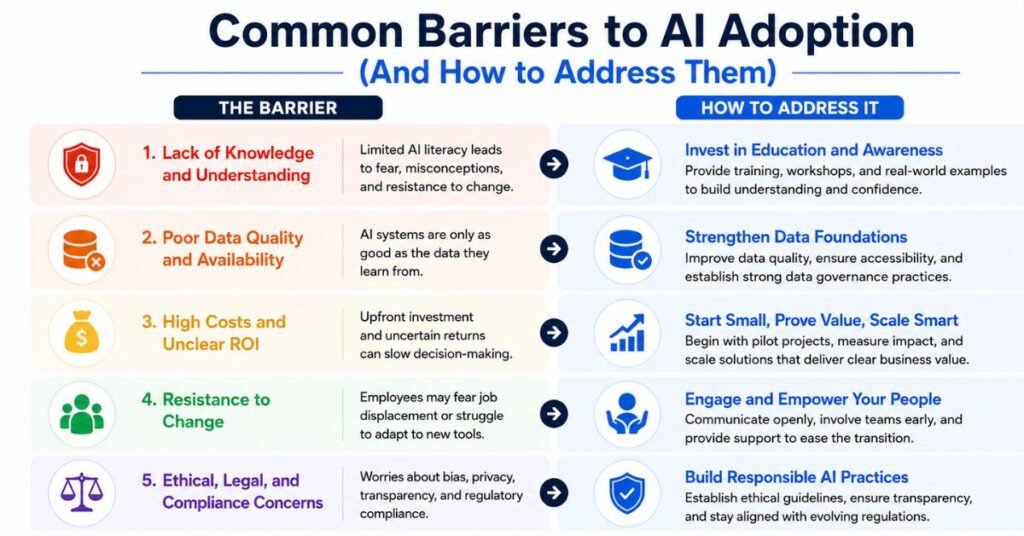
Adoption data also reveals where businesses get stuck, which is worth planning around before you invest:
- Data quality issues are the most commonly cited barrier, reported by roughly half of businesses evaluating AI readiness. Clean, well-organized data isn’t a prerequisite for every AI tool, but it dramatically affects the output quality of anything analytics-related.
- Lack of internal expertise remains a major barrier, especially outside North America, where a large majority of EU enterprises cite it as their top constraint.
- Weak change management now outranks the technology itself as the primary obstacle to realizing value. Research from Boston Consulting Group found that successful AI transformations allocate roughly 70% of their effort to upskilling people and adjusting processes — not to the software itself.
- Unclear ROI measurement stalls scaling: currently only about half of AI pilots make it to full production, largely because businesses struggle to connect AI activity to a measurable business outcome.
None of these barriers is a reason to avoid AI tools altogether. They’re a reason to introduce tools deliberately — one well-scoped workflow at a time — rather than rolling out AI broadly and hoping adoption follows.
How to Introduce AI Tools Without Wasting the Investment
Most of the “zero ROI” outcomes discussed earlier trace back to a handful of avoidable mistakes. Here’s a practical, sequential approach that avoids them:
- Pick one task, not one department. Rolling out an AI tool to an entire team at once makes it nearly impossible to isolate what’s working. Start with a single, recurring task — weekly reporting, first-draft customer replies, meeting notes — and measure it in isolation.
- Set a baseline before you start. Time the task, or count the output, for two weeks before introducing any tool. Without a baseline, “it feels faster” is the only feedback you’ll ever get, and that’s not enough to justify scaling the investment.
- Assign an owner, not just a license. Tools that succeed inside organizations almost always have one person responsible for learning them well and training others — not a shared login nobody is accountable for.
- Review output before trusting it. Every AI tool, regardless of category, produces errors. Build a lightweight review step into the workflow from day one rather than adding one only after something goes wrong.
- Re-measure after 30 days. Compare the new baseline to the old one. If the number hasn’t moved, the tool likely doesn’t fit the task — try a different tool, or a different task, rather than assuming AI itself is the problem.
- Only then, scale. Expand to the next team or task once you have a genuine before-and-after number, not a general impression that things feel more efficient.
This sequence is slower than a company-wide rollout announcement, but it’s the difference between the businesses reporting real, measured ROI and the more than half of surveyed organizations that can’t point to any.
Conclusion
AI tools matter in 2026 not because they’re new or exciting, but because the data on time savings, cost reduction, and competitive positioning is now too consistent to dismiss as hype. The average business using AI thoughtfully saves measurable hours every week, the fastest-adopting businesses are pulling ahead on both revenue and cost metrics, and the barrier to entry has dropped low enough that team size is no longer an excuse.
The businesses seeing the least value from AI aren’t the ones who adopted too early — they’re the ones who adopted without changing anything else. A subscription to an AI tool, on its own, changes nothing. A workflow rebuilt around what that tool does well changes quite a lot..
Frequently Asked Questions
Are AI tools actually worth the cost for a small business?
Yes, for most small businesses — many effective AI tools have free or low-cost tiers, and even modest time savings on repetitive tasks typically outweigh subscription costs within weeks.
Do I need technical skills to use AI tools?
No. Most modern AI tools are built for non-technical users through plain-language prompts and no-code interfaces, though basic prompt-writing skill improves output quality significantly.
What’s the difference between SEO and GEO?
SEO optimizes content to rank in traditional search results; GEO optimizes content to be accurately cited or summarized by AI answer engines like ChatGPT and AI Overviews.
Will AI tools replace employees?
Current data shows AI is reshaping tasks more than eliminating roles outright, though some job categories are being restructured as core skills shift toward AI oversight and judgment.
How do I know if an AI tool is actually saving time or just adding a new task?
Track time spent on a specific task before and after introducing the tool for two to three weeks; if the number doesn’t clearly drop, the tool isn’t fitting the workflow correctly.
Is free AI software as good as paid versions?
Free tiers are usually sufficient for testing fit and light, occasional use; paid versions typically add higher usage limits, better accuracy, and integrations needed for daily business use.
What AI tool should a solo entrepreneur start with?
A general-purpose AI assistant for writing and research is usually the best starting point, since it applies across marketing, customer communication, and administrative tasks without extra setup.