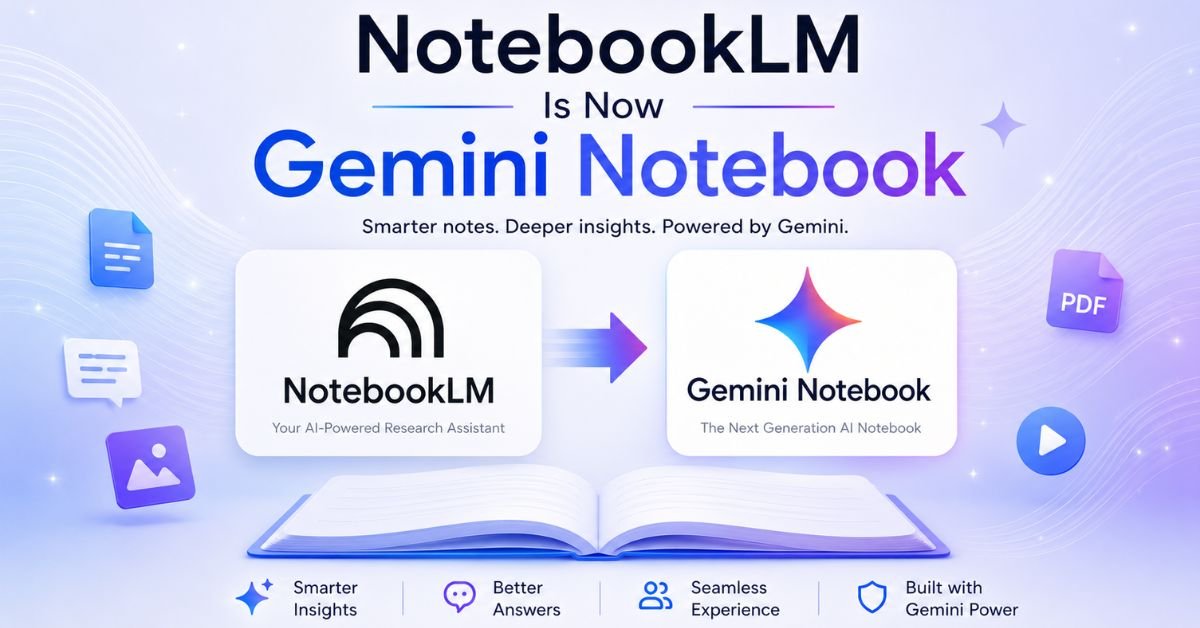
Google has renamed NotebookLM to Gemini Notebook, and the update carries more weight than a simple logo swap. Alongside the new name, Google is folding in a Gemini 3.5 and Antigravity upgrade, expanding cloud-based code execution to AI Pro subscribers, and pushing notebooks into more corners of its ecosystem. If you use this tool for research, studying, or client work, here is exactly what shifted, what stayed the same, and whether you need to change anything about how you work.
This guide walks through the rebrand itself, the technical upgrades tied to it, current pricing across every tier, how the tool stacks up against ChatGPT, and what the API situation looks like for developers. By the end, you will know exactly where Gemini Notebook fits into your workflow and whether upgrading is worth it.
What Changed: NotebookLM Becomes Gemini Notebook
Google announced the rename on July 16, 2026, folding one of its most recognizable AI products into the broader Gemini brand. The tool keeps its core identity as a standalone research assistant, but it now carries Gemini’s name, logo styling, and closer ties to the rest of Google’s AI lineup.
Why Google Renamed NotebookLM
The simplest explanation is brand consolidation. Over the past year, Google has pulled nearly every AI-facing product under the Gemini umbrella, including Gemini Live, Gemini in Search, and Gemini-powered Workspace tools. NotebookLM already ran on Gemini models internally, so the old name no longer matched what was happening under the hood.
Google also pointed to how deeply the tool has woven itself into daily Search and Gemini app usage. With notebooks already syncing to the Gemini app and a planned rollout inside Google Search’s AI Mode, keeping a separate “NotebookLM” identity was creating more confusion than clarity for casual users who already know the Gemini name.
There is a practical branding reason too. “Language model” in a consumer product name reads as technical jargon to most people. Gemini Notebook is easier to say, easier to market, and easier to place next to Gemini’s other consumer-facing tools without needing an explanation.
What Stays the Same
This is not a shutdown or a feature freeze disguised as a rebrand. Google was explicit that Gemini Notebook remains an independent product focused on being a research tool first. Every notebook you have already built stays exactly as it was, with no data loss, no reformatting, and no change to how sources or citations work.
Here is what is unaffected by the name change:
- Your existing notebooks, sources, and saved chats
- Source-grounded answers with inline citations back to your documents
- Audio Overviews, Video Overviews, and Studio outputs
- Sharing settings and collaboration permissions
- Your current subscription tier and its usage limits
The only visible difference most users will notice immediately is the app icon and label switching from NotebookLM to Gemini Notebook on their phone, in browser tabs, and inside the Gemini app.
A Brief History of Google NotebookLM
Google first previewed this tool at I/O 2023 under the codename Project Tailwind, built around a simple goal: help people learn from their own documents instead of the open web. It was renamed NotebookLM shortly after and spent 2023 and 2024 growing from an experimental Labs project into a stable, widely used product.
The growth numbers explain why Google is now investing so heavily in the brand. More than 30 million people and over 600,000 organizations use the tool today, spanning students converting lecture notes into audio summaries, business owners building onboarding materials, and researchers running literature reviews across hundreds of papers. That scale is exactly why Google decided a standalone “LM” name no longer fit the product’s role inside its ecosystem.
The Gemini 3.5 and Antigravity Upgrade Explained
The rebrand landed alongside a meaningful capability upgrade rather than on its own. Google is extending a secure, cloud-based computer to every Gemini Notebook user on the AI Pro plan, a feature that previously required an AI Ultra subscription or a Workspace business account.
Cloud Computer and Code Execution
The cloud computer lets Gemini Notebook write and run code directly against the sources you have uploaded. Instead of only summarizing or answering questions about your documents, the tool can now perform calculations, build charts, clean up messy data, and generate new output formats like spreadsheets and slide decks from the same source material.
This matters because it shifts Gemini Notebook from a reading and comprehension tool into something closer to a lightweight data analyst. A student with a spreadsheet of survey results can ask for a chart. A small business owner with sales records can ask for a trend summary. The underlying Gemini 3.5 model handles the reasoning, while the Antigravity layer manages the sandboxed execution environment that keeps code running safely against your private files.
Rollout Timeline for AI Pro Users
Google says the cloud computer feature is rolling out to AI Pro subscribers on the web over the coming weeks, rather than arriving for everyone on day one. If you are on AI Pro and do not see it yet, that is expected. Free and Plus tier users are not included in this particular expansion, though Google has a track record of eventually pushing popular features down to lower tiers over time.
| Rollout Detail | Status |
|---|---|
| AI Ultra and Workspace business | Already available |
| AI Pro (web) | Rolling out over coming weeks |
| Free and Plus tiers | Not currently included |
| Mobile app support | Expected to follow web rollout |
Take Your Notebooks Everywhere: Cross-App Access
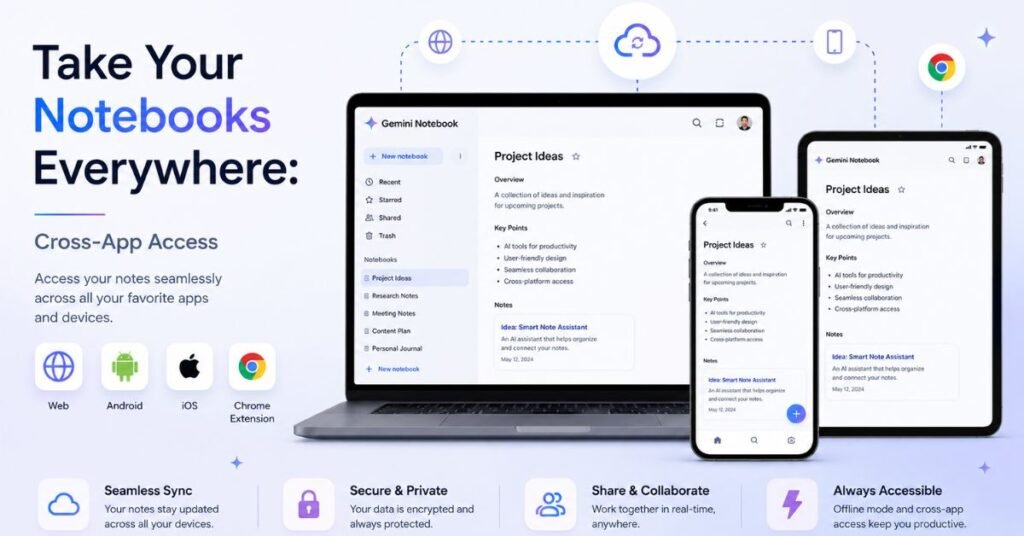
One of the quieter but more useful changes is how far notebooks now reach across Google’s products. Notebooks already sync between the standalone Gemini Notebook app and the main Gemini app, meaning a notebook you start on your phone shows up instantly when you open Gemini on your laptop.
Google also confirmed plans to bring notebooks into AI Mode inside Google Search, though it has not shared a firm timeline. If that ships as described, you would be able to pull a research notebook directly into a Search session without switching apps, which would meaningfully change how people research inside the browser they already use every day.
For now, here is where you can access your notebooks:
- The dedicated Gemini Notebook web app and mobile apps
- The Gemini app, under the notebooks section for chat organization
- Google Search’s AI Mode, once that integration ships
This cross-app syncing is part of a bigger pattern. Google wants your research context, your documents, and your conversation history to follow you between products instead of living in silos, and Gemini Notebook is becoming the connective layer that carries that context around.
Gemini Notebook Features: What You Actually Get
Whether you call it NotebookLM or Gemini Notebook, the core feature set is what makes people stick with it. It is built around one idea: answers grounded strictly in documents you choose, with visible citations, rather than a general-purpose chatbot pulling from anywhere.
| Feature | What It Does |
|---|---|
| Source-grounded chat | Answers questions using only your uploaded documents, with inline citations |
| Audio Overviews | Turns your sources into a two-host, podcast-style spoken discussion |
| Video Overviews | Generates a narrated visual summary of your source material |
| Studio outputs | Creates mind maps, quizzes, timelines, reports, and slide decks |
| Cloud computer (Pro and up) | Writes and runs code against your sources for data analysis |
| Deep Research | Gathers and synthesizes information across many sources in one pass |
| Cross-app sync | Keeps notebooks consistent between the standalone app and Gemini |
A few of these deserve extra context. Audio Overviews remain one of the most talked-about features because there is genuinely nothing else quite like it. It takes a stack of PDFs, articles, or notes and produces a natural-sounding conversation between two AI voices discussing the material, which works well for commuting, walking, or reviewing before an exam.
Deep Research is the other standout. Rather than answering from one document at a time, it can pull together information across dozens of sources you have added and produce a structured synthesis with citations pointing back to exactly where each claim came from. This is the feature that makes literature reviews, competitive research, and long reports far faster to put together.
How Source Grounding Actually Works
Every answer Gemini Notebook gives is tied to a citation you can click to verify against the original text. This is the single biggest differentiator from a general chatbot. If the tool cannot find support for something in your uploaded sources, it will say so instead of filling the gap with information from its general training data.
That boundary matters for anyone doing academic work, legal research, or client deliverables where you need to know exactly where a claim came from. It also means the tool is only as good as the sources you feed it. Upload thin or low-quality documents, and you get thin, low-quality answers back, citations and all.
Who Actually Uses Gemini Notebook, and For What
The feature set only makes sense once you see how differently three types of users lean on it. The tool flexes depending on whether you are cramming for an exam, building a client deliverable, or trying to make sense of a technical archive.
Students and Independent Learners
Students tend to lean hardest on Audio Overviews and Deep Research. Uploading a semester’s worth of lecture slides and readings into one notebook turns study sessions into something closer to an interactive review, where you can ask follow-up questions about a specific paragraph and get an answer that points straight back to the slide it came from.
The quiz and flashcard-style Studio outputs also get heavy use around exam periods, since they generate directly from your own course material rather than generic practice questions pulled from the open internet. That specificity is what makes the free tier genuinely sufficient for most coursework.
Professionals and Small Business Owners
Business use skews toward onboarding material, internal documentation, and turning long reports into digestible summaries for teams. A manager can drop a stack of policy documents into a notebook and let new hires ask questions against it instead of scheduling a training session for every new employee.
The new cloud computer capability adds real value here. A small business owner with sales spreadsheets can now ask Gemini Notebook to calculate trends or build a chart directly from uploaded data, something that previously required exporting to a separate spreadsheet tool.
Researchers and Analysts
For anyone doing literature reviews, competitive analysis, or long-form investigative work, the combination of high source limits and Deep Research is the main draw. Loading dozens or hundreds of sources into a single notebook and asking for a synthesized answer with citations back to specific documents saves hours compared to manually cross-referencing each source.
The strict grounding also matters more here than anywhere else. Researchers cannot afford a tool that blends real citations with invented ones, and Gemini Notebook’s refusal to answer beyond what is in your sources is a feature, not a limitation, when accuracy is the priority.
You May Also Like
Claude Code vs Codex: Which AI Coding Agent Should You Use in 2026?
Getting the Most Out of Gemini Notebook
A few habits separate people who get real value from the tool from people who feel like it is “just okay.” These apply whether you are on the free tier or paying for Pro.
- Curate your sources before uploading. The tool answers only from what you give it, so feeding it messy, duplicate, or low-quality documents produces messy answers. Clean up your source list first.
- Use specific, narrow notebooks instead of one giant catch-all. A notebook built around a single project or topic gives more focused, relevant answers than one stuffed with unrelated documents.
- Check the citations, not just the answer. Click through to the source passage occasionally, especially for anything you plan to cite elsewhere. It keeps the tool accountable and catches the rare misread.
- Pair Audio Overviews with active review. Passive listening helps with recall, but pairing it with note-taking or a follow-up chat session locks the material in more effectively.
- Reassess your tier every few months. Usage patterns change. What was fine on the free plan during a slow month can hit limits fast during a heavy research push.
Is NotebookLM Free? Gemini Notebook Pricing Explained
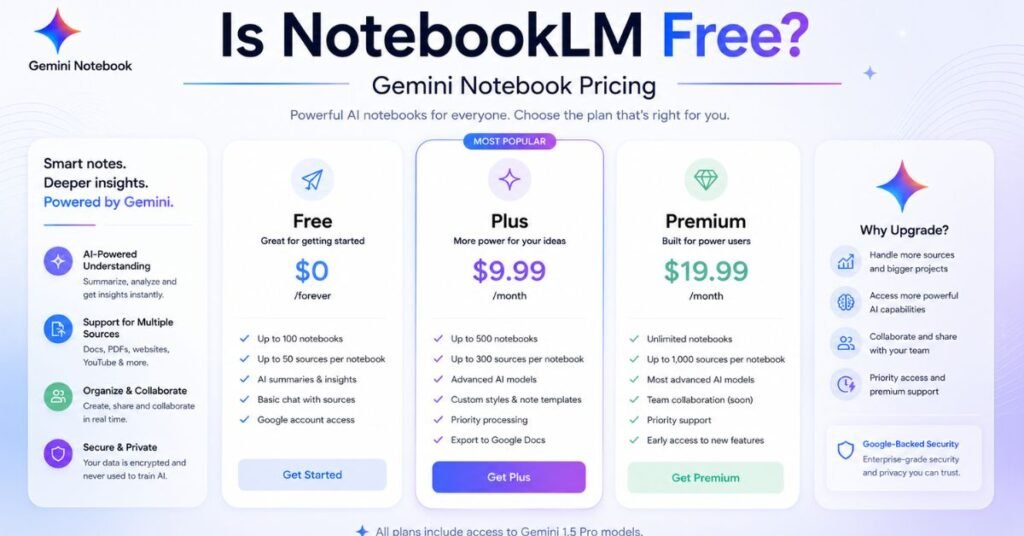
Yes, Gemini Notebook is free to use with a standard Google account, and the free tier is genuinely capable rather than a stripped-down trial. Paid access is not sold as its own subscription. Instead, it rides along with whichever Google AI plan you already have or choose to upgrade to.
| Plan | Monthly Price | Notebooks | Sources per Notebook | Daily Chats |
|---|---|---|---|---|
| Free | $0 | 100 | 50 | 50 |
| AI Plus | $7.99 | 200 | 100 | 200 |
| AI Pro | $19.99 | 500 | 300 | 500 |
| AI Ultra | $99.99 to $199.99 | 500 | 500 | 2,500 |
Every tier runs on the same underlying Gemini model family, so paying more does not make your answers smarter. It raises ceilings: more notebooks, more sources per notebook, more daily chat turns, and more Audio and Video Overviews generated per day. The free plan covers a full semester’s worth of reading for most students without hitting a wall.
Where the free tier tends to run out is with heavy daily use, like generating multiple Audio Overviews a day, running several research projects in parallel, or loading hundreds of sources into a single notebook. That is when the Plus or Pro tiers start to make financial sense, particularly since AI Pro bundles in a 1 million token context window and 5TB of Google storage on top of the notebook limits.
Free Tier Limits at a Glance
- 100 notebooks total, with no time limit on how long they stay active
- 50 sources per notebook, each capped around 500,000 words or 200MB
- 50 chat questions per day, resetting daily
- Audio Overviews and Video Overviews included, at lower daily caps than paid tiers
- No access to the cloud computer or code execution features
For most students, casual researchers, and people organizing a handful of projects, these limits rarely become a problem. You only need to upgrade once your workflow genuinely outgrows them.
NotebookLM vs ChatGPT: Which One Should You Actually Use
This comparison comes up constantly because both tools answer questions in plain language and both accept file uploads, which makes them look interchangeable at first glance. They are built for different jobs, and understanding that difference will save you time picking the wrong tool for a task.
| Category | Gemini Notebook | ChatGPT |
|---|---|---|
| Core design | Source-grounded answers from your uploaded documents | General-purpose assistant blending training data, web search, and uploads |
| Citations | Inline citations tied to exact source passages | Citations vary and are less consistently tied to uploads |
| Source limit | Up to 500 sources per notebook on top tiers | Around 40 files per conversation |
| Best for | Research, studying, literature reviews, document-heavy work | Writing, brainstorming, coding, general Q&A |
| Audio output | Built-in podcast-style Audio Overviews | No native equivalent |
| Persistent library | Notebooks act as a lasting research library | Projects carry context, but file handling differs by session |
| Free tier | Full feature access with usage caps | Basic model access with lower limits |
The clearest way to think about it: Gemini Notebook acts like a research assistant that only speaks from the documents you hand it. ChatGPT acts like a generalist that blends what you give it with everything else it knows, plus live web results when browsing is enabled. Neither approach is universally better; they solve different problems.
If your work involves interrogating a specific pile of sources, like lecture slides, legal filings, or a folder of research PDFs, Gemini Notebook’s strict grounding and citation trail will save you from having to fact-check every answer. If you need broader creative help, coding assistance, or a tool that can reason beyond what you uploaded, ChatGPT’s flexibility wins out.
When to Use Both Together
Plenty of students and professionals now run both tools side by side rather than picking one. A common workflow looks like this: build a Gemini Notebook from your source documents to get grounded summaries and citations, then take those summaries into ChatGPT to draft an essay, brainstorm angles, or get clarifying explanations in plainer language.
This combination plays to each tool’s strength. Gemini Notebook keeps you honest about what your sources actually say. ChatGPT helps you turn that material into something new. Neither replaces the other for someone doing serious academic or professional research.
Does Gemini Notebook Have an API?
Not for individual or casual developers, at least not yet. Google currently offers a NotebookLM Enterprise API through Google Cloud, but it requires a Gemini Enterprise or Gemini Education Premium license along with admin-level setup inside a Google Cloud project. There is no public, self-serve API for personal Gemini Notebook accounts.
The enterprise API does support real functionality if you have access to it, including:
- Creating, retrieving, and deleting notebooks programmatically
- Managing sources within a notebook through API calls
- Triggering audio overview generation
- Querying notebooks for automated workflows
Google previously offered a standalone Podcast API for generating Audio Overview-style content outside the main app, but that has been marked deprecated, and new customers are not being allowlisted for it. Developers looking for programmatic access to podcast-style audio generation have generally had to look at third-party alternatives that replicate the format through their own REST APIs.
A consumer-facing API for personal Gemini Notebook accounts has been discussed but has not materialized. If Google follows the pattern set by other Gemini products, broader API access could eventually open up, but as of now, enterprise customers are the only ones with an officially supported path.
Common Limitations Worth Knowing Before You Rely On It
No research tool is perfect, and being upfront about the rough edges will save you frustration later. These limitations existed under the NotebookLM name and carry over unchanged into Gemini Notebook.
- Source caps can bite on big projects. The free plan’s 50-source limit fills up quickly once you are working on a large literature review or a multi-document legal case, pushing serious users toward a paid tier sooner than expected.
- No offline mode. Every file you upload is processed on Google’s servers, which makes the tool a poor fit for confidential documents that cannot leave your device under any circumstances.
- Audio Overviews are fixed-format. You get one two-host conversational style with no script editing and no way to keep the same host voices consistent across different notebooks, which limits it for anyone wanting a customizable podcast workflow.
- It will not go beyond your sources. This is a deliberate design choice, but it means Gemini Notebook cannot answer general knowledge questions or pull in outside context the way a generalist chatbot can, even when that context would obviously help.
- Code execution is gated by tier. The new cloud computer capability is currently reserved for Pro, Ultra, and Workspace business accounts, so free and Plus users cannot yet run code against their sources.
None of these are dealbreakers for the tool’s core use case, but they matter if you are deciding between Gemini Notebook and a more general assistant for a specific project. Confidential-file workflows in particular should look at privacy-first alternatives instead, since nothing about the rebrand changes how files are processed server-side.
Should You Switch or Keep Using It the Way You Always Have
There is nothing to actively switch here. The rebrand happens automatically on Google’s end, and your account, notebooks, and subscription carry over without any action needed from you. The real question is whether the new cloud computer capability changes how you should be using the tool.
If you are on AI Pro or Ultra and regularly work with data, spreadsheets, or documents that need calculations rather than just summaries, the code execution rollout is worth paying attention to once it reaches your account. It turns Gemini Notebook from a pure reading tool into something that can produce charts and structured outputs directly from your sources.
If you are on the free tier and mostly use the tool for reading comprehension, summarizing, or generating Audio Overviews for study sessions, nothing about your day-to-day experience changes beyond a new name and logo. The core value proposition, grounded answers with visible citations, is untouched.
You May Also Like
Google Gemini News, June 2026: What Actually Changed and Why It Matters
Conclusion
Google renaming NotebookLM to Gemini Notebook is less about the tool itself and more about where Google wants its AI ecosystem to head: one connected brand, with notebooks that follow you between the standalone app, the Gemini app, and eventually Google Search.
The name change comes bundled with a real upgrade, expanding cloud-based code execution to AI Pro subscribers and setting up a future where your research travels with you across every Google surface you use.
Frequently Asked Questions
Is NotebookLM free to use?
Yes, Gemini Notebook is free with a Google account, offering 100 notebooks, 50 sources each, and 50 daily chats at no cost.
Is NotebookLM the same as Gemini Notebook?
Yes, Google renamed NotebookLM to Gemini Notebook on July 16, 2026. It is the same product with the same data and features intact.
Is Gemini Notebook better than ChatGPT?
Neither is universally better. Gemini Notebook excels at grounded, citation-backed research from your own documents, while ChatGPT is stronger for general writing and brainstorming.
Does NotebookLM have a public API?
No, only an enterprise-tier API exists through Google Cloud. There is no self-serve API for personal accounts yet.
What is the Gemini 3.5 and Antigravity upgrade?
It is a cloud-based code execution feature that lets Gemini Notebook run code against your sources, rolling out to AI Pro users on the web.
How much does Gemini Notebook Pro cost?
AI Pro costs $19.99 per month and includes 500 notebooks, 300 sources per notebook, and 500 daily chats.
Will my existing notebooks be affected by the rebrand?
No, all existing notebooks, sources, chats, and sharing settings carry over unchanged under the new Gemini Notebook name.
Can I access Gemini Notebook from the Gemini app?
Yes, notebooks already sync between the standalone Gemini Notebook app and the main Gemini app across devices.
Do I need to reinstall the app after the rebrand?
No, existing apps update automatically. You will simply see the new Gemini Notebook name and icon after your app updates.
Is Gemini Notebook available on mobile?
Yes, it has dedicated Android and iOS apps, and notebooks sync automatically between mobile, web, and the Gemini app.
Will notebooks eventually appear inside Google Search?
Google has confirmed plans to bring notebooks into Search’s AI Mode, though no firm release date has been announced yet.
Does the free plan include Audio and Video Overviews?
Yes, both are included on the free tier, though with lower daily generation limits than the paid plans.