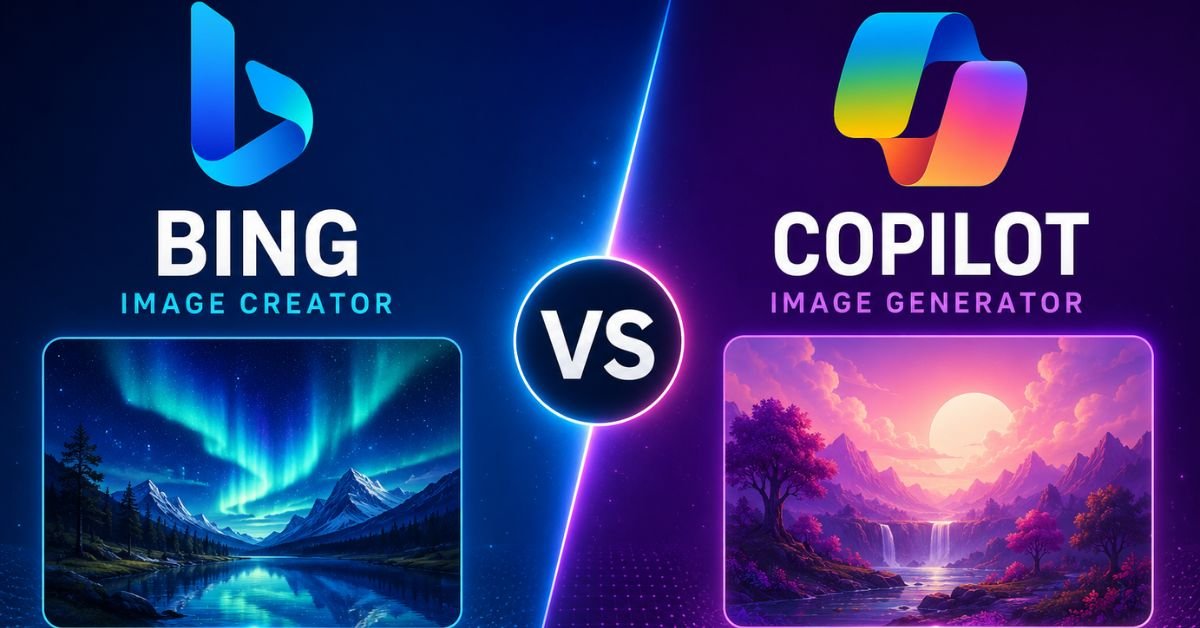
If you have typed “bing ai image generator vs copilot image generator” into Google, you have probably noticed something confusing: half the internet treats these as two different tools, and the other half insists they are the same thing. Both answers are partly right, and this guide clears up exactly where the overlap ends and the real differences begin.
We tested prompts across both interfaces, checked Microsoft’s current documentation, and compared resolution, speed, filters, and licensing side by side. By the end of this article you will know exactly which one fits your workflow, whether you are making a birthday card or building visuals for client work.
Quick Answer: Are Bing Image Creator and Copilot the Same Thing?
Mostly, yes. Bing Image Creator was Microsoft’s original standalone tool, launched in 2023 on DALL-E technology. Microsoft later folded it into Copilot’s ecosystem and renamed the core experience Image Creator, while Copilot also gained its own separate image generation powered by GPT-4o and, more recently, Microsoft’s in-house MAI-Image-1 model.
So the honest answer is that Bing Image Creator did not disappear. It became one access point among several, alongside Copilot’s chat-based generation and the Designer app. The engines behind the scenes overlap heavily, but the interface, prompt handling, and output style are not identical depending on where you generate the image.
What Is Bing Image Creator?
Bing Image Creator is Microsoft’s free text-to-image tool, accessible at bing.com/create with any Microsoft account. You type a prompt, choose a style if you want, and receive four image variations within seconds to a couple of minutes, depending on your remaining fast-generation credits.
It originally ran exclusively on OpenAI’s DALL-E 3. Microsoft has since added GPT-4o image generation and MAI-Image-1 as selectable options inside the same interface, so the “Bing Image Creator” name now covers more than one underlying model.
Key traits of Bing Image Creator:
- Free with any Microsoft account, no subscription required
- Fixed 1024×1024 square output on the free tier
- Four image variations returned per prompt
- Built directly into Bing search and Microsoft Edge
- Personal, non-commercial use by default
What Is Copilot Image Generator (Designer)?
Copilot’s image generation lives inside the Copilot chat interface itself. Instead of a dedicated creation page, you simply ask Copilot to generate, edit, or refine an image conversationally, and it responds inline as part of the chat. This is powered by GPT-4o image generation and, increasingly, Microsoft’s own MAI-Image models.
Because Copilot is conversational, it tends to handle multi-step requests better. You can ask it to generate an image, then follow up with “make the background darker” or “add text at the top,” and it will iterate on the same image rather than starting from a blank prompt every time.
Copilot also powers Microsoft Designer, a more layout-focused tool aimed at posters, social graphics, and presentation visuals rather than single standalone images.
Bing Image Creator vs Copilot: Side-by-Side Comparison
| Feature | Bing Image Creator | Copilot Image Generator |
|---|---|---|
| Access point | bing.com/create | Copilot chat (web, app, Windows) |
| Core models | DALL-E 3, GPT-4o, MAI-Image-1 | GPT-4o, MAI-Image-1 |
| Interaction style | Prompt box, one-shot generation | Conversational, iterative editing |
| Output per prompt | 4 variations | Typically 1, refinable through chat |
| Free tier resolution | 1024×1024 (fixed, square) | Varies by model, generally higher fidelity detail |
| Fast-generation limit | 15 weekly boosts, then slow queue | Tied to Copilot usage limits |
| Best for | Quick single images, casual use | Iterative edits, infographics, layouts |
| Commercial use | Personal use only by default | Personal use only by default |
| Cost | Free | Free tier plus paid Copilot Pro option |
On mobile, both tools render this kind of comparison as stacked cards rather than a wide table in most browsers, so the practical differences are easier to feel in actual use than to read in a spreadsheet.
The Models Behind the Curtain: DALL-E 3, GPT-4o, and MAI-Image-1
Understanding the model matters more than understanding the brand name, because the model determines quality, not the logo on the page.
DALL-E 3 was the original engine for Bing Image Creator. It handles literal prompts well and is reliable for straightforward scenes, but it struggles with dense text inside images and fine anatomical detail.
GPT-4o image generation is the multimodal model Microsoft folded into Copilot in 2025. It reads prompts with more nuance, keeps character consistency across edits, and renders text inside images far more accurately than DALL-E 3 did.
MAI-Image-1, Microsoft’s first fully in-house image model, began rolling into both Bing Image Creator and Copilot in 2026. It gives users a genuine model choice inside the same menu, and early testing suggests it competes reasonably well on photorealism while giving Microsoft more control over safety tuning without relying entirely on OpenAI.
In practice, this means the “Bing vs Copilot” question is increasingly really a “which model did you pick” question, since both surfaces now offer more than one engine.
You May Also Like
Google Gemini News, June 2026: What Actually Changed and Why It Matters
Free Limits, Boosts, and Generation Speed
Speed is where the two experiences diverge the most in daily use, even though the underlying free-tier logic is similar.
Bing Image Creator gives you a weekly allowance of fast “boosts.” Once those run out, generation does not stop, it simply slows down, often taking two to five minutes per request during busy hours. There is no hard weekly cap, just a patience tax.
Copilot’s image generation is tied more loosely to your overall Copilot usage rather than a separate boost counter. For light, occasional use this rarely feels like a limit at all. Heavy daily users, especially those on Copilot Pro, get noticeably more headroom before hitting slowdowns.
If you need many images quickly in a single sitting, Bing Image Creator’s four-variations-per-prompt structure can actually be faster overall, since one request gives you four options to choose from instead of one.
Image Quality and Resolution
Neither tool is designed to compete with dedicated platforms like Midjourney or Adobe Firefly on raw resolution. Bing Image Creator’s free tier is capped at 1024×1024 pixels, square only, with no built-in upscaler and no portrait or landscape aspect ratios.
Copilot’s output resolution depends on which model answers the request. GPT-4o and MAI-Image-1 generations tend to hold up better when you need finer detail, readable text within the image, or a more complex composition like an infographic or a multi-object scene.
Neither is the right choice if your project needs print-ready files, 4K assets, or non-square crops straight out of the tool. Both work fine for social posts, blog headers, and quick visual mockups.
Content Filters and Safety Controls
Microsoft applies a strict content filter across both surfaces, generally tighter than what you would encounter using DALL-E 3 directly through OpenAI’s own API. Prompts involving public figures, violence, weapons, or anything sexual are commonly blocked, sometimes even when the intent is clearly harmless.
This filter applies whether you generate through Bing Image Creator or through Copilot, since both route through Microsoft’s safety layer regardless of which underlying model handles the actual image. Expect occasional false positives on innocuous prompts, particularly ones involving children, medical topics, or historical war imagery.
For families, classrooms, and workplace use, this conservative filtering is generally a feature, not a bug. It is one reason Microsoft’s tools remain a common recommendation for younger users compared to less restricted alternatives.
Commercial Use and Licensing
This is the part most casual guides skip, and it matters if you plan to use these images for anything beyond personal projects. Both Bing Image Creator and Copilot’s free image generation are licensed for personal, non-commercial use under Microsoft’s Services Agreement by default.
If you want to use outputs commercially, such as in client work, paid advertising, or a product you sell, Microsoft generally expects you to be operating under a commercial Microsoft 365 Copilot plan. Free-tier images are not automatically cleared for resale or paid business use, so it is worth checking Microsoft’s current Services Agreement before publishing anything commercially generated through either tool.
Prompt Writing Tips That Work on Both Tools
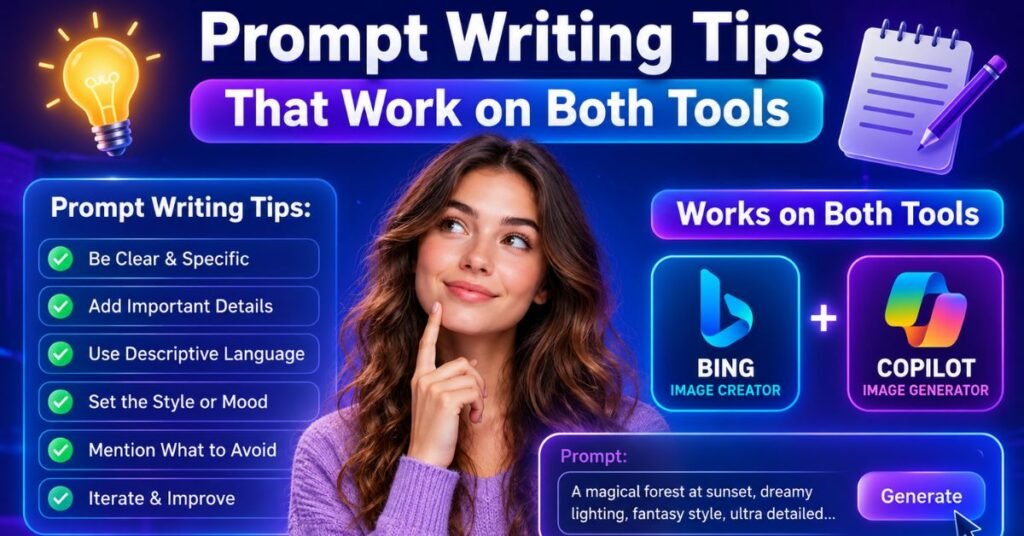
Because both tools ultimately route through similar underlying models, the prompt habits that improve results on one generally carry over to the other. A few patterns consistently produced better output during testing.
Be specific about composition, not just subject matter. “A red fox in a snowy forest” gives a generic result. “A red fox mid-stride in a snowy forest, low camera angle, soft morning light” gives the model actual creative constraints to work within, which usually produces a more intentional-looking image.
Name the style explicitly. Both tools respond well to phrases like “watercolor illustration,” “studio product photo,” or “flat vector icon.” Leaving style out defaults the model to a generic photorealistic look that may not match what you had in mind.
Use Copilot’s chat memory to your advantage. Since Copilot keeps context across a conversation, you can build an image in stages: generate a base scene, then ask for lighting changes, then ask for a specific object to be added. Bing Image Creator does not retain this context between prompts, so each request there starts fresh.
Avoid stacking too many unrelated instructions in one prompt. Both models tend to drop or blend details when a single prompt asks for more than three or four distinct elements at once. Shorter, layered requests through Copilot’s chat generally beat one long paragraph typed into Bing’s prompt box.
Common Mistakes People Make With These Tools
A few recurring issues come up often enough in user reports and forum discussions that they are worth flagging directly.
- Assuming the free tier is cleared for commercial use. As covered above, this is not the case by default, and using a free-tier image in paid client work without checking licensing terms is a common and avoidable mistake.
- Expecting print-quality resolution. The fixed 1024×1024 output on Bing Image Creator’s free tier is fine for web use but will look soft or pixelated if scaled up for a poster or print run without an external upscaler.
- Fighting the content filter with the same blocked prompt repeatedly. If a prompt gets rejected, rewording it rarely helps if the underlying request touches a restricted category. It is usually faster to rethink the concept than to keep resubmitting slight variations.
- Not checking which model actually generated the image. Since Bing Image Creator now offers a model picker, some users assume they are still getting DALL-E 3 results when they have unknowingly switched to MAI-Image-1 or GPT-4o, which can explain inconsistent output style between sessions.
How These Tools Compare to Dedicated AI Art Platforms
It is worth setting expectations against the wider AI image generation market, since Bing and Copilot are not trying to be everything to everyone. Dedicated platforms typically charge a subscription and, in exchange, offer higher resolution, more aspect ratio control, and clearer commercial licensing out of the box.
Microsoft’s tools trade some of that flexibility for zero cost and tight integration into products people already use daily, like Edge, Windows, and Microsoft 365. For a marketing team producing dozens of high-resolution commercial assets weekly, a dedicated paid tool is usually the better long-term investment. For a student, hobbyist, or someone occasionally sprucing up a presentation, Bing and Copilot cover the need without adding another subscription.
Which One Should You Use?
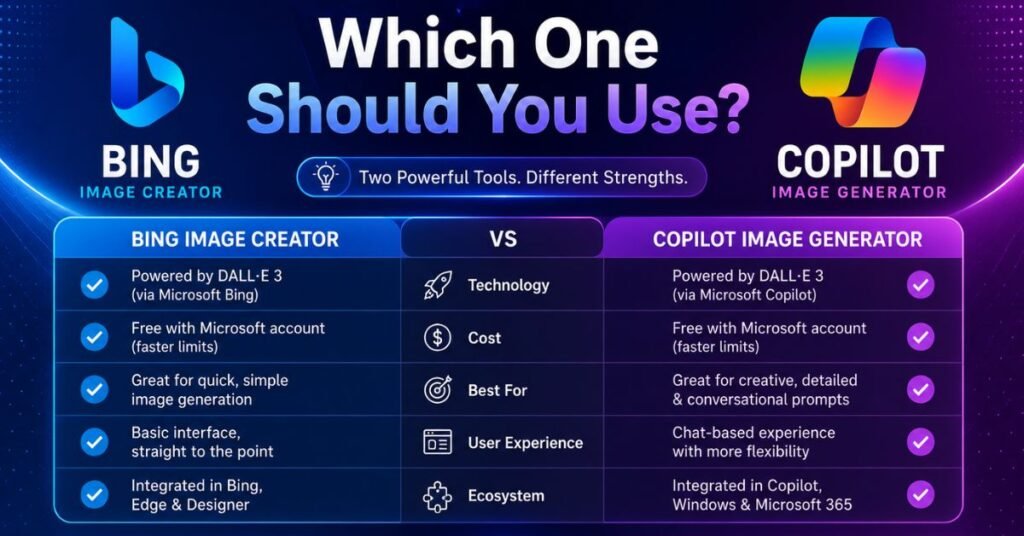
The right pick depends less on brand loyalty and more on what you are actually trying to make.
- Choose Bing Image Creator if: you want a fast single image, you prefer a simple prompt box over a chat interface, or you want four variations to pick from in one go.
- Choose Copilot if: you need to iterate on an image conversationally, you are building something layout-heavy like an infographic, or you want access to GPT-4o’s stronger text-in-image rendering.
- Choose Microsoft Designer (inside Copilot) if: your goal is a finished poster, social graphic, or slide rather than a single standalone illustration.
For most casual users asking a quick “make me a picture of X,” the two tools will feel nearly identical, since they often share the same models under the hood. The difference shows up once you start refining, editing, or producing anything more structured than a single static image.
How to Access Each Tool
- Bing Image Creator: Go to bing.com/create, sign in with a Microsoft account, type your prompt, and select a model if the option appears.
- Copilot Image Generator: Open Copilot on the web, in the Windows app, or through the Copilot mobile app, then simply ask it to generate an image inside the chat.
- Microsoft Designer: Accessible from within Copilot or as its own app, best for template-based, layout-driven visuals rather than one-off images.
All three routes use the same Microsoft account and safety filter, so switching between them mid-project is seamless if one interface suits a particular task better than another.
Alternatives Worth Knowing About
If either tool’s limits become a real bottleneck, a few alternatives are worth a look depending on your priority:
- Adobe Firefly for higher resolution and a clearer commercial licensing grant
- ChatGPT Plus for a more permissive content filter on the same general model family
- Midjourney for stylized, artistic output that leans more painterly than photorealistic
None of these are free in the same way Bing and Copilot are, so they make the most sense once you have outgrown what Microsoft’s free tools can offer.
Conclusion
Bing Image Creator and Copilot’s image generator are close relatives rather than true competitors. They share models, share Microsoft’s safety filter, and share the same personal-use licensing terms, but they present that shared technology through two different interfaces built for two different habits: quick single prompts versus conversational, iterative creation.
If you just want a picture fast, Bing Image Creator’s simplicity wins. If you want to keep refining an image through back-and-forth instructions, or you are building something more layout-heavy, Copilot’s chat-based approach will save you time. Either way, you are drawing from largely the same well of Microsoft AI, so the “right” choice comes down to how you like to work, not which tool is secretly better.
Frequently Asked Questions
Is Bing Image Creator the same as Copilot?
Not exactly, but they are closely related. Bing Image Creator was rebranded into Microsoft’s Image Creator and now shares models with Copilot, though Copilot’s chat-based generation offers more conversational editing.
Which is the current best AI image generator?
There is no single winner for every use case. Among free Microsoft tools, Copilot’s GPT-4o and MAI-Image-1 options generally produce more detailed, editable results than Bing’s original DALL-E 3 setup.
Is Copilot a good image generator?
Yes, particularly for iterative edits, text-heavy images, and infographic-style visuals, thanks to GPT-4o’s stronger prompt understanding compared to older DALL-E-based tools.
Is Bing AI image generator safe?
Yes, it applies a strict Microsoft content filter that blocks most explicit, violent, or unsafe prompts, though it occasionally over-blocks harmless requests as a result of that caution.