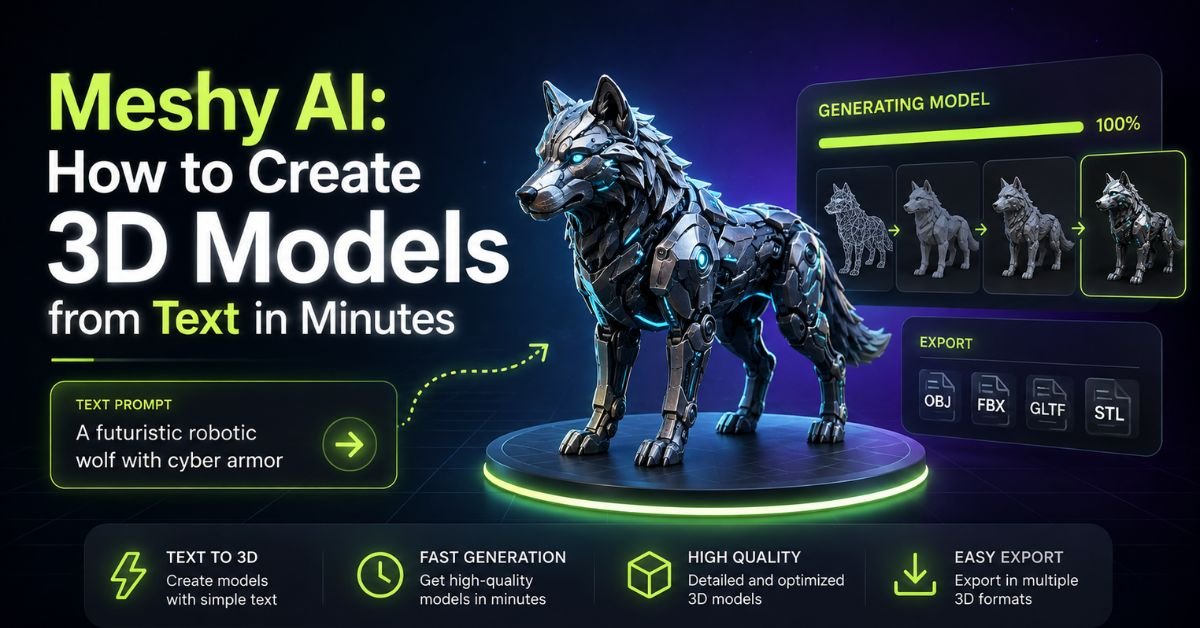
Three years ago, turning an idea into a printable 3D object meant hours in Blender or ZBrush, or hiring someone who already knew how. Meshy AI collapses that timeline into a single text box and a “Generate” button. Type a description, wait roughly a minute, and you have a textured mesh ready for a game engine, a slicer, or a CAD program.
This guide walks through what Meshy actually does today, how the text-to-3D and image-to-3D workflows work, what it costs, where it still falls short, and how to get a physical print in your hands even if you don’t own a 3D printer.
What Is Meshy AI, Exactly?
Meshy is a browser-based AI platform that converts text prompts, 2D images, or chat conversations into textured 3D meshes. The workspace is organized into six modules — Image, 3D Model, 3D Printing, Animate, Scene, and Video — plus a conversational “3D Agent” that lets you brainstorm and refine a model through chat instead of a traditional form.
Under the hood, Meshy has gone through several model generations. The current default, Meshy 6, produces meshes with up to roughly 600,000 faces and generates a full PBR texture set (albedo, normal, metallic, roughness maps) without any manual shader setup. Earlier versions, Meshy 4 and 5, are still selectable if you want faster, lower-fidelity drafts.
Once a model is generated, you can inspect it in a built-in 3D viewer with wireframe overlay, auto-rotate, and a live polygon/vertex count, then export to seven formats: FBX, OBJ, GLB, USDZ, STL, BLEND, and 3MF. That range covers nearly every downstream tool — Blender, Unity, Unreal Engine, CAD software, and consumer slicers — without a conversion step in between.
Aimed at Hobbyists … and Beyond?
Meshy markets itself broadly, and the audience genuinely is broad. Hobbyists use it to generate custom miniatures, keychains, and desk toys without ever opening a modeling program. But the same tool is doing real production work elsewhere.
Game studios use Meshy for rapid prototyping — blocking out characters, props, and environment pieces before an artist refines them by hand. Product designers generate quick concept mockups instead of sketching iterations by hand. According to the platform’s own documentation, it has been adopted by more than 10 million creators spanning gaming, product design, architecture, and e-commerce, and it picked up a 2026 G2 Best Software award in its category.
That said, the output quality still has a ceiling. Meshy is excellent at getting you 70–90% of the way to a usable asset fast; it’s not yet a replacement for a skilled 3D artist doing hero-quality, hand-topology work for a AAA game or a precision engineering part.
Architecture and e-commerce teams represent a smaller but growing slice of usage. A furniture brand can generate a rough 3D preview of a new chair design before committing to a physical prototype, and an architect can rough out massing studies for a site without opening a full CAD suite. In each case, the value isn’t a finished, ship-ready asset — it’s compressing the “is this idea even worth pursuing” stage from days down to minutes.
How Text-to-3D Actually Works
The core workflow has three steps:
- Describe the object. You get up to 800 characters, in any language, to describe shape, material, style, and context. Vague prompts (“a dragon”) produce generic results; specific prompts (“a small red dragon curled asleep, thick scales, low-poly game style”) produce far more usable ones.
- Set your generation parameters. Choose an AI model version (Meshy 4, 5, or 6), a model type (Standard for detail, Low Poly for game-ready topology), a pose if the subject is a character (None, A-Pose, T-Pose, or Custom), and how many variations to generate at once.
- Generate and refine. Each full generation — mesh plus texture — costs 20 credits and takes roughly a minute. After that, you can apply AI-generated textures, run Remesh to clean up topology, or send the model straight to a printability check.
A useful detail for beginners: Meshy’s “Refine Prompt” option automatically restructures a rough prompt into clearer language with defined angles and a simpler background, which tends to produce cleaner first-pass geometry. It can also push the style toward something more simplified or cartoonish, so it’s worth toggling off if you want a photorealistic result.
Turning an Image Into a 3D Model
Text-to-3D isn’t the only entry point. Image-to-3D lets you upload a photo, sketch, or piece of concept art and get back a matching 3D mesh — useful when you already have a reference and don’t want the AI guessing at details from a written description.
The two workflows also combine well. If you don’t have a source image, you can generate one first with Meshy’s built-in AI image tool, then feed that image directly into Image-to-3D. This two-step path (text → image → 3D) often gives you more control over composition and lighting than going straight from a text prompt to a mesh, because you can iterate on the 2D concept — which is faster and cheaper to regenerate — before committing to a full 3D pass.
Meshy has also pushed this workflow into hardware partnerships. Its Image-to-3D tool is now integrated directly into Bambu Lab’s MakerWorld MakerLab, letting printer owners generate a model from a single photo without leaving that ecosystem.
Printing Your Models, Importing to CAD
Once you have a mesh you’re happy with, Meshy includes a Printability check that scans the model for issues before you send it to a slicer — non-manifold edges, holes, or inverted normals that would otherwise cause a failed print. According to Meshy’s own testing claims, its outputs come out watertight and manifold more consistently than most competing AI 3D tools, and the check auto-repairs common edge cases rather than just flagging them.
For local printing, Meshy offers a one-click bridge to Bambu Studio, plus plugin support for Cura. If a model is too complex or large for your build plate, an Auto Split feature breaks it into separate watertight parts, pre-arranged for printing.
Exporting into CAD or a game engine works the same way: export as OBJ, FBX, or GLB and import directly. Because the mesh already comes with UV-mapped PBR textures, you generally skip the manual re-texturing step that raw photogrammetry scans or older AI tools often require.
| Export Format | Best For |
|---|---|
| STL | 3D printing, most slicers |
| 3MF | Multi-color 3D printing (Bambu AMS-compatible) |
| OBJ / FBX | Game engines, general 3D software |
| GLB | Web/AR viewers, lightweight sharing |
| USDZ | Apple AR Quick Look |
| BLEND | Direct import into Blender |
No Printer? Order Your Full-Color Prints
Not everyone owns a 3D printer, and Meshy has built out several ways to get a physical object without one.
- Marketiger partnership: generate a model, click “Full-Color 3D Print & Ship,” and it’s sent to Marketiger’s professional UV-cure printers, which handle full-color output and ship the finished piece to your door.
- Formlabs’ Form Now: for higher-resolution SLA or SLS parts, you can click “Print with Form Now,” pick a material and color, and Formlabs prints and ships from its Massachusetts facility in as little as 48 hours — no file export required.
- Meshy Creative Lab: a consumer storefront that turns a text prompt or personal photo into finished products — keychains, fridge magnets, keycaps, lamps — without ever touching a mesh file yourself.
For casual users, this closes the loop that used to require finding a print bureau, formatting files correctly, and hoping the color would translate. Now it’s closer to an e-commerce checkout.
What Does Meshy AI Cost?
Meshy runs on a credit system across four tiers.
| Plan | Price | Monthly Credits | Notes |
|---|---|---|---|
| Free | $0 | 100 | No credit card required; CC BY 4.0 license (attribution required) |
| Pro | ~$20/mo | Higher allotment | Commercial license, no attribution needed |
| Studio / Max | ~$60/mo | Higher still | Built for teams, shared billing and queue priority |
| Enterprise | Custom (~$90/mo+) | Custom | SSO, full API access, dedicated support |
A full text-to-3D or image-to-3D generation — mesh plus texture — costs 20 credits, so the free plan gives you roughly five full generations a month before you’d need to top up or upgrade. Free-plan assets are licensed under Creative Commons CC BY 4.0, meaning you can use them commercially as long as you credit Meshy; paid plans remove that requirement and grant a private commercial license instead. There’s also a lower-cost Starter plan (250 monthly credits) available in select developing countries, though individual accounts can no longer upgrade directly from Pro to Studio as of a June 2026 policy change.
Is It Worth It?
For hobbyists, prototypers, and indie developers, yes — the free tier alone is enough to evaluate whether the quality fits your project, and the time saved versus manual modeling is substantial even at 70–90% quality. Solo creator generating assets regularly, Pro tends to pay for itself quickly once you factor in the hours it replaces.
For studios or teams needing production-grade, hero-quality assets, treat Meshy as an acceleration layer rather than a finished pipeline. Generated meshes are excellent starting points — clean topology, workable UVs, plausible proportions — but complex characters and mechanically precise parts usually still need a pass from a human artist or engineer before shipping.
What’s Next for Meshy? Editing & Accuracy
Meshy has been shipping quickly: the Formlabs integration, MakerWorld’s MakerLab partnership, and Creative Lab’s physical-product line all launched within the same year. The direction is clear — closing the gap between “I typed a sentence” and “I’m holding the object.”
The areas most likely to see continued investment are finer post-generation editing controls (rather than regenerating from scratch when one part is wrong), tighter geometric accuracy for parts that need to fit real-world tolerances, and expanded color-preserving export formats so full-color detail survives the trip from screen to slicer without a third-party service. If you’re evaluating Meshy for anything beyond hobby use, it’s worth checking the changelog periodically — the toolset has changed substantially even over the past several months.
Conclusion
Meshy AI has turned 3D modeling from a specialized skill into something closer to typing a search query. Whether you’re printing a custom miniature, blocking out a game asset, or mocking up a product concept, the text-to-3D and image-to-3D workflows get you a usable, textured mesh in about a minute and if you don’t own a printer, partnerships with Marketiger and Formlabs mean you can still hold the finished object. It won’t replace a skilled 3D artist on demanding production work, but for rapid ideation and hobbyist creation, it’s one of the fastest paths from idea to object available right now.
You May Also Like
Bing Image Creator vs Copilot Image Generator: Which One Should You Actually Use
You May Also Like: Meshy AI Free Alternatives
If you want to compare Meshy against other text-to-3D tools before committing, options worth evaluating include Tripo AI, Rodin, and Luma Genie 3D — each with its own free tier, credit structure, and output style. Testing a prompt across two or three tools is a quick way to see which mesh quality and topology style fits your workflow best.
FAQs
Is meshy.ai fully free?
No. Meshy has a free plan with 100 credits per month, but full commercial rights and higher-volume generation require a paid Pro, Studio, or Enterprise plan.
Does meshy.ai actually work?
Yes — it reliably generates textured, exportable 3D meshes from text or images in about a minute, though results vary in accuracy for complex or highly detailed subjects.
What is better than Meshy?
No single tool is universally “better”; alternatives like Tripo AI, Rodin, and Luma Genie sometimes edge out Meshy on specific mesh styles, so the best choice depends on your project.
Is meshy.ai cost?
Meshy costs nothing to start on the Free plan; paid plans range from roughly $20/month (Pro) up to custom Enterprise pricing for teams and API-heavy use.