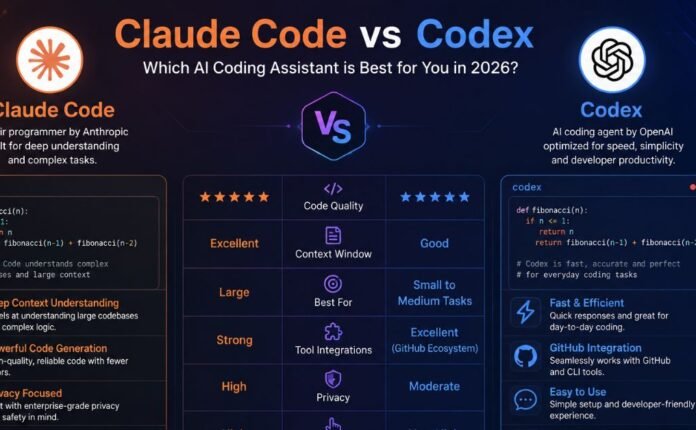
If you write code for a living, you’ve probably tried at least two of these tools already. Maybe you’re paying for one, trialing another, and complaining about a third in a Slack channel. That’s the reality of AI coding tools in mid-2026: nobody has settled on a single winner, and the honest answer to “which one should I use” is almost always “it depends on what you’re building.”
This guide breaks down Cursor, Claude Code, GitHub Copilot, and Replit Agent — the four tools developers actually reach for in 2026 — based on how they’re built, what they cost, and where each one falls apart. No vendor talking points. Just the trade-offs you’d want a colleague to walk you through before you commit a budget line to any of them.
Quick Answer: Which Tool Should You Pick?
If you only read one section, read this one.
- Choose Cursor if you want a full AI-native IDE where you stay in the editor and review every change as it happens.
- Choose Claude Code if you need an agent that can plan, execute, and verify multi-step work autonomously — especially on large or unfamiliar codebases.
- Choose GitHub Copilot if your team already lives on GitHub and you want the cheapest, most broadly compatible option with the least workflow disruption.
- Choose Replit Agent if you’re building a prototype from scratch, don’t want to manage local infrastructure, and value speed over long-term maintainability.
Most experienced developers don’t pick just one. The most common pattern in 2026 is a daily-driver editor (Cursor or Copilot) paired with Claude Code for the harder, multi-file problems that need deeper reasoning.
How These Four Tools Are Actually Different
Before comparing pricing and benchmarks, it helps to understand what category each tool falls into. They are not competing on the same axis.
| Tool | What it is | Where it lives |
|---|---|---|
| Cursor | A full AI-native IDE (a VS Code fork) with AI built into every layer | Local desktop app |
| Claude Code | A terminal-native, agentic coding assistant | Terminal, IDE extensions, desktop app |
| GitHub Copilot | An AI pair programmer embedded in existing IDEs and GitHub | VS Code, JetBrains, Visual Studio, and more |
| Replit Agent | A browser-based, all-in-one build-and-deploy platform | Fully in-browser, no local setup |
Cursor and Copilot are editor-centric: you’re still the one driving, with AI suggesting and assisting. Claude Code and Replit Agent lean more agentic: you describe the outcome, and the tool plans and executes multiple steps — writing code, running commands, testing, and iterating — with less turn-by-turn babysitting.
Cursor: The AI-Native IDE
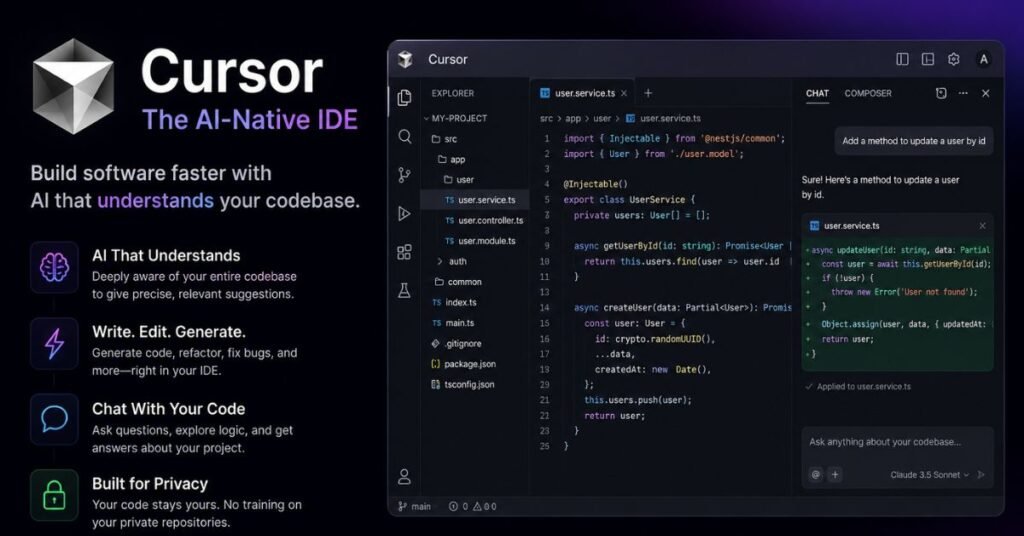
Cursor started as a VS Code fork and has grown into one of the most commercially successful AI coding products on the market, reportedly reaching well over a billion dollars in annual recurring revenue. Its pitch is simple: instead of bolting AI onto an existing editor, rebuild the editor around AI from the ground up.
What Cursor Does Well
- Fast, accurate autocomplete. After acquiring Supermaven, Cursor’s inline completion engine predicts multi-line edits with a notably high acceptance rate, meaning you’re not constantly rejecting suggestions.
- Multi-file editing and codebase indexing. Cursor indexes your entire project, so its “Composer” and agent modes can reason across files rather than just the one you have open.
- Model flexibility. You’re not locked into one model family — Cursor lets you route tasks to different frontier models depending on the job.
- Parallel agents. Cursor can run multiple agents concurrently for complex refactoring, though this is capped at a fixed number running at once.
Where Cursor Falls Short
- It’s a standalone editor, so switching means leaving whatever IDE you’re already comfortable in.
- Very large monorepos can hit indexing limits, requiring workarounds.
- It’s less autonomous than terminal-based agents when it comes to long, unsupervised multi-step tasks — Cursor tends to keep the human closer to the loop.
Cursor Pricing
| Plan | Price | Best for |
|---|---|---|
| Hobby | Free (limited requests) | Trying it out |
| Pro | ~$20/month | Individual daily use |
| Pro+ | ~$60/month | Heavier usage, priority model access |
| Ultra | ~$200/month | Power users on frontier models |
| Teams | Custom seat pricing | Organizations |
Cursor also holds SOC 2 Type II certification, which matters if you’re evaluating vendors for a regulated industry.
Claude Code: The Terminal-Native Agent
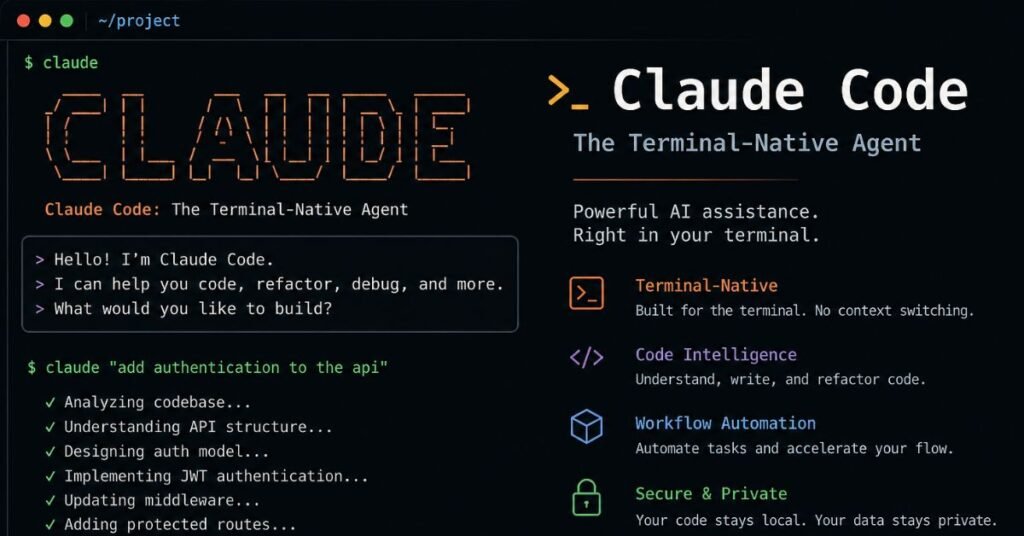
Claude Code, Anthropic’s coding agent, takes a different approach entirely. Instead of living inside a visual editor, it runs in your terminal (with IDE extensions and a desktop app also available) and treats coding as an agentic task: understand the codebase, form a plan, make changes across files, run tests and commands, and open a pull request — largely on its own.
What Claude Code Does Well
- Deep autonomy on multi-step tasks. Developers frequently describe Claude Code as the tool they escalate to when a simpler assistant gets stuck on something that requires real architectural reasoning.
- Large effective context. It’s built to handle sizable codebases without constant manual context-trimming, which matters on legacy systems where you don’t fully understand every file yet.
- Flexible integration. It works alongside whatever IDE or workflow you already use — VS Code, JetBrains, or nothing but a terminal — rather than asking you to replace your editor.
- MCP support. Claude Code can connect to external tools and services through the Model Context Protocol, extending what it can act on beyond your local files.
Where Claude Code Falls Short
- No graphical IDE of its own — if you want a visual, point-and-click experience, this isn’t it.
- Costs can be harder to predict than a flat subscription, since usage on the API side scales with how much work you actually ask it to do.
- It rewards developers who are comfortable working from the command line more than those who want everything visual.
Claude Code Pricing
Claude Code is bundled into Anthropic’s consumer subscription plans rather than sold as a separate product:
| Plan | Price | Notes |
|---|---|---|
| Pro | Around $17–20/month | Good for short coding sessions on smaller codebases |
| Max (5x) | Around $100/month | Everyday use on larger codebases |
| Max (20x) | Around $200/month | Highest usage ceiling for power users |
| Team / Enterprise | Per-seat pricing | Includes admin controls; API usage may apply on top |
Because usage limits are shared across Claude’s chat and coding products on the same plan, light users on smaller projects often find the Pro tier sufficient, while teams running long autonomous sessions daily tend to land on Max or Enterprise.
GitHub Copilot: The Accessible Standard
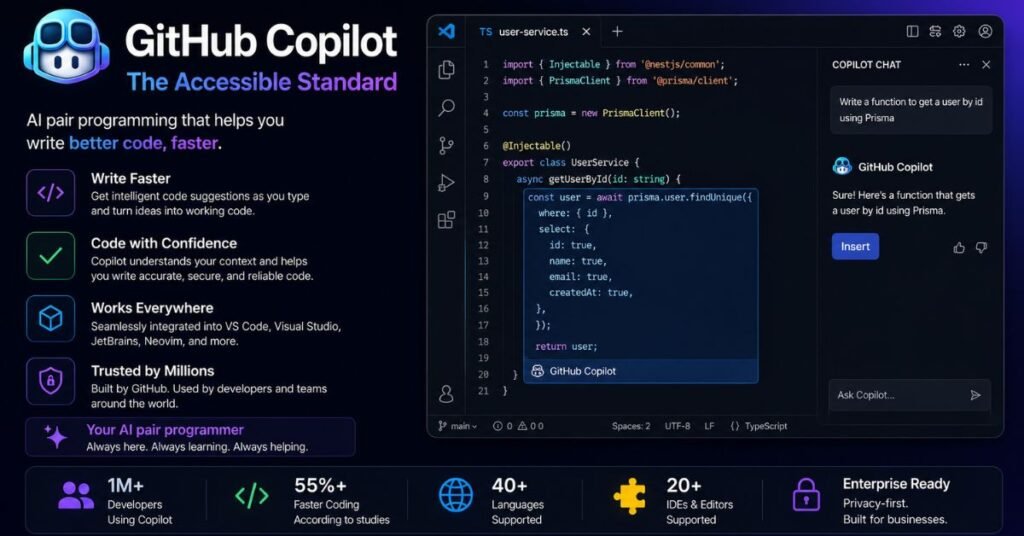
GitHub Copilot has been in the market the longest, and it shows in how broadly it’s supported. What started as inline autocomplete has expanded into Copilot Chat, Workspace (multi-file planning), Code Review, and an Agent mode that can turn a GitHub issue into a pull request.
What Copilot Does Well
- Unmatched IDE compatibility. VS Code, the full JetBrains suite, Visual Studio, Xcode, Eclipse, Neovim — if you use it, Copilot probably supports it.
- Tight GitHub integration. PR reviews, org-wide code search, and Actions-triggered agent work all tie in naturally if your team already lives on GitHub.
- The best free tier for genuine evaluation, plus free access for verified students and open-source maintainers.
- Copilot Autofix. When a security scan flags a vulnerability, Copilot can propose a fix with a plain-English explanation directly on the pull request.
Where Copilot Falls Short
- Its agent mode is newer and, by most accounts, less battle-tested for fully autonomous multi-step work than Claude Code.
- Most of Copilot’s value assumes you’re on GitHub; teams on GitLab or Bitbucket get a noticeably thinner experience.
- It tends to be more conservative and incremental than Cursor or Claude Code — which some developers see as a strength (predictability) and others see as a limitation (more prompts needed for the same feature).
GitHub Copilot Pricing
| Plan | Price | Best for |
|---|---|---|
| Free | $0 | Light, casual use |
| Pro | ~$10/month | Individual developers |
| Pro+ | ~$39/month | Power individual users, broader model choice |
| Business | ~$19/seat/month | Teams of 10+, includes IP indemnity |
| Enterprise | ~$39/seat/month | Org-wide knowledge bases, admin controls |
For teams evaluating cost per seat at scale, Copilot Business is consistently one of the most economical enterprise options on the market.
Replit Agent: Fastest Path from Idea to Deployed App
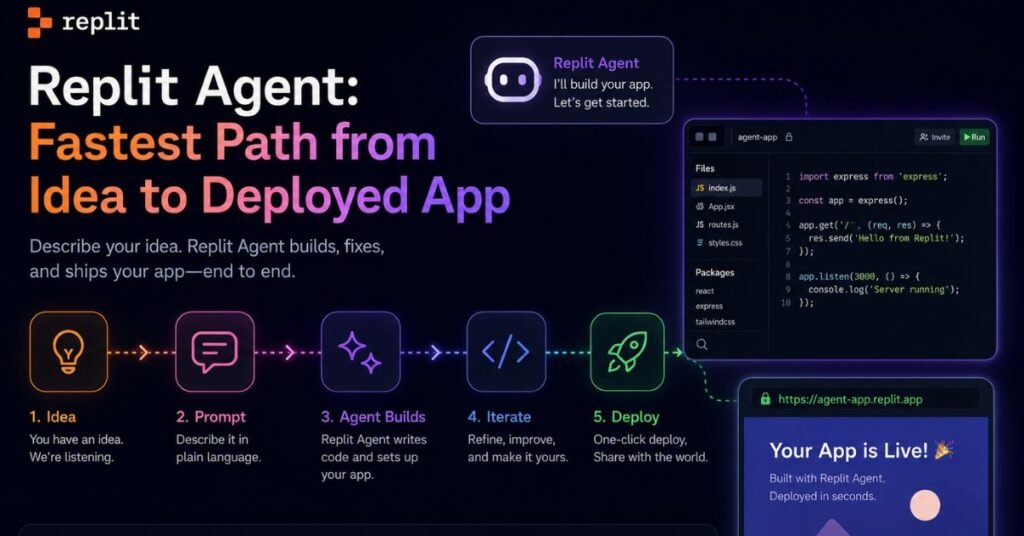
Replit takes yet another angle: it’s not really competing to be your daily professional IDE. It’s a browser-based, all-in-one platform where you describe an app in plain English and Agent 3 scaffolds the frontend, backend, database, and deployment — all without leaving the browser.
What Replit Agent Does Well
- Zero local setup. Everything — editor, terminal, database, hosting — runs in the browser. There’s nothing to install.
- Genuinely fast prototyping. Non-technical users have reported going from a plain-English prompt to a deployed landing page or internal tool in under 30 minutes.
- Autonomous, long-running sessions. Agent 3 can work independently for extended stretches, writing and running its own tests along the way.
- Broad integrations. Through its connector ecosystem, Agent can wire up dozens of third-party services without manual API configuration.
Where Replit Agent Falls Short
- Vendor lock-in. Code generated for Replit’s infrastructure often needs real refactoring to run cleanly elsewhere.
- Unpredictable costs. Replit moved to effort-based pricing, meaning a single complex build can cost anywhere from under a dollar to well over $20, and heavy agentic sessions have surprised users with much larger bills than expected.
- Less suited to production-grade software. It shines for prototypes and MVPs; teams building for scale, compliance, or long-term maintenance generally graduate off the platform.
- Occasional reports of the agent making unrequested changes or, in rare cases, deleting working code — which is why frequent checkpoints matter if you’re using it for anything you’d be upset to lose.
Replit Agent Pricing
| Plan | Price | Notes |
|---|---|---|
| Starter | Free | One published app, daily agent credit cap |
| Core | ~$20–25/month | $20–25 in monthly credits, up to 5 collaborators |
| Pro | ~$95–100/month | Pooled credits for up to 15 builders, priority support |
| Enterprise | Custom | SSO/SAML, dedicated support, advanced controls |
Agent usage itself is billed on top of the subscription, scaled to task complexity — a small bug fix might cost under a quarter, while a full feature build can run $4–$20 or more per session.
Side-by-Side Comparison Table
| Feature | Cursor | Claude Code | GitHub Copilot | Replit Agent |
|---|---|---|---|---|
| Interface | Standalone IDE | Terminal / IDE plugin / desktop | IDE extension | Browser-only |
| Autonomy level | Medium-high | Highest | Medium | High |
| Best for | Daily editing, multi-file refactors | Complex, autonomous multi-step tasks | GitHub-centric teams, broad IDE support | Fast prototypes, non-technical builders |
| Entry price | ~$20/month | ~$17–20/month (bundled) | Free / ~$10/month | Free / ~$20/month |
| Enterprise seat cost | ~$40+/seat | Custom (seat + usage) | ~$19–39/seat | Custom |
| Local setup required | Yes | Yes (or IDE plugin) | Yes | No |
| Deployment built in | No | No | Via GitHub Actions | Yes |
| Compliance certifications | SOC 2 Type II | ISO 27001 (via Anthropic) | SOC 2, IP indemnity at Business tier | Limited on standard plans |
Benchmark Performance: What the Numbers Actually Show
Marketing pages love to cite benchmark wins, but the numbers are more nuanced than any single vendor chart suggests. A few points worth knowing before you weigh benchmarks too heavily:
- SWE-bench Verified, a widely cited real-world coding benchmark, has seen leapfrogging between tools roughly every few months as each vendor ships a new model version. Treat any specific percentage as a snapshot, not a permanent ranking.
- Speed vs. precision is a real trade-off. In head-to-head testing, faster tools sometimes solve fewer benchmark tasks correctly, while slower, more deliberate tools solve more but take longer per task. Which one is “better” depends entirely on whether your bottleneck is time or correctness.
- Benchmarks rarely capture debugging quality. Passing a benchmark task and producing genuinely maintainable, well-tested code for a messy legacy system are different skills. Several independent testers have noted that output quality was roughly equivalent across leading tools on typical CRUD-style tasks — the real differentiator was workflow fit, not raw capability.
If you’re choosing based on benchmarks alone, look for tests that match your actual workload: a benchmark built around greenfield script generation tells you little about how a tool performs on a five-year-old monorepo with inconsistent conventions.
Security, Privacy, and Compliance Considerations
Organizations adopting AI automation should also consider compliance requirements.For teams working with sensitive codebases, security posture is often a bigger factor than raw coding ability.
- Cursor holds SOC 2 Type II certification and offers a Privacy Mode that prevents your code from being used for model training, though requests still route through Cursor’s infrastructure.
- Claude Code benefits from Anthropic’s ISO 27001 certification and can be deployed through Amazon Bedrock, Google Vertex AI, or Microsoft Azure AI Foundry, letting regulated organizations keep inference within their existing cloud boundary.
- GitHub Copilot offers IP indemnity at the Business tier, along with Copilot Autofix for automated vulnerability remediation tied into GitHub’s existing CodeQL scanning.
- Replit Agent has the least mature compliance story of the four on standard plans — there’s no built-in compliance certification at the Core or Pro tiers, and features like VPC isolation are still rolling out. Enterprise plans add stronger controls, but teams in regulated industries should budget time to evaluate this closely before committing.
If your organization handles healthcare, financial, or government data, this section should weigh more heavily in your decision than any single benchmark score.
Mobile and Remote Access
Coding on the go is no longer a niche request, and each tool handles it differently:
- Replit offers a genuinely functional mobile app, letting you check on running agent sessions or make small fixes from a phone — though extended coding sessions are still better suited to a full screen.
- Claude Code can be accessed through Anthropic’s desktop app and, for Pro, Max, Team, and Enterprise users, through a browser-based interface, letting you kick off or monitor a coding session without a local terminal.
- Cursor and Copilot remain primarily desktop-IDE experiences; neither is designed around mobile-first workflows, since both assume you’re sitting at a full development environment.
If remote or mobile monitoring genuinely matters to your workflow — for instance, checking whether a long agent run finished overnight — that alone might tip the decision toward Replit or Claude Code over a desktop-only IDE.
What’s Changed Heading Into Mid-2026
The AI coding tool landscape moves fast enough that any comparison risks going stale within months. A few structural shifts are worth flagging because they affect how you should read pricing and feature claims going forward:
- Usage-based and “flex” billing is spreading. Several vendors have moved away from flat monthly fees toward hybrid models that combine a base subscription with metered usage on top. This makes sticker prices harder to compare directly — always check what a plan’s included credits actually cover before assuming a lower listed price means a lower real-world bill.
- Agent autonomy keeps expanding. Session lengths that used to cap out at a few minutes now regularly stretch to hours, with tools spawning their own sub-agents to parallelize work. This is powerful, but it also means unsupervised runs can rack up cost or make unwanted changes faster than in previous years — checkpointing and version control discipline matter more, not less.
- Multi-model flexibility is becoming standard. Rather than locking you into one underlying model, most major tools now let you choose between several frontier models depending on the task, which shifts more of the “which AI is smartest” question away from the tool vendor and onto whichever model provider is leading that quarter.
None of this changes the core decision framework above, but it’s worth re-checking current pricing pages before you commit, since these products update their terms more frequently than a typical annual software contract.
Common Mistakes Teams Make When Adopting These Tools
Beyond picking the “right” tool, how you roll it out matters just as much. A few recurring mistakes show up across team retrospectives:
- Treating agent output as production-ready without review. Even the most autonomous tools benefit from the same code review discipline you’d apply to a junior engineer’s pull request — because that’s functionally what they are.
- Skipping checkpoints on long autonomous runs. Longer, more independent sessions mean more can go wrong before you notice. Frequent commits or checkpoints turn a bad run into a minor annoyance instead of lost work.
- Underestimating usage-based costs. Effort-based and token-based billing models can produce bill shock if a team scales up agentic usage without setting spending alerts or budget caps first.
- Picking a tool based on a single benchmark or a colleague’s anecdote. The right tool depends on your codebase, your team’s workflow, and your compliance requirements — not which tool happened to win last month’s viral comparison thread.
- Ignoring the learning curve for terminal-based tools. Developers used entirely to visual editors sometimes give up on terminal-native agents too early, before adjusting their prompting style to get the most out of autonomous execution.
Real-World Workflow: How Developers Actually Combine These Tools
The single most consistent finding across developer write-ups in 2026 is that almost nobody relies on just one tool for everything. A few patterns show up repeatedly:
- Cursor (or Copilot) for daily editing, Claude Code for escalation. Handle routine feature work and small fixes in your primary editor. When you hit a bug that spans multiple files or requires understanding a system you didn’t write, switch to Claude Code for a deeper, more autonomous pass.
- Copilot for GitHub-native teams. If your entire review and CI/CD pipeline already runs through GitHub Actions, Copilot’s agent mode plugs into that pipeline with the least friction.
- Replit for the first hour of a prototype. Founders and product managers use Replit Agent to get a demoable version of an idea in front of stakeholders before an engineering team ever touches it — then rebuild the parts that need to scale.
- A “second opinion” pass. Some teams deliberately run a second tool over security-sensitive code (auth, payment flows, data access) as a sanity check, since different tools catch different classes of mistakes.
How to Choose: A Simple Decision Framework
Rather than chasing whichever tool trended this month, work through these three questions:
- How autonomous do you want the tool to be? If you want to review every line before it lands, an editor-centric tool (Cursor, Copilot) fits better. If you’re comfortable handing off a whole task and reviewing the result, an agent-first tool (Claude Code, Replit Agent) will save more time.
- Where does your codebase already live? Heavy GitHub users get outsized value from Copilot’s integration. Teams with large, unfamiliar, or legacy codebases often lean on Claude Code’s deeper reasoning.
- What’s the actual deliverable? A production system with compliance requirements points toward Cursor or Copilot with their existing certifications. A quick internal tool or throwaway prototype is exactly what Replit Agent is built for.
Conclusion
There’s no single “best” AI coding tool in 2026 — there’s a best tool for what you’re actually trying to ship. Cursor gives you the most polished AI-native editing experience. Claude Code gives you the deepest autonomy for hard, multi-step problems. GitHub Copilot gives you the broadest compatibility and the best price-to-value ratio for individuals and GitHub-centric teams. Replit Agent gives you the fastest route from a plain-English idea to something running in a browser.
The smartest move isn’t picking a side in the debate — it’s matching the tool to the task in front of you, and being honest about which parts of your workflow actually need autonomy versus which parts need a human keeping close watch.
Frequently Asked Questions
Is Cursor better than GitHub Copilot?
Neither is universally better. Cursor tends to win on multi-file refactoring and editor-native AI depth, while Copilot wins on price, IDE compatibility, and GitHub integration.
Is Claude Code free to use?
No, but it’s bundled into Anthropic’s Pro plan starting around $17–20/month, so there’s no separate subscription needed if you already use Claude.
Can I use Replit Agent for production applications?
You can, but most developers treat it as a prototyping and MVP tool rather than a long-term production platform, due to vendor lock-in and less mature compliance features.
Do these tools replace developers?
No. All four still require human review, architectural judgment, and debugging oversight — they accelerate implementation, not decision-making.
Which tool is cheapest for a solo developer?
GitHub Copilot’s individual Pro plan is generally the lowest-cost paid option, with a genuinely usable free tier for light work.
Can I use more than one of these tools at once?
Yes, and most experienced developers do — commonly pairing a daily-driver editor with Claude Code for harder, multi-step problems.
Which tool is best for beginners?
GitHub Copilot or Replit Agent tend to have the gentlest learning curve, since Copilot works inside familiar editors and Replit needs no local setup at all.