AI face swapping has gone from a niche visual-effects trick to one of the most widely used creative tools on the internet. In 2026, millions of people use face swap apps every week to make memes, build AI avatars, produce marketing content, and experiment with digital storytelling.
What used to require professional VFX software and hours of manual rotoscoping now happens in seconds inside a browser tab or mobile app.
This guide breaks down the best free AI face swap tools available right now, based on hands-on testing across photo and video workflows. We looked at realism, speed, watermarking policies, privacy practices, and overall value so you don’t have to sign up for a dozen apps just to find one that actually works.
Picking the “right” tool isn’t as simple as picking whichever app is trending on social media that week. Some platforms are optimized for quick, disposable meme content, while others are built for creators who need consistent, watermark-free output they can actually publish.
This guide is organized so you can either read straight through for a full comparison, or jump directly to the use-case section if you already know what you’re trying to accomplish.
What is AI face swapping?
AI face swapping uses machine learning models, typically generative adversarial networks (GANs) or diffusion-based models, to detect a face in a source image, map its structure and features, and blend it seamlessly onto a target photo or video.
The AI analyzes bone structure, skin tone, lighting, and expression, then renders a composite that tracks motion and lighting changes frame by frame.
Modern tools go far beyond the old “face swap filter” novelty; they now handle full video sequences, multiple faces in a single frame, and high-resolution exports suitable for professional use.
Under the hood, most modern platforms rely on facial landmark detection to map dozens of reference points across a face, including the eyes, brows, nose, and jawline.
These points are used to warp and align the source face to match the target’s pose and expression before a neural network blends skin texture, shadows, and color to make the seam disappear.
The best tools also apply temporal smoothing across video frames, which is what prevents the flickering or “swimming” effect that made older face swap tools easy to spot.
As models have scaled up and training datasets have grown more diverse, accuracy has improved across different skin tones, face shapes, and lighting conditions, though quality still varies meaningfully between platforms.
Why millions are using AI face swap tools in 2026
Face swap tools sit at the intersection of entertainment and practical content production. Creators use them to build parody videos and reaction content. Marketers use them to test ad creative with different presenters. Educators and businesses use face-swapped avatars for training videos.
And everyday users simply enjoy dropping their face into a movie clip or trending meme template. The technology has become accurate enough, and fast enough, that it fits naturally into everyday content workflows rather than feeling like a gimmick.
How we tested every tool
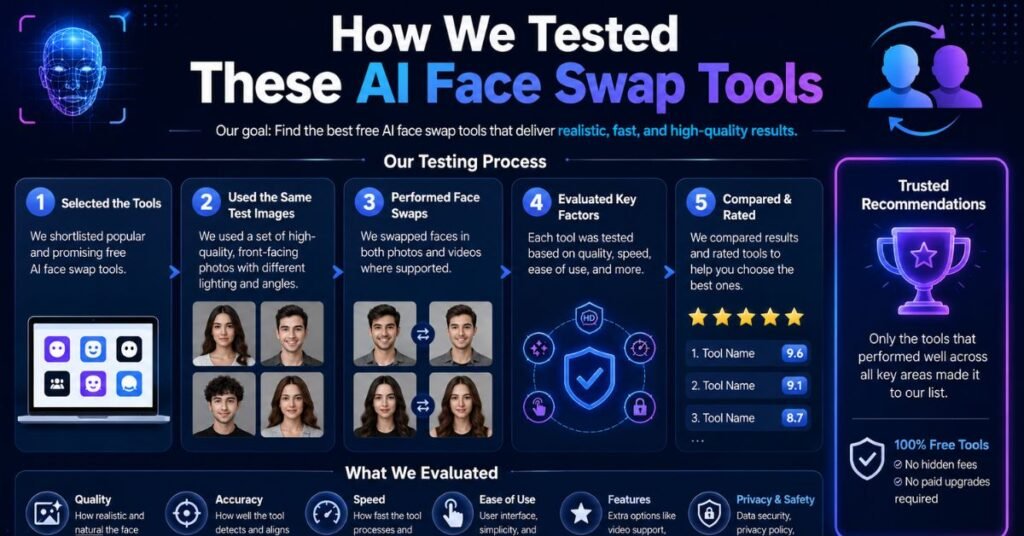
Every tool in this roundup was tested using the same set of source photos and target videos, covering front-facing portraits, angled shots, and varied lighting conditions.
We ran each tool through its free tier, tracked how many free swaps were available, checked whether outputs carried a watermark, measured processing time, and evaluated how the output held up under motion and expression changes.
We also reviewed each platform’s privacy policy to understand how uploaded photos are stored and used.
You May Also Like
Best Free Uncensored NSFW AI Image Generators in 2026: A Complete Guide
What you’ll learn in this guide
By the end of this article, you’ll know which free AI face swap tools produce the most realistic results, which ones let you export without a watermark, which are best for photos versus video, and how to protect your privacy while using them.
We’ve also included a use-case breakdown, a free-vs-paid comparison, and answers to the most common questions people ask before trying one of these tools.
Quick Comparison Table
| Tool | Best For | Free Plan | Watermark | Photo | Video | Rating |
|---|---|---|---|---|---|---|
| Magic Hour | Best overall / creators | Yes, generous credits | No (free tier) | Yes | Yes | 4.8/5 |
| Remaker AI | Beginners | Yes, limited daily | Yes on some exports | Yes | Yes | 4.3/5 |
| Pica AI | Mobile users | Yes, limited swaps | Yes | Yes | Limited | 4.2/5 |
| FaceSwapAI | No-sign-up photo swaps | Yes, no account needed | Sometimes | Yes | Limited | 4.1/5 |
| Reface | Viral templates / social | Yes, heavily limited | Yes on free tier | Yes | Yes | 4.4/5 |
| FaceMagic | Template-driven mobile swaps | Yes, daily caps | Yes | Yes | Yes | 4.0/5 |
| WaveSpeed AI | Fast batch processing | Yes, trial credits | Varies | Yes | Yes | 4.0/5 |
| Vidnoz AI | Business/marketing video | Yes, limited minutes | Yes | Yes | Yes | 4.1/5 |
| HeyGen | AI avatars & presenters | Yes, trial credits | Yes | Limited | Yes | 4.5/5 |
| Canva AI Face Swap | Design workflows | Yes, within Canva free | No | Yes | No | 4.3/5 |
| Akool | Enterprise / multi-face | Yes, trial credits | Yes | Yes | Yes | 4.2/5 |
| DeepSwap | Quick clean-clip swaps | Yes, limited credits | Yes | Yes | Yes | 4.1/5 |
Ratings reflect our overall testing impressions and may shift as tools update their models and pricing. Always confirm current plan details on each provider’s website before relying on this table for a purchase decision.
Why AI Face Swapping Is Exploding
Rapid improvements in generative AI
The jump in quality over the past two years has been dramatic. Early face swap tools struggled with flickering, warped edges, and inconsistent lighting. Newer models use temporal consistency techniques that keep a swapped face stable across hundreds of video frames, even when the subject turns their head or the lighting shifts. This leap in technical quality is a major reason face swapping feels usable for real content now, not just for a laugh.
Viral TikTok, Instagram, and YouTube trends
Short-form video platforms have turned face swapping into a recurring trend cycle. Sound-matched face swap edits, celebrity mashups, and “put yourself in the movie” clips regularly go viral, which keeps pulling new users into these apps. Trend-driven template libraries, like the ones inside Reface and FaceMagic, are built specifically to ride these waves.
Content creation, marketing, and entertainment use cases
Beyond entertainment, face swap technology has found a home in serious content production. Marketing teams use it to A/B test spokesperson videos without reshooting. Indie filmmakers use it for previsualization. Streamers use it for character-based content. The line between “novelty app” and “production tool” has largely disappeared.
AI avatars and digital storytelling
Face swapping is also a building block for the broader AI avatar movement. Tools like HeyGen combine face swap technology with voice cloning and lip sync to create fully synthetic presenters. This has opened up new formats for e-learning, corporate training, and personalized video messages at scale.
Growing demand for realistic photo and video editing
Finally, general demand for fast, realistic photo and video editing has never been higher. As more creative work moves to mobile-first workflows, people want tools that deliver professional-looking results without a learning curve. Free AI face swap tools fit that demand perfectly, letting anyone produce polished visual content in minutes.
There’s also a broader shift happening in how people think about visual content creation generally. A few years ago, editing a face into a video convincingly required Photoshop skills, After Effects knowledge, or a working understanding of motion tracking.
Today, that same result is available through a drag-and-drop interface that runs entirely in a browser tab. This democratization effect is a big part of why usage has grown so quickly across such a wide range of demographics, from teenagers making meme edits to marketing teams prototyping campaign concepts.
How We Tested These AI Face Swap Tools
Face swap realism
We evaluated how naturally each tool blended skin tone, facial structure, and expression into the target image or video, paying close attention to edge blending around the hairline and jaw.
Image and video quality
We checked output resolution, color accuracy, and whether video swaps maintained sharpness and stability during motion rather than degrading into blur or artifacting.
Processing speed
We timed how long each tool took to process a standard photo swap versus a 10-15 second video clip, since speed matters a lot for creators working on tight content schedules.
Ease of use
We assessed how intuitive the upload, preview, and export flow was, including whether the interface required technical knowledge or extra steps like account verification.
Free plan limitations
We tracked how many swaps, credits, or minutes each free tier allowed, and how quickly a new user would realistically hit a paywall.
Watermarks and export quality
We noted whether free exports carried a visible watermark, and if so, how large and disruptive it was, since a large watermark can make an otherwise good free plan unusable for shareable content.
Privacy and security
We reviewed each platform’s stated data retention policy, whether uploaded faces are used for model training, and how long biometric data is stored.
Overall value
Finally, we weighed all of the above against what a typical user actually needs, since the “best” tool depends heavily on whether someone wants a quick meme, a polished marketing asset, or a full AI avatar workflow.
We deliberately avoided ranking tools purely on marketing claims or App Store star ratings, since those can be skewed by aggressive review prompts or large template libraries that have little to do with actual swap quality. Instead, every tool in this guide was run through the same real-world test set, and the rankings reflect what we actually observed in the output, not what each platform claims on its landing page.
What Makes the Best Free AI Face Swap Tool?
AI accuracy and realism
The single biggest differentiator between tools is how convincingly they blend a face into a scene, especially under motion, side angles, and inconsistent lighting.
High-resolution output
A face swap that looks great at thumbnail size but falls apart at full resolution isn’t very useful for serious content. The best free tools still deliver usable HD output, even if 4K is reserved for paid tiers.
Fast processing
Nobody wants to wait several minutes for a short clip to render. Tools that use cloud GPU processing tend to deliver results in seconds rather than minutes.
Video face swap support
Photo swapping is table stakes at this point. The tools that stand out in 2026 are the ones that handle full video sequences with stable, flicker-free tracking.
No-sign-up availability
Some tools let you try a swap instantly without creating an account, which lowers the barrier for casual users who just want to test the technology once.
Watermark-free exports
A generous free tier loses most of its value if every export is stamped with a visible watermark, so this is one of the most important factors for anyone planning to actually share their results.
Cross-platform compatibility
The strongest tools work equally well on desktop browsers and mobile apps, so creators aren’t locked into a single device for their workflow.
Data privacy and security
Because face swapping involves biometric data, how a platform stores, uses, and deletes your uploaded photos matters just as much as the quality of the output.
Top 5 Tools You Can Use Today
1. Magic Hour
Overview:
Magic Hour is a browser-based AI content platform that bundles face swap with a wider suite of video generation and editing tools. In our testing, it consistently produced the most stable, realistic results on real footage with motion, varied lighting, and multiple faces, which is where many competing tools start to break down.
Key Features
- Photo and video face swap in one workflow
- Temporal consistency technology that keeps swapped faces stable across video frames
- Multi-face detection and swapping in a single clip
- API access for developers building custom pipelines
- Combines with lip sync and image-to-video tools inside the same platform
Pros & Cons
Pros:
strong free tier with no watermark, realistic results on real-world footage, no credit card required to start, supports both photos and video.
Cons:
Higher-resolution exports and 4K output are reserved for paid plans, and the broader toolset can feel like more than a casual user needs.
Free Version:
The free plan includes a starting allotment of frames plus a small daily refresh, with outputs capped at a lower resolution and no watermark.
Pricing:
Paid plans start at roughly $10-15/month billed annually, scaling up through higher tiers that unlock HD and 4K output plus commercial usage rights.
Best For:
Creators and small teams who want a genuinely usable free tier plus room to grow into a full production workflow.
Our Verdict:
Magic Hour was the strongest all-around performer in our testing, particularly for anyone who needs face swaps that hold up on real, moving footage rather than just clean studio photos.
What separated it most clearly from competitors was consistency: results didn’t degrade noticeably when we introduced side angles, changing light, or fast head movement, which is exactly where most other tools on this list started to show visible artifacts.
For anyone who plans to use face swapping as an actual part of their content workflow rather than a once-in-a-while novelty, this is the tool we’d point to first.
2. Remaker AI
Overview:
Remaker AI is a web-based tool focused on quick photo face swaps, AI headshots, and simple video swaps aimed at casual users who want fast results without a steep learning curve.
Features
- Simple drag-and-drop photo face swap
- Template gallery for quick creative swaps
- Basic video face swap support
- AI headshot and avatar generation tools
Pros & Cons
Pros:
very approachable interface, fast processing on photos, decent template variety.
Cons: some free exports include a watermark, and video quality lags behind more specialized platforms.
Free Version:
Offers a limited number of daily swaps at standard resolution, with premium templates and higher resolution locked behind a subscription.
Pricing:
Subscription plans are priced similarly to other mid-tier tools, typically in the single-digit to low-double-digit dollar range per month.
Best For:
First-time users who want an easy introduction to face swapping without a complicated setup.
Our Verdict :
A solid beginner-friendly option for photo swaps, though it’s not the tool to reach for if video realism is your priority.
3. Pica AI
Overview:
Pica AI is a mobile-first face swap and photo editing app that leans into fun, shareable content with a large library of templates and filters.
Features
- Mobile app with an extensive template library
- Photo face swap plus general photo editing tools
- Limited video swap functionality
- Social sharing built directly into the export flow
Pros & Cons
Pros:
Polished mobile experience, huge template selection, easy sharing to social platforms.
Cons: free exports typically carry a watermark, and video capabilities are more limited than dedicated video-first tools.
Free Version:
Free users get a capped number of swaps per day with watermarked exports and access to a subset of templates.
Pricing:
Subscription pricing follows a typical mobile app model, often with weekly, monthly, and annual tiers.
Best For:
Mobile users who want quick, fun photo swaps for social media rather than professional video output.
Our Verdict :
A capable mobile app for casual use, though heavier users will likely outgrow the free tier quickly.
4. FaceSwapAI
Overview:
FaceSwapAI positions itself as a no-friction, instant photo swap tool that doesn’t require creating an account to try, making it a good entry point for first-time users.
Features
- Instant photo face swap with no sign-up required
- Simple, minimal interface
- Basic video swap support on some versions
- Fast processing for single-image swaps
Pros & Cons
Pros:
Genuinely no-sign-up option, fast for single photos, low barrier to entry.
Cons:
Video support is limited or inconsistent, and free exports may include a watermark depending on the specific version used.
Free Version:
Allows a handful of free swaps without registration, with additional usage or higher quality gated behind an account or payment.
Pricing:
Typically offers pay-per-use credits or a low-cost monthly plan for extended access.
Best For:
Anyone who wants to test face swapping once or twice without committing to an account.
Our Verdict :
A convenient option for a quick trial, but not built for repeated, high-volume use.
5. Reface
Overview:
Reface is one of the most downloaded face swap apps in the world, known for its constantly updated library of viral video and GIF templates rather than uploading your own footage.
Features
- Massive, trend-driven template library
- Fast mobile-first face swap on photos, videos, and GIFs
- Web platform (“Unboring by Reface”) for browser-based use
- Expression and motion tracking tuned for its own template content
Pros & Cons
Pros:
Polished, fast, and genuinely fun for viral-style content, huge template selection updated frequently. Cons:
The free tier is fairly restrictive, with daily swap limits, ads between swaps, and watermarks on exports; you generally can’t upload your own video without a paid plan; subscription pricing (especially the weekly tier) has drawn user complaints for being easy to overpay on.
Free Version:
Free users get a small number of daily swaps using Reface’s own templates, with watermarked output and ads in between.
Pricing:
Mobile plans range from roughly $2.49-$6.99 per week, around $12.99/month, or $24.99-$29.99/year, with the web platform priced separately starting around $12.99/month.
Best For:
Users who want quick, trend-driven face swap content using curated templates rather than their own footage.
Our Verdict:
Reface remains the most recognizable name in mobile face swapping and is genuinely fun to use, but its free tier is more of a trial experience than a fully usable free plan, and the annual subscription is the only pricing tier worth choosing if you commit. If your goal is to swap your own footage rather than pick from a curated template library, Reface’s structure will feel restrictive fairly quickly, and one of the alternatives further up this list will likely serve you better.
More Free AI Face Swap Tools Worth Trying
FaceMagic
Overview:
A template-driven mobile face swap app similar in spirit to Reface, with a strong focus on trending video and meme content.
Features:
Large template library, daily free swap allowance, rewarded-ad unlocks for extra swaps, both photo and video support.
Pros & Cons:
Generous daily free allowance for a mobile app, but free exports include watermarks and the core product is built around templates rather than custom footage.
Free Plan: A handful of daily swaps, expandable through watching rewarded ads.
Pricing: Weekly, monthly, and annual subscription tiers, priced similarly to other template-based mobile apps.
Best For: Mobile users chasing viral meme and trend content on a budget.
WaveSpeed AI
Overview:
A cloud-based AI platform geared toward fast, batch-style media processing, including face swap alongside other generative tools.
Features:
Fast GPU-backed processing, API access for developers, support for both image and video swap jobs. Pros & Cons:
Strong for speed and technical integrations, but the interface leans more technical than consumer apps, which may not suit casual users.
Free Plan:
Trial credits are provided on signup, enough for a small number of test swaps.
Pricing:
Usage-based, pay-per-credit pricing that scales with volume.
Best For: Developers and technical users who want to integrate face swap into a larger automated workflow.
Vidnoz AI
Overview:
A broader AI video platform that includes face swap as part of a suite aimed at business and marketing video production.
Features: Face swap combined with AI avatars, text-to-video, and video templates aimed at corporate and marketing use.
Pros & Cons: Useful if you already need other video production tools, but the free tier’s swap minutes are limited and watermarks appear on free exports.
Free Plan: A capped number of free minutes or exports each month.
Pricing: Tiered monthly plans aimed at business and marketing teams.
Best For: Marketing teams that want face swap bundled with broader AI video production tools.
HeyGen
Overview:
Primarily known for AI avatar and presenter video generation, HeyGen uses face and video synthesis technology that overlaps closely with face swapping.
Features:
AI avatar creation, voice cloning, multilingual lip sync, and presenter-style video generation.
Pros & Cons:
Excellent for professional-looking avatar videos, but it’s built around presenter-style content rather than casual photo swaps, and the free trial credits run out quickly.
Free Plan: A limited set of trial credits for generating short avatar videos.
Pricing: Subscription tiers scale by video minutes and avatar features, aimed at business and creator use.
Best For:
Anyone building training videos, product explainers, or presenter-style content rather than casual face swap memes.
Canva AI Face Swap
Overview:
Canva has integrated basic face swap functionality into its design platform, letting users blend a face into a template or photo directly inside an existing design workflow.
Features: Face swap within Canva’s broader design and template ecosystem, easy integration with other design elements.
Pros & Cons: Extremely convenient if you’re already using Canva for design work, but the feature is more limited than dedicated face swap tools and doesn’t currently support video.
Free Plan: Available within Canva’s free tier, subject to Canva’s general usage limits.
Pricing:
Included with Canva Free and Canva Pro subscriptions.
Best For:
Designers and marketers who want to add a face swap element to a larger design project without switching tools.
Akool
Overview:
Akool is built for enterprise and high-volume use cases, with strong multi-face detection and API integration for teams that need face swap at scale.
Features:
Multi-face swapping in a single frame, API access, batch processing, and enterprise-grade support options.
Pros & Cons:
One of the strongest tools for complex, multi-face scenes and business integrations, but the free tier is mainly useful for evaluation rather than ongoing casual use.
Free Plan: Trial credits sufficient for testing core functionality.
Pricing: Tiered plans aimed at business and enterprise customers, with custom pricing for high-volume API use.
Best For:
Businesses that need face swap integrated into a larger content production pipeline.
Akool’s enterprise focus means it’s less concerned with template libraries or viral social features and more concerned with reliability at scale. If you’re a solo creator making occasional social content, this is likely more infrastructure than you need.
But for a company running ongoing localized marketing campaigns or building face swap into a customer-facing product, the trial tier is worth testing specifically to evaluate multi-face accuracy and API latency before committing to a contract.
DeepSwap
Overview:
DeepSwap is a focused, browser-based utility for quick face swaps on clean, well-lit video clips, GIFs, and photos.
Features:
Fast processing, support for up to several faces per clip, straightforward upload-and-swap workflow. Pros & Cons:
Good for quick, isolated swaps on simple footage, but credit limits on the free tier are restrictive and there’s no API for larger workflows.
Free Plan:
A small number of free credits for initial testing.
Pricing:
Monthly subscription plans, often with an introductory discounted first month.
Best For:
Users who need a fast, no-frills swap on a short, clean clip rather than a full production workflow.
Best AI Face Swap Tools by Use Case
Not every reader needs the single “best” tool overall — most people are really asking which tool is best for their specific situation. The breakdown below maps each major use case to the tool that handled it best in our testing, so you can jump straight to the pick that matches what you’re actually trying to do.
Overall Best: Magic Hour, thanks to its combination of realistic results on real footage, a genuinely usable free tier, and support for both photos and video in one platform.
For Beginners Best : Remaker AI, for its simple drag-and-drop interface and low learning curve.
Without Watermark: Magic Hour’s free tier stood out as one of the few offering watermark-free exports without requiring payment.
Video Face Swaps: Magic Hour, due to its temporal consistency handling and stable results under motion.
Best for Photo Face Swaps: FaceSwapAI for quick, no-sign-up single image swaps.
For Mobile Users: Reface, for its polished mobile app experience and constantly refreshed template library.
No-Sign-Up Tool: FaceSwapAI, which allows a genuine trial without creating an account.
Best for Content Creators: Magic Hour, given its integration with broader video generation and lip sync tools in one workflow.
For Social Media: FaceMagic and Reface, both built around trend-driven templates optimized for short-form platforms.
Best for Professional Editing: Akool, for its multi-face support and enterprise-grade API integration.
If your needs span more than one of these categories, which is common for creators juggling both personal and business content, it’s worth trying two tools side by side using the same source photo. Because free tiers are inexpensive to test, there’s little downside to running the same swap through your top two picks before settling on a paid plan.
Free vs. Paid AI Face Swap Tools
What’s included in free plans
Most free plans give you a limited number of swaps or credits, often capped at a lower resolution, and in many cases stamp exports with a watermark. Some tools, like Magic Hour, buck this trend by offering watermark-free exports even on the free tier, though resolution is still typically capped below what paid plans offer.
Premium features worth paying for
Paid plans generally unlock higher resolution exports (often up to 4K), remove watermarks, add commercial usage rights, and provide faster or priority processing. For businesses, paid tiers also usually unlock API access and multi-face support at scale, which free plans rarely include.
Which users should upgrade?
Casual users making the occasional meme or one-off swap can usually get by on free tiers indefinitely. Content creators publishing regularly, marketers producing branded assets, or businesses building video at scale will hit free tier limits quickly and should budget for at least an entry-level paid plan to get commercial rights and watermark-free output.
It’s also worth thinking about upgrade timing rather than upgrading the moment you hit a limit. Many platforms run periodic discounts on annual plans, and jumping straight to an annual subscription can be significantly cheaper than paying month to month once you know you’ll be using a tool regularly.
On the other hand, if you only need a single high-quality export, a one-time credit purchase or a single month of a paid plan is often more cost-effective than committing to a full year upfront.
Matching the billing structure to your actual usage pattern, rather than defaulting to whichever plan is advertised first, is the easiest way to avoid overpaying.
Safety and Ethical Considerations
Is AI face swapping safe?
The technology itself is safe to use, but safety in practice depends heavily on how it’s applied. Using face swap tools on your own photos, or with the clear consent of everyone involved, is generally low-risk. Problems arise when the technology is used to impersonate someone without their permission or to create misleading content.
How platforms handle your uploaded photos
Privacy policies vary significantly between providers. Some platforms state that uploaded files are automatically deleted after processing and are not used to train models, while others retain facial data for extended periods and reserve broad rights to use generated outputs. It’s worth reading a platform’s privacy policy before uploading a photo, especially if it includes your face or someone else’s.
Copyright and consent issues
Using someone else’s likeness, including a public figure’s, in a face swap can raise both copyright and personality-rights issues depending on how the content is used and distributed. Using a face swap in a way that could be mistaken for a real, unaltered video of that person raises additional ethical and, in some jurisdictions, legal concerns.
Deepfake risks and responsible use
The same technology that makes face swapping fun also powers more concerning deepfake use cases, including impersonation and misinformation. Responsible use means avoiding non-consensual swaps of real people, being transparent when content is AI-generated, and steering clear of any use intended to deceive or harm someone.
Tips to protect your privacy
Favor tools that clearly state they delete uploaded files after processing and don’t use your photos to train their models. Avoid uploading sensitive personal photos to unfamiliar or unverified apps, and review each platform’s data retention policy, particularly for biometric data, before committing to regular use.
It’s also worth checking whether an app requests broad licensing rights over content you generate, since some free mobile apps include terms that grant them wide latitude to reuse or redistribute your swapped output.
Reading the terms of service before uploading a face, especially someone else’s, takes a couple of minutes and can save you from an unpleasant surprise later. When in doubt, a simple rule of thumb applies: only swap faces you have permission to use, and treat any platform that’s vague about data retention with extra caution.
Parents and guardians should also be thoughtful about uploading photos of minors to any face swap platform, given the sensitivity of biometric data belonging to children.
Many platforms’ terms of service require users to be adults, and it’s worth checking a tool’s age policy before letting younger family members use it, even for something as casual as a birthday meme.
Tips for Getting the Most Realistic Face Swaps
Even the best AI model can only work with what you give it. In our testing, the single biggest factor separating a convincing swap from an obviously fake one wasn’t the tool itself, it was the quality of the source photo. These practical tips apply across virtually every platform in this guide.
Use high-resolution images
Sharper source photos give the AI more detail to work with, which directly improves how convincing the final blend looks, especially around the eyes and hairline.
Match lighting and face angles
Try to match the lighting direction and head angle between your source photo and the target image or video. A mismatch here is one of the most common causes of an unnatural-looking swap.
Choose front-facing photos
Front-facing, well-lit portraits consistently produce the most reliable results, since most face swap models are trained to map facial landmarks most accurately from a direct angle.
Avoid blurry or cropped faces
Blurry, low-resolution, or heavily cropped source photos give the AI less information to work with and often produce visible artifacts around the edges of the swapped face.
Use HD export settings when available
If a tool offers a choice of export resolution, always choose the highest option available to you, since lower resolution settings can introduce compression artifacts that make the swap more noticeable.
Taken together, these adjustments cost nothing extra and take only a minute or two of prep, but they consistently made the difference between a swap that looked obviously artificial and one that could pass a casual glance.
If you only take one tip from this section, it’s this: a slightly better source photo will improve your results more than switching to a different tool ever will.
The Future of Digital Identity
Face swap technology is no longer just a standalone app category, it’s becoming one of the foundational building blocks of how people present themselves online. The trends below give a sense of where this technology is heading over the next few years, and why it’s likely to become even more embedded in everyday digital life.
AI avatars becoming mainstream
Face swap technology is increasingly the foundation for persistent AI avatars, used for everything from personal branding to virtual presenters in corporate training. As the underlying models improve, these avatars are becoming harder to distinguish from real recorded video.
Personalized virtual identities
We’re moving toward a world where individuals maintain digital versions of themselves that can be inserted into video content on demand, whether for marketing, education, or entertainment. This shifts face swapping from a one-off effect into an ongoing part of someone’s digital identity toolkit.
Face swap technology in business and education
Businesses are adopting this technology for localized training content, product demos, and multilingual marketing videos, while educational platforms use it to create more engaging, personalized instructional content without reshooting for every variation.
Real-time video face swapping
Real-time face swapping during live video calls and streams is improving rapidly, opening up new use cases in virtual events, gaming, and live content creation, though it also raises fresh questions about verifying who is actually on the other end of a video call.
Authentication and ethical challenges
As face swap and avatar technology becomes harder to detect, platforms and regulators are increasingly focused on authentication tools like content provenance labeling and watermarking standards designed to help viewers tell synthetic content apart from real footage.
What to expect beyond 2026
Expect continued improvements in realism, particularly for real-time and multi-face scenarios, alongside growing regulatory attention on consent and disclosure requirements. The tools that succeed long-term will likely be the ones that pair strong technical quality with transparent privacy practices and responsible-use safeguards.
Frequently Asked Questions
Here are quick, direct answers to the questions readers ask most often before choosing an AI face swap tool.
What is the best free AI face swap tool in 2026?
Based on our testing, Magic Hour is the strongest overall free option, offering watermark-free exports, support for both photos and video, and realistic results on real-world footage without requiring a credit card to start.
Which AI face swap tool has no watermark?
Magic Hour’s free tier is one of the few that exports without a watermark, while most other free plans, including Reface, Pica AI, and FaceMagic, add a watermark unless you upgrade to a paid plan.
Can I swap faces in videos for free?
Yes, several tools including Magic Hour, Reface, FaceMagic, and DeepSwap offer free video face swap functionality, though most cap the resolution, length, or number of swaps available before requiring payment.
Are AI face swap tools safe to use?
The technology is safe when used responsibly, on your own photos or with consent, but you should review each platform’s privacy policy to understand how your uploaded photos and facial data are stored and used.
Do I need to create an account?
It depends on the tool. Some platforms, like FaceSwapAI, allow a limited number of swaps without any sign-up, while most others require a free account to track your usage and credits.
Which tool creates the most realistic face swaps?
In our testing, Magic Hour produced the most consistently realistic results, particularly on video with motion and varied lighting, thanks to its temporal consistency processing.
Can I use AI face swap tools on my phone?
Yes, most of the tools covered in this guide, including Reface, FaceMagic, and Pica AI, are available as mobile apps, and browser-based tools like Magic Hour also work well on mobile web browsers.
Are there any completely free AI face swap tools?
Fully free, unlimited tools are rare, but several platforms offer genuinely usable free tiers with a set number of swaps or credits. Magic Hour stands out for combining a generous free allowance with watermark-free exports, making it one of the more usable free options currently available.
Final Thoughts
AI face swap technology has matured well past its novelty-filter origins, and the free tools available in 2026 reflect that shift. Whether you’re chasing a viral trend, prototyping marketing creative, or building a full AI avatar workflow, there’s now a genuinely capable free option for nearly every use case covered in this guide.
As always with fast-moving AI categories, pricing, free tier limits, and feature sets shift frequently, so it’s worth checking each provider’s current plan details before making a final decision, especially if watermark-free output or commercial usage rights matter for your project.